

Amazon Fire TV Vega OS Transition: Device Compatibility Matrix, Developer Tooling, and Migration Roadmap
Enterprise OTT teams that built their Fire TV distribution strategy on Android assumptions are absorbing a platform migration Amazon has not attached a deadline to. Amazon shipped Vega OS on the Fire TV Stick 4K Select in 2025 and on the second-generation Fire TV Stick HD in 2026, while running a Cloud App Program that streams eligible Fire OS apps to Vega devices free of charge for at least the first nine months of operation.
This article corrects two claims that circulate widely and are wrong: that Vega OS eliminates sideloading and developer device access, and that the Cloud App Program is a fixed nine-month runway that ends distribution. Neither matches Amazon's published documentation. What follows is the device matrix, the actual developer tooling story, and a migration plan built on primary sources — every one of which is linked in the Sources section at the end.
If you are scoping a new build rather than a migration, start with Fire TV app development.
Key Takeaways
- Vega OS is not Android. It is Amazon's own operating system, not a fork of Android or AOSP, and existing Fire TV APKs do not run natively on it. Apps are built against the Vega SDK and packaged as
.vpkg, not APK. - Developer sideloading is supported; consumer sideloading is not. Amazon documents a Developer Mode that enables sideloading
.vpkgpackages, shell access, package management, and component debugging over network or USB. What is gone is the consumer-facing path — Downloader-style APK installs — and ADB itself, which the Vega Device Adapter (VDA) replaces. - Two device families run Vega OS today: the Fire TV Stick 4K Select (2025) and the second-generation Fire TV Stick HD (2026). Everything else in the Fire TV line — 4K Plus, 4K Max, Cube, Fire TV built-in televisions — remains on Fire OS.
- The Cloud App Program is not a nine-month cliff. Amazon says streaming is free "for at least the first nine months of operation," after which it anticipates charging a fee based on monthly active users, with exact pricing published at least six months before billing starts. Distribution does not stop; the cost basis changes.
- Amazon has published no Fire OS deprecation date. There is no announced end date for Fire OS app support in the Appstore. Plan against the pricing-notice mechanism, not an invented deadline.
What Is Vega OS and Why Amazon Built It
Vega OS vs. Android-Based Fire OS: What Actually Changed
Vega OS is a purpose-built operating system for Amazon devices — not a fork of Android, not a reskin of Fire OS, and not compatible with the Android application runtime. Amazon has decoupled its streaming device stack from the Android licensing chain, replacing the AOSP-derived Fire OS with an OS of its own that targets lower-specification silicon.
The application model changed with it. Vega apps are built against the Vega SDK, packaged as .vpkg files, and installed through Amazon's own package manager. Android APKs do not execute natively on Vega hardware at any layer.
Why Amazon Moved Off Android
Streaming analyst Dan Rayburn characterized Vega OS as a deliberately simpler, lighter platform than Android-based Fire OS — one that lets Amazon ship cheaper Fire TV hardware because the OS demands less of the device. The commercial logic is straightforward: lower bill-of-materials cost per unit, no Android licensing obligations, and control over the platform update cadence without Google's release dependencies.
For Amazon this mirrors what Roku executed years earlier with its proprietary OS: reduced platform cost and tighter control over the developer and publisher ecosystem.
What Actually Changed for Developers: APKs, ADB, and Sideloading
This is where most published commentary on Vega OS is wrong, so it is worth being precise about three separate things.
APK compatibility is genuinely gone. Your Fire OS APK will not install or execute on a Vega device. You build a Vega app or you use the Cloud App Program.
ADB is gone, but it has a replacement. Amazon's developer tooling for Vega is the Vega Device Adapter (VDA) plus the Vega CLI, not adb. Your existing ADB-based scripts do not transfer, but the capability they provided does.
Developer sideloading is explicitly supported. Amazon's own documentation states that Developer Mode "enables you to sideload apps, debug components, and access your Fire TV device through the developer shell and VDA (Vega Device Adapter) over the network or USB interface." Enabling it means opening Settings > My Fire TV > About and pressing the center button seven times to unlock Developer Options, then registering the Device Serial Number in the developer console. From there:
vega device install-app --packagePath my-package.vpkginstalls a build (the CLI was namedkeplerin earlier SDK versions)vega device launch-applaunches a component; other commands list and terminate componentsvshprovides shell access,vpmprovides package management, and component-level debugging is available
There is one meaningful restriction: you can only sideload non-Amazon packages — those without the com.amazon prefix. And disabling Developer Mode completely requires a factory reset.
What is genuinely gone is consumer sideloading. Vega devices do not support Downloader-style APK installation by end users. Any distribution strategy that relied on customers or field staff installing an APK outside the Appstore is dead. Internal QA on physical hardware is not — in fact Amazon requires it. The documentation is explicit: "You can use Vega Virtual Device for initial development and testing, but you must test your app on a Fire TV Stick before submitting to the Amazon Appstore."
Which Fire TV Devices Run Vega OS? (Compatibility Matrix)
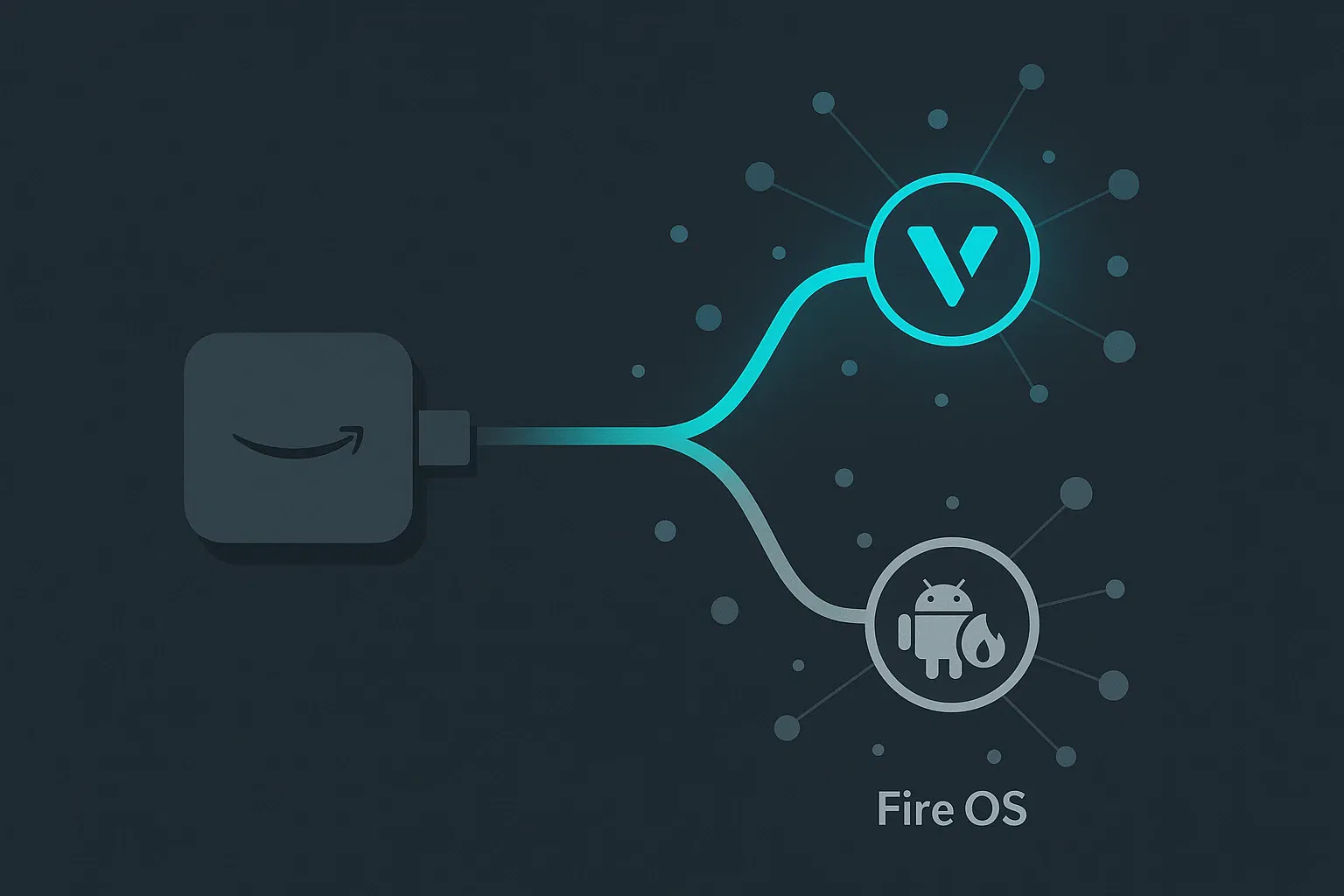
As of August 2026, two Fire TV devices ship with Vega OS. Amazon's 2026 lineup now spans three separate OS tracks simultaneously — Vega OS, Fire OS 14 (Android 14), and Fire OS 8 (Android 11) — which means a model name alone no longer tells you what a device runs.
Devices Running Vega OS
| Device | OS | Notes |
|---|---|---|
| Fire TV Stick 4K Select (2025) | Vega OS | The only 4K stick on Vega OS. Identified by "Select" in the name. |
| Fire TV Stick HD, 2nd gen (2026) | Vega OS | Wi-Fi 6, rounded corners, "Fire TV" printed on the stick. |
Devices Running Fire OS (Android-Based)
| Device | OS | Notes |
|---|---|---|
| Fire TV Stick HD, 1st gen (2024) | Fire OS | Wi-Fi 5, squared corners, no "Fire TV" text on the stick. |
| Fire TV Stick 4K Plus | Fire OS | Supports consumer sideloading and Downloader. |
| Fire TV Stick 4K Max | Fire OS | Supports consumer sideloading and Downloader. |
| Fire TV Cube (3rd gen and earlier) | Fire OS | Supports consumer sideloading and Downloader. |
| Fire TV built-in televisions | Fire OS 14 or Fire OS 8 | 2026 models split across both Android tracks depending on manufacturer. |
How to Identify What a Device Actually Runs
Check Settings > My Fire TV > About. A Vega OS device reports a version number beginning with 1.; a Fire OS device reports a version beginning with 3, 5, 6, 7, 8, or 14. Use this rather than the product name when auditing a QA device lab — the two generations of Fire TV Stick HD are visually similar and run different operating systems.
Amazon has announced no migration dates for the remaining Fire OS devices. Treat every unlisted device as Fire OS for planning purposes, and re-verify against Amazon's developer documentation before committing a roadmap.
The Cloud App Program: What Amazon Actually Says
The Cloud App Program delivers eligible Fire OS apps to Vega OS Fire TV devices by cloud app streaming — your existing app runs in Amazon's cloud and the output is rendered on the device.
Eligibility
Amazon lists six requirements:
- An active Amazon developer account
- The Fire OS app is already published in the Amazon Appstore
- App compatibility with Fire TV Stick 4K Max
- App compatibility with Fire OS 7
- The app is not a game or utility
- Amazon has determined that your Fire OS app is compatible and eligible
That last condition matters for planning: eligibility is Amazon's call, not a self-service enrollment.
Pricing — and Why "Nine-Month Deadline" Is Wrong
Amazon's documentation says cloud app streaming "is free of charge for at least the first nine months of operation, giving you ample time to deploy a Vega OS version of your app." It then says: "After that period, Amazon anticipates charging a fee based on the number of monthly active users. Exact pricing is available at least six months before billing starts."
Three things follow, and all three contradict the common reading:
- Nine months is a floor, not a ceiling. "At least the first nine months" sets a minimum free period. It is not an expiry date.
- Distribution does not end. The stated future state is a paid, MAU-based fee — not removal from Vega devices.
- You get six months of pricing notice. Amazon commits to publishing exact pricing at least six months before billing begins, which is the actual planning signal to watch for.
The real risk is therefore commercial, not binary. A publisher with a large Vega OS install base and no native app faces an MAU-scaled bill on an unknown rate card. That is a reason to plan a native port, but it is not a distribution cliff, and modelling it as one produces bad decisions.
Migration Strategy: Preparing Your OTT App for Vega OS
Step 1: Audit Android Dependencies
Start with a dependency audit against your existing Fire TV app. Anything calling Android system APIs — Google Play Services stubs, Android TV launcher integrations, AOSP-derived UI components — has no direct Vega equivalent and needs to be remapped or rebuilt. Flag these in Sprint 1.
Your build and test tooling needs the same treatment, but scope it correctly: this is a retooling job, not a capability loss. ADB invocations become Vega CLI invocations against VDA; APK artifacts become .vpkg artifacts; device provisioning gains a DSN registration step in the developer console. Budget engineering time for rewriting CI device scripts, not for replacing on-device testing with something else.
Step 2: DRM Validation
DRM is the highest-risk dependency in any OTT migration. Vega OS does not run Android's Widevine CDM in the Fire OS execution context. Amazon has not published a complete public specification of the Vega DRM pathway, so treat this as the item to validate first on real hardware rather than the item to assume.
Re-validate license acquisition, token handling, and content key rotation on an actual Vega device before committing to a ship date. Assume nothing inherited from your Fire OS build.
Step 3: Sandboxing and Permissions
Vega OS operates under a tighter, platform-controlled sandboxing model than Fire OS. Apps cannot assume access to shared storage paths, cross-app data, or system-level intents that Android's permission model allowed.
If your app handles secure enclave operations, persistent session tokens, or device identifiers for ad targeting or subscription validation, audit each access point against Vega's permissions surface. Running through the Cloud App Program does not resolve this — a streamed container inherits the constraints of the host environment it renders to.
Step 4: QA Across a Three-Track Device Fleet
Your Fire TV QA matrix now has three branches, not two: Vega OS, Fire OS 14, and Fire OS 8. Test plans and automated suites built for Fire OS do not transfer to Vega without modification.
Allocate dedicated Vega inventory — both a 4K Select and a 2nd-gen Stick HD, since they differ in silicon and Wi-Fi generation. Use the Vega Virtual Device for fast iteration during development; it needs no developer mode and no hardware. But plan physical-device passes into the schedule, because Amazon requires a Fire TV Stick test before Appstore submission.
Prioritize regression coverage for playback, DRM license acquisition, authentication, and in-app purchase — the highest-failure-probability touchpoints in any platform port.
Step 5: Appstore Submission
The Appstore developer console is the only consumer distribution channel for Vega OS. Pre-release stakeholder review moves to Appstore testing tracks or to Developer Mode installs on registered devices — the latter works well for an engineering and QA population, less well for a large non-technical review group, since every device needs its DSN registered.
Verify metadata, content rating, and binary submission against current developer console requirements before your first Vega build submission, and budget for certification turnaround as a variable outside your control.
Cost and Decision Framework
Scenario A: Native Vega Port
Assume a senior engineer rate of $180/hour. A dependency audit, DRM re-validation, UI rebuild against the Vega SDK, sandboxing remediation, CI retooling, and a multi-track QA cycle realistically requires 800–1,200 engineering hours for a mature OTT app — $144,000–$216,000 before certification cycles and project management overhead.
These are illustrative estimates based on comparable platform ports, not quotes. Complexity scales with your dependency footprint, and a thin app with few native integrations will land well under the range.
Scenario B: Stay on the Cloud App Program
Zero near-term engineering cost, contingent on Amazon confirming your app is eligible. The future cost is an MAU-based fee at a rate Amazon has not yet published, with a six-month notice commitment before billing starts.
The honest framing: this is an open-ended liability of unknown size, not a countdown. For a publisher with a small Vega install base, waiting for the published rate card is a defensible decision. For one with significant and growing Vega DAU, the unpriced exposure grows with the install base, and the port is worth starting before the rate is announced rather than after.
Distribution Risk
Vega OS is currently shipping on Amazon's entry-level and mid-tier sticks — the highest-volume SKUs in the line. If Vega expands further and your app is neither natively ported nor Cloud App Program–eligible, you are dark on every new unit shipped from that point. Ad-supported publishers absorb that as lost inventory; subscription publishers absorb it as constrained acquisition.
Note the eligibility conditions again here: games and utilities are excluded from the Cloud App Program outright. For those publishers there is no bridge, and a native port is the only path.
Build vs. Buy
The threshold comes down to one variable: whether your engineering team can absorb 800–1,200 hours without deferring roadmap work. If it cannot, or if the team has no Vega SDK experience, the opportunity cost of an internal build exceeds the cost of a specialist engagement.
Apexnova provides OTT app development and ships production platforms across Fire TV, Android TV, and Roku, including DRM integration and store submission. Those are our own delivery claims, not independent benchmarks — ask for scale-matched references before treating them as evidence.
Backwards Compatibility and Deprecation
Will Your Current Fire TV App Work on Vega Devices?
Not natively. Under the Cloud App Program your Fire OS app executes in a cloud-hosted environment and the rendered output is streamed to the device. That distinction matters for input latency, DRM handling, and experience consistency.
Amazon's Deprecation Timeline
Amazon has published no deprecation date for Android-based Fire OS app support in the Appstore, and no date for when Fire OS devices stop receiving updates. Fire OS is not a legacy track in 2026 — Amazon shipped new Fire OS 14 devices this year.
Plan against two real signals instead of an imagined deadline: the Cloud App Program pricing announcement, which carries a six-month notice commitment, and the OS mix of Amazon's shipping hardware, which determines how fast your addressable Vega base grows.
Security Implications of Cloud-Streamed Apps
An app executing in Amazon's cloud and streaming output to a device does not have direct access to that device's secure enclave, trusted execution environment, or local DRM hardware. Token handling, secure session storage, and device identifier access all behave differently in this model.
For publishers with high-value content under strict DRM terms, the streamed model may not satisfy content licensing obligations. Validate with your content partners before treating the Cloud App Program as an acceptable multi-year bridge.
Dual-Track Release Management
During the transition the Appstore carries both your Fire OS app and your Vega build. Separate release tracks, versioned feature flags, and divergent QA cycles add real overhead to every release.
The architecture that scales is shared business logic with platform-native presentation layers, treating each platform as an independent surface over a common core. Ad hoc forking does not scale past two platforms.
FAQ: Amazon Fire TV Vega OS Transition
Which Fire TV devices have Vega OS?
Two: the Fire TV Stick 4K Select (2025) and the second-generation Fire TV Stick HD (2026). All other Fire TV devices — the Stick HD 1st gen, 4K Plus, 4K Max, Cube, and Fire TV built-in televisions — run Fire OS. Amazon's 2026 lineup spans three OS tracks (Vega OS, Fire OS 14, Fire OS 8), so check Settings > My Fire TV > About rather than relying on the model name.
Is Vega OS based on Android?
No. Vega OS is a proprietary operating system Amazon developed for its own devices. It is not a fork of Android or AOSP, does not run Android applications natively, and carries no Android licensing dependencies. Apps are built with the Vega SDK and packaged as .vpkg rather than APK.
Can you sideload apps on Vega OS Fire TV?
For developers, yes. Amazon documents a Developer Mode that enables sideloading .vpkg packages, shell access via vsh, package management via vpm, and component debugging over network or USB through the Vega Device Adapter. You enable it in Settings > My Fire TV > About and register the device serial number in the developer console; only non-Amazon packages (those without a com.amazon prefix) can be sideloaded.
For consumers, no. Vega OS devices do not support Downloader-style APK installation, and the Amazon Appstore is the only consumer distribution channel.
Does Vega OS support ADB?
No, but it has an equivalent. Android's adb is replaced by the Vega Device Adapter (VDA) and the Vega CLI, which provide device access over network or USB. Existing ADB scripts must be rewritten, but on-device debugging and installation capability is preserved.
Will existing Fire TV apps work on Vega OS?
Not natively — Fire OS APKs do not execute on Vega hardware. Amazon's Cloud App Program bridges this by streaming eligible Fire OS apps from the cloud to Vega devices. Eligibility requires the app to be published in the Appstore, compatible with Fire TV Stick 4K Max and Fire OS 7, and not a game or utility, with final eligibility determined by Amazon.
What is the Amazon Cloud App Program, and does it expire?
It is a program in which Amazon streams eligible Fire OS apps from the cloud to Vega OS Fire TV devices. Amazon states it is free of charge for at least the first nine months of operation, and that after that period Amazon anticipates charging a fee based on monthly active users, with exact pricing published at least six months before billing starts. It is not a fixed nine-month deadline and it does not end distribution — the cost basis changes from free to MAU-based.
How long will Amazon support Android-based Fire TV apps?
Amazon has announced no deprecation date for Fire OS apps in the Appstore. Fire OS remains an active track — Amazon shipped new Fire OS 14 and Fire OS 8 devices in 2026. There is currently no published end-of-support timeline to plan against.
What to Do Next
Strip the false deadline out of your planning and replace it with the two signals that actually matter: Amazon's Cloud App Program pricing announcement, which comes with six months of notice, and the rate at which Vega devices accumulate in your own analytics. The second is a number you already have.
If your Vega DAU is small and your app is Cloud App Program–eligible, you have room to wait for the rate card. If Vega is a growing share of your Fire TV base, or your app is a game or utility and therefore ineligible for the bridge entirely, start the port now — 800–1,200 engineering hours does not compress well under deadline pressure.
Either way, the tooling story is better than the commentary suggests. Developer Mode, VDA, the Vega Virtual Device, and physical-device installs all exist and are documented. The work is a genuine port, not a rebuild against a closed platform.
If you want that port scoped against your actual dependency footprint, talk to our engineering team.
Sources
- Amazon — Developer Mode on Vega devices — sideloading, VDA,
vsh,vpm,vega device install-app, non-Amazon package restriction - Amazon — Run apps on the Vega Virtual Device and physical devices —
.vpkgpackaging, DSN registration, physical-device test requirement before submission - Amazon — Cloud App Program — eligibility criteria, "free of charge for at least the first nine months," MAU-based fee, six-month pricing notice
- AFTVnews — Which Fire TVs don't support sideloading or Downloader due to Vega OS — device-by-device Vega OS vs. Fire OS breakdown and the Settings > About version check
- FTVDB — Amazon's 2026 Fire TV list spans Vega OS, Fire OS 14, and Fire OS 8 — three concurrent OS tracks in the 2026 lineup
Last verified against Amazon's developer documentation on 6 August 2026. Amazon updates these pages without announcement; re-check before making a roadmap commitment.