

Live Streaming Player: A Production Setup Guide
A live event can reach the CDN perfectly and still fail at the last metre. The viewer sees a spinner, hears audio over a black screen, misses captions, or discovers that “live” is half a minute behind the action. A production live streaming player has to turn a changing network feed into reliable playback while also enforcing access, reporting quality, and behaving consistently across browsers, phones, and TVs.
This guide explains how that player works, which features matter, how protocol and latency choices change the design, and how to take a web implementation from a successful demo to a launch-ready service.
What is a live streaming player?
A live streaming player is the viewer-side software that receives an ongoing video stream, buffers and decodes it, adapts quality to current conditions, and renders the result with controls. Unlike a basic file player, it must continually refresh a live manifest or real-time session while staying close to the live edge and recovering from network, media, and authorization failures.
On the web, the visual surface is usually an HTML <video> element. A playback engine supplies the streaming logic around it. The browser's Media Source API lets JavaScript append media segments to that element and is the foundation for adaptive HLS and DASH clients in browsers that do not handle a stream natively.
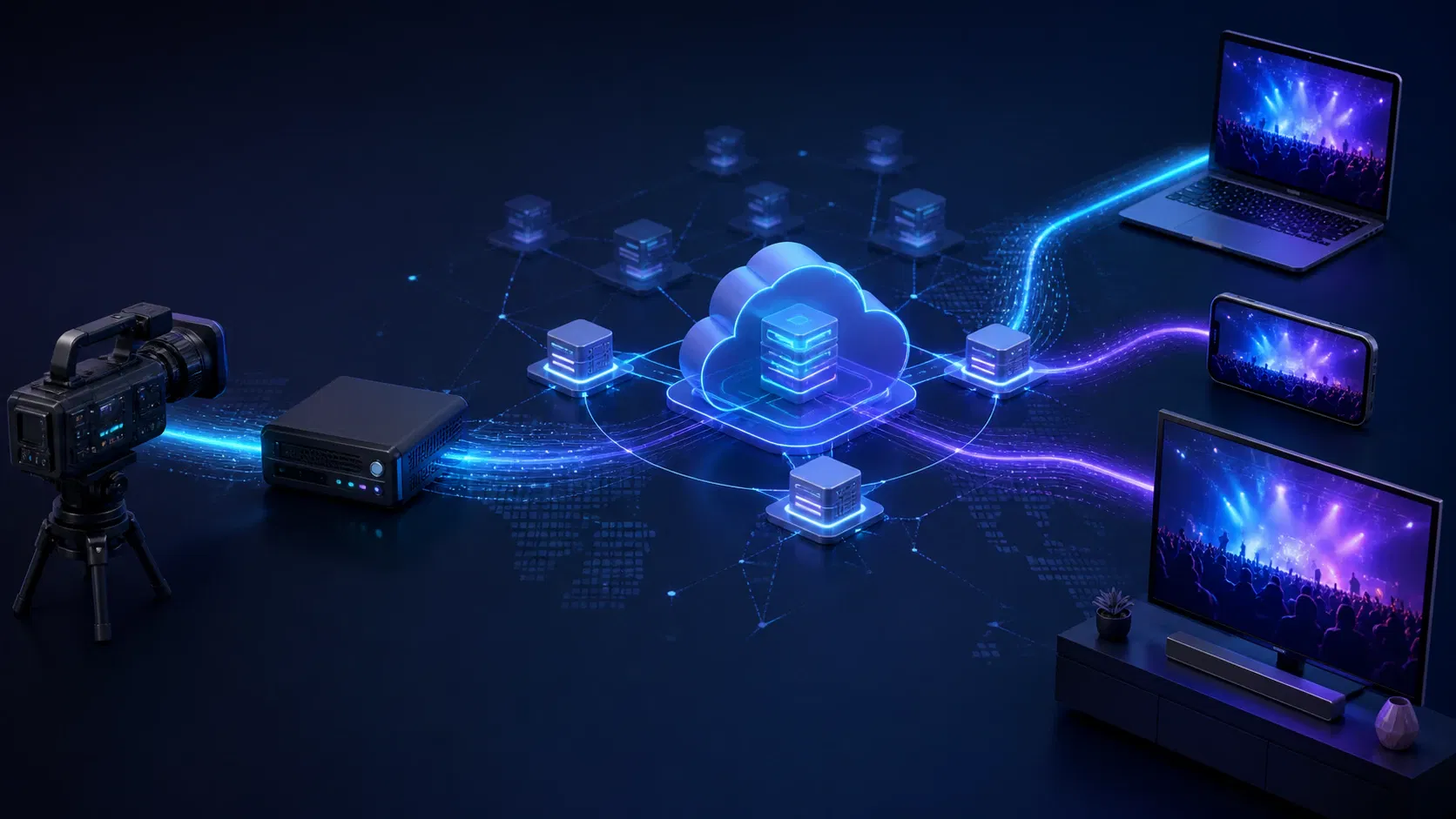
The player is only the final component in a larger live chain:
- Cameras and microphones provide audio and video to a hardware or software encoder.
- The encoder compresses the feed and sends it to an ingest endpoint, commonly over RTMP, RTMPS, or SRT. See the HDMI HLS encoder guide for a hardware setup.
- A streaming service transcodes the feed into an adaptive bitrate ladder, packages it, and distributes it through one or more CDNs.
- The player loads the playback manifest or establishes a real-time session, selects media, fills its buffer, and renders frames.
- Player events feed QoE analytics, entitlement, ad, and operational systems.
That separation matters during incidents. A healthy encoder does not prove the manifest is valid, a valid manifest does not prove the DRM licence path works, and a successful licence does not prove the device can decode the selected representation.
How a live streaming player works
For HTTP-based streaming, the player first requests a manifest: an .m3u8 playlist for HLS or an .mpd document for MPEG-DASH. The manifest describes available video qualities, audio languages, captions, timing, and segment locations. The player estimates available bandwidth, chooses a representation, fetches short media segments or partial segments, and appends them to a decode buffer.
Apple describes HLS as an HTTP technology that works with ordinary web servers and CDNs and adapts playback to changing network conditions. Safari can play supported HLS streams natively. In many other browsers, a library such as hls.js adds the client logic on top of Media Source Extensions; the hls.js project documentation recommends feature detection because native HLS, MSE support, codecs, and encryption capabilities vary by runtime.
An adaptive bitrate algorithm keeps reassessing conditions. When throughput or buffer health drops, the player can move to a lower rendition before playback stalls. When conditions improve, it can switch up. This is why an accurate bitrate ladder and aligned renditions are player requirements, not just encoder settings: a player cannot make a safe choice when bandwidth declarations are wrong or segment timelines diverge.
Live playback also has a moving boundary. The newest playable point is the live edge; the distance between that point and the viewer's playhead is player latency. A larger buffer gives the player more protection against network variation but moves playback farther behind the event. A smaller buffer reduces delay but leaves less time to absorb a slow segment, rendition switch, or licence response.
Live streaming player features that matter in production
A long feature list is less useful than clear acceptance criteria. Evaluate a live stream player against the experience, commercial model, and devices you actually plan to support.
| Capability | Why it matters | What to verify |
|---|---|---|
| Adaptive HLS or DASH | Maintains playback as bandwidth changes | Rendition switching, codec support, audio groups, captions, discontinuities, and malformed-manifest behaviour |
| Live-edge control | Balances delay against stability | Target latency, catch-up playback, drift correction, return-to-live control, and fallback mode |
| DVR window | Lets viewers pause, rewind, and resume live content | Seekable window accuracy, expired segments, start-over rules, and ad behaviour while seeking |
| DRM and authorization | Protects premium or restricted streams | Widevine, FairPlay, or PlayReady path; signed URL expiry; licence errors; key rotation; safe logs |
| Captions and alternate audio | Makes live content accessible and supports more audiences | Live caption timing, language labels, default selection, persistence, keyboard and remote access |
| Advertising | Enables AVOD and sponsored events | CSAI or SSAI, VAST/VMAP or interstitial support, ad error policy, tracking, and timeline transitions |
| Playback analytics | Shows what viewers experienced | Startup time, rebuffering, fatal errors, selected quality, dropped frames, exits, and live latency |
| Resilience | Keeps one bad request from ending the session | Retry limits, CDN or pathway failover, offline recovery, decoder recovery, and a manual retry state |
| Device-ready UI | Makes controls usable beyond a desktop mouse | Responsive layout, touch targets, keyboard focus, TV remote navigation, casting, and picture-in-picture |
Do not treat accessibility as a control-bar polish task. WCAG 2.2 success criterion 1.2.4 requires captions for live audio in synchronized media at Level AA; the W3C guidance on live captions also notes that captions need to convey meaningful non-speech audio and speaker identification, not dialogue alone.
Security also extends beyond hiding a playback URL. The web's Encrypted Media Extensions specification provides the API between HTMLMediaElement and content decryption systems, but the service must still own entitlement, short-lived authorization, packaging, licence policy, and failure handling. DRM, signed URLs, domain restrictions, and forensic watermarking solve different problems; selecting one does not make the others redundant.
Choose the live streaming player latency before the library
“Low latency” is not a single configuration. Decide how quickly a viewer must see the event, how much interactivity depends on that delay, and how much instability the product can tolerate.
| Delivery mode | Practical fit | Main trade-off |
|---|---|---|
| Standard HLS or DASH | Large one-to-many events where reliability and device reach lead | More delay, but mature CDN distribution and a healthier playback buffer |
| LL-HLS or low-latency DASH | Sports, auctions, watch-alongs, and live commerce at scale | Tighter packaging, CDN, player, and monitoring requirements |
| WebRTC-based playback | Two-way or highly interactive experiences | Very low delay, but different scaling, session, and device considerations |
Apple's low-latency HLS extensions preserve HTTP delivery while sending partial segments closer to real time. A player and the rest of the delivery chain must support those extensions; adding a “low latency” flag to the UI cannot compensate for an origin or CDN that does not deliver parts correctly. Mux's live latency guide similarly warns that player versions and packaging support affect whether LL-HLS plays in low-latency mode or falls back to standard HLS.
WebRTC is designed for real-time media exchange and is a better architectural candidate when the viewer must talk, bid, play, or react with minimal delay. The MDN WebRTC overview also makes clear that WebRTC brings connection, negotiation, and real-time transport concerns that differ from simply fetching CDN segments.
Use a graceful fallback. If low-latency playback fails on a device or network, a stable standard-latency feed is often better than an endless spinner. Make the fallback visible in telemetry so a nominally successful session does not hide a latency regression.
How to set up a live streaming player on a website
Start with a known-good playback URL and a small integration, then add product responsibilities layer by layer.
1. Define the playback contract
Write down the target browsers and devices, HLS or DASH packaging profile, codecs, latency mode, DRM systems, caption formats, audio languages, DVR duration, and ad approach. Include a standard-latency fallback even when low latency is the primary mode.
For a web HLS implementation, feature detection should choose native HLS when the browser supports it and an MSE-based engine when it does not. Avoid assuming that one successful Chrome test represents Safari, mobile WebViews, smart-TV browsers, or older devices.
2. Keep authorization outside the page markup
Ask your backend for a short-lived playback authorization response after it verifies the viewer's entitlement. Return only the information the player needs: the signed manifest URL, DRM configuration, ad or session identifiers, and expiry metadata. Do not place long-lived tokens, signing secrets, or licence credentials in client code.
Model authorization failures separately from media failures. “Subscription required,” “licence request timed out,” and “segment returned 403 after the URL expired” need different viewer messages and operational owners.
3. Handle autoplay as a preference, not a guarantee
Browsers commonly block audible media that starts without user interaction. The MDN autoplay guide recommends handling rejection and notes that muted or silent media is treated differently. Display a clear poster and play control, catch the promise returned by play(), and never leave a viewer staring at a static frame because autoplay was denied.
4. Add the business-critical layers
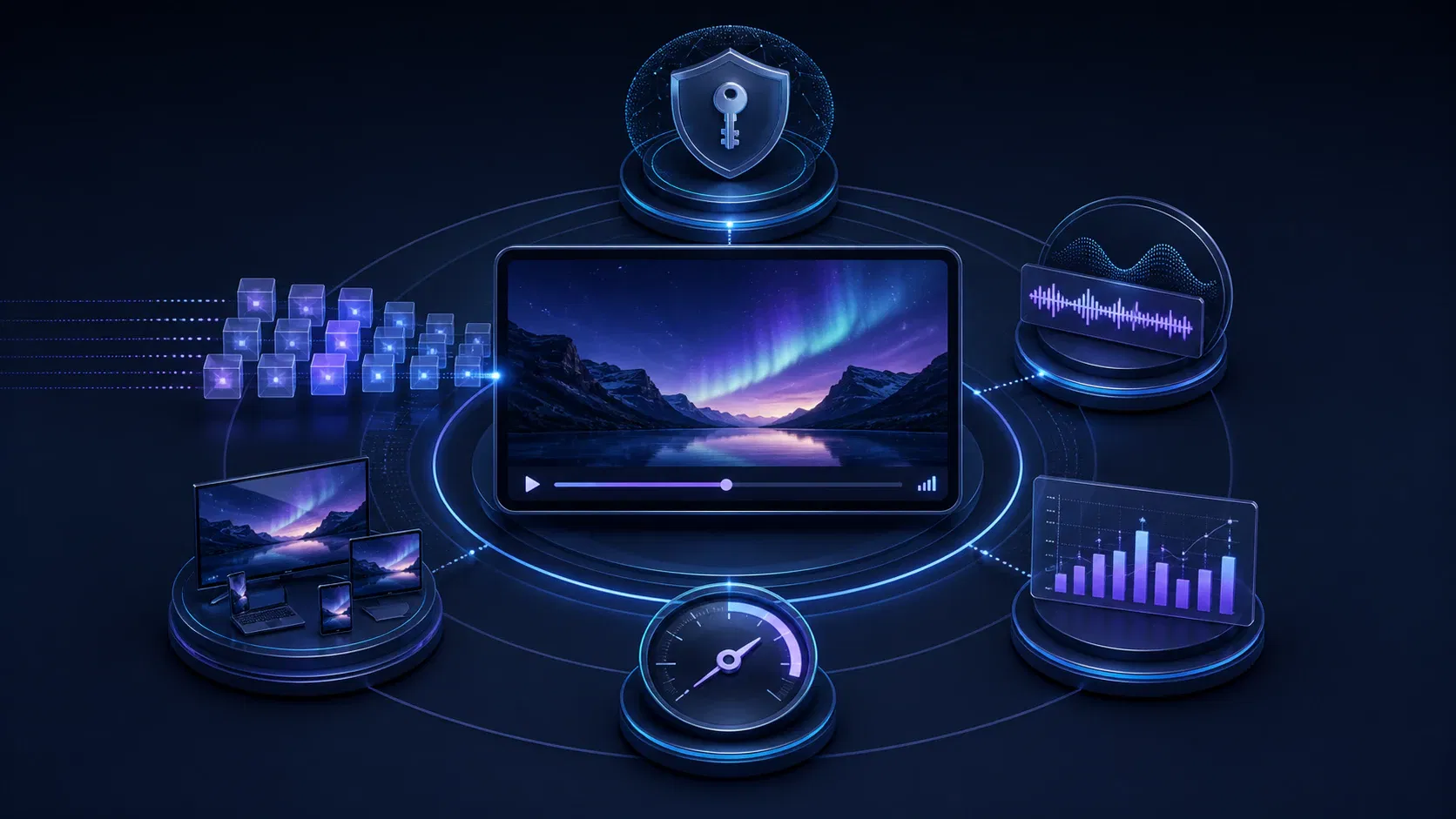
Connect captions, alternate audio, ads, DRM, analytics, consent, and error states before investing heavily in custom animation. Keep player state—loading, playing, paused, buffering, ended, and failed—distinct from viewer intent so a buffering event after a play request is not misread as a pause.
When a launch needs coordinated web, iOS, Android, and connected-TV playback, Apexnova's video player development service covers the player together with adaptive delivery, DRM, ads, captions, and QoE instrumentation. That scope is most useful when acceptance criteria cross frontend, media, CDN, entitlement, and operations teams rather than ending at an embed snippet.
5. Make cleanup and recovery explicit
Destroy the player instance and detach listeners when a single-page application route changes. Cancel stale authorization calls, end analytics sessions once, and prevent two players from owning the same media element. For recoverable errors, cap retries, add backoff, and offer a manual retry that starts a new observable attempt.
Test the live stream player as a system
A player demo proves that one device played one stream once. Production readiness requires a matrix that crosses content, devices, networks, authorization, and event transitions.
Test at least these paths:
- Media: every codec, rendition, audio layout, caption format, encryption scheme, discontinuity, ad transition, and DVR boundary you intend to ship.
- Devices: current and minimum browser versions, iOS and Android hardware, embedded WebViews, low-memory devices, smart TVs, and TV remotes where applicable.
- Networks: strong and weak Wi-Fi, mobile data, bandwidth changes, packet loss, offline recovery, slow DNS, CDN errors, and expired signed URLs.
- Live operations: encoder restart, input loss, slate insertion, manifest gap, programme boundary, key rotation, caption loss, and failover to a backup feed.
- Viewer controls: play, pause, mute, captions, audio selection, quality override, return to live, full screen, picture-in-picture, casting, keyboard, touch, and remote focus.
Measure outcomes rather than console activity. Capture play-request-to-first-frame time, rebuffer count and duration, fatal playback failures, selected bitrate or resolution, dropped frames, exit before first frame, live-edge distance, DRM licence timing, ad start failures, and CDN or pathway identity. Bitmovin's 2026 discussion of live streaming observability argues for telemetry across encoding, packaging, CDN delivery, player performance, and viewer QoE because a player-only view cannot isolate every failure.
Create alert thresholds by event type and audience impact. One decoder error on an obsolete device is different from a surge in manifest 404s across every platform. Preserve safe correlation IDs across player, CDN, entitlement, and licence logs, but do not record signed URLs, keys, or personal data that the incident response does not need.
Common live streaming player failures
Treat the symptom as a starting point, not the root cause.
| Viewer symptom | Likely layers | First evidence to collect |
|---|---|---|
| Endless spinner | Authorization, manifest, CORS, CDN, unsupported codec, or autoplay flow | Player error category, HTTP status and timing, selected tracks, and browser capability |
| Audio but black video | Unsupported video codec/profile, decoder, secure surface, or CSS/layout issue | Exact selected codec, decoder error, dimensions, and a physical-device reproduction |
| Frequent buffering | Ladder mismatch, throughput drop, oversized segments, CDN path, or buffer policy | Buffer level, estimated bandwidth, selected rendition, segment timing, and CDN |
| Player falls far behind live | Oversized buffer, drift, stalled part delivery, or conservative catch-up policy | Live-edge distance, target latency, playback rate, part/segment arrival, and fallback state |
| Captions missing or late | Upstream caption loss, packaging/timestamp error, unsupported format, or UI state | Available text tracks, cue timing, manifest declaration, and source feed status |
| Playback stops after several minutes | Signed URL expiry, licence expiry, window rollover, or retry exhaustion | Expiry timestamps, failing request class, licence event, and live-window position |
Avoid a universal “increase the buffer” fix. More buffered media can reduce stalls but can also increase startup time, memory use, and live delay. Change buffer and latency settings only after telemetry identifies which trade-off is failing.
Live streaming player decision checklist
Before choosing an open-source library, commercial SDK, hosted embed, or custom player layer, answer these questions:
- Which exact browsers, app platforms, and TV devices are launch requirements?
- Is the latency goal a measured viewer outcome or simply a marketing label?
- Which HLS, DASH, LL-HLS, or WebRTC paths must work, and what is the fallback?
- Who owns the adaptive ladder, captions, DRM, ads, authorization, and CDN behaviour?
- Can analytics separate startup, network, media, DRM, ad, and decoder failures?
- Does the test plan cover live transitions and failure recovery, not only steady playback?
- What evidence triggers rollback after a player or packaging release?
An open-source engine can be a strong foundation when the team is prepared to own integration, upgrades, device qualification, and operations. A commercial SDK is valuable when its support, certified device coverage, bundled analytics, or specialised features remove work your team would otherwise carry. A custom layer is justified when the playback experience, multi-platform consistency, or business rules are part of the product's differentiation.
Frequently asked questions
What is a live stream player and how does it work?
A live stream player receives an ongoing HLS, DASH, or real-time media session, buffers and decodes it, and renders it with viewer controls. For adaptive HTTP streaming, it reads a manifest, downloads short media segments, and changes rendition as network and buffer conditions change.
Does an HLS live streaming player work in every browser?
Not through one identical path. Safari can play supported HLS streams natively, while many other browsers use an MSE-based library such as hls.js; actual support still depends on the browser, OS, codec, encryption, and packaging profile.
How low can live streaming player latency be?
Latency depends on the complete path from capture through encoding, packaging, CDN, player buffer, and device. LL-HLS or low-latency DASH can reduce delay for scalable one-to-many delivery, while WebRTC is usually considered when highly interactive, real-time behaviour matters more than CDN-style distribution.
How do I embed a live video player on my website?
Use a hosted iframe or initialise a JavaScript player against an authorized playback URL. A production integration must also handle responsive layout, autoplay rejection, CORS, token expiry, captions, analytics, error recovery, and cleanup when the page or route changes.
Does a live streaming player need DRM?
DRM is appropriate when rights or business rules require control over decryption on supported devices. Free public streams may not need it, while premium services often combine DRM with entitlement checks, short-lived signed playback URLs, secure licence delivery, and monitoring.
Choose for the weakest real session, not the best demo
The right live streaming player is the one that meets your latency goal without sacrificing stability, works on the target device matrix, protects the business model, exposes accessible controls, and produces enough evidence to diagnose a live incident. Protocol support and a polished skin are only the starting point.
Turn the decision checklist into measurable acceptance criteria, then test them against real streams, real entitlements, and the weakest supported network and device. That exercise will show whether a hosted embed is sufficient, an SDK removes meaningful risk, or your product needs a player layer your team owns.