

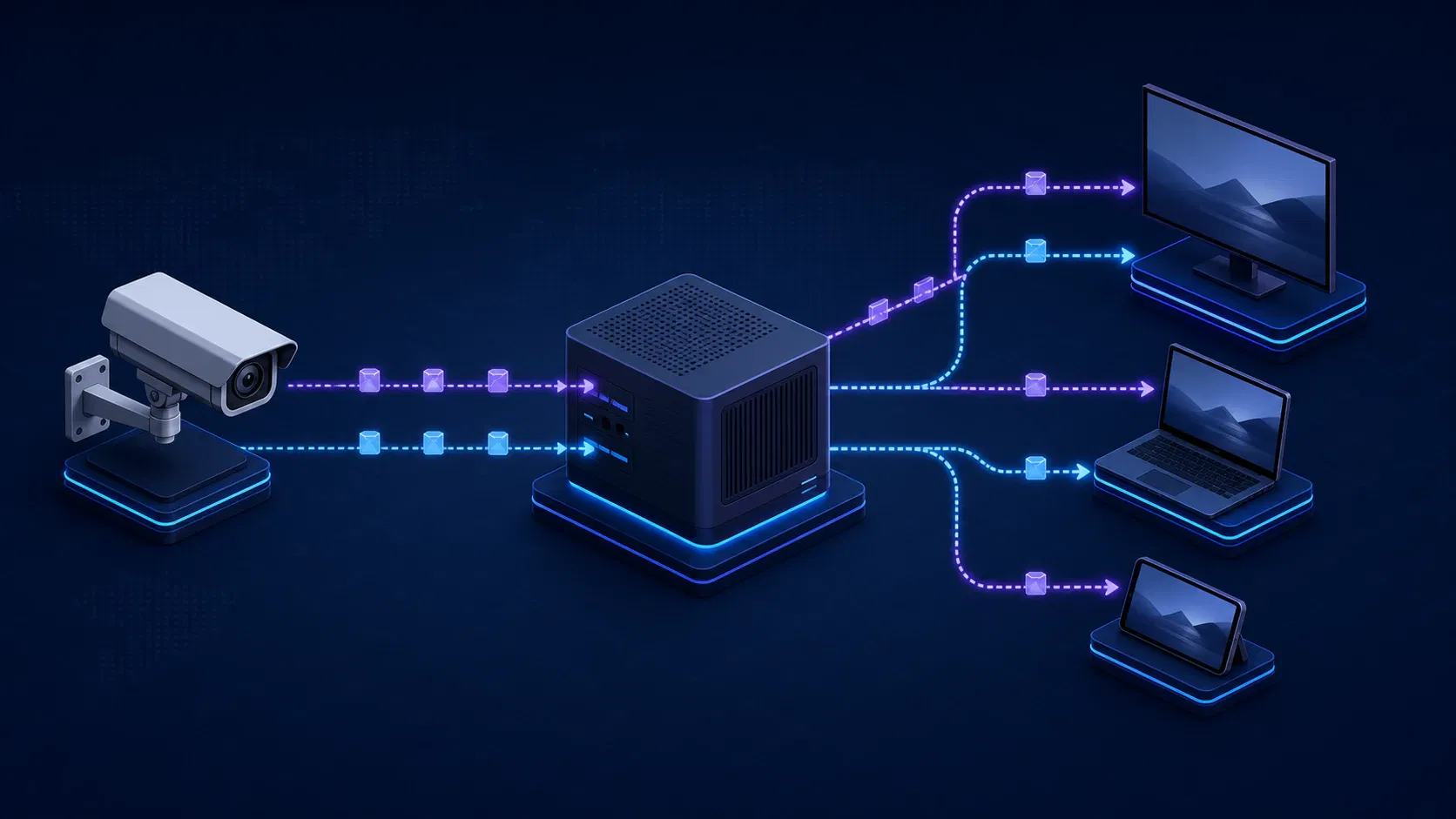
Real Time Streaming Protocol: How RTSP Works and When to Use It
An IP camera looks healthy on the local network, yet its feed fails in a browser, stalls across a firewall, or becomes expensive to fan out to thousands of viewers. Those failures often come from asking one protocol to solve every part of the video path. Real time streaming protocol (RTSP) is excellent at controlling a media session, but it is usually only one layer in a production streaming architecture.
This guide explains what RTSP controls, what actually carries the audio and video, how a session is negotiated, and where a gateway should convert the feed for web and OTT playback. It is written for product and engineering teams deciding whether RTSP belongs in a camera, monitoring, live-event, or streaming-platform workflow.
What is real time streaming protocol (RTSP)?
Real Time Streaming Protocol is an application-layer protocol that sets up and controls the delivery of time-sensitive media. RTSP sends commands such as DESCRIBE, SETUP, PLAY, PAUSE, and TEARDOWN; the media itself normally travels through a separate transport such as RTP.
That distinction is the most useful short answer. RTSP is the session controller, not the video container, codec, or delivery network.
The current standards-track specification, RFC 7826, defines RTSP 2.0 and supersedes the original RTSP 1.0 specification. It describes an extensible framework for live feeds and stored clips, including how a client chooses delivery channels such as UDP, multicast UDP, or TCP.
RTSP, RTP, RTCP, and SDP are different jobs
An RTSP workflow usually combines four related pieces. Treating them as interchangeable makes diagnosis much harder.
| Component | Its job | What it does not decide |
|---|---|---|
| RTSP | Establishes and controls the session | It does not normally carry encoded media frames |
| RTP | Carries media with sequence and timing information | It does not create the RTSP session or guarantee quality of service |
| RTCP | Reports delivery information and participant data alongside RTP | It is not a replacement for full session control |
| SDP | Describes media, formats, addresses, and other session details | It is a description format, not a transport protocol |
The RTP specification separates RTP media transport from RTCP monitoring and explicitly says RTP does not reserve resources or guarantee quality of service. The SDP specification likewise defines SDP as a format for describing a session, not a protocol that transports it.
This layered design explains two common surprises. A successful RTSP handshake does not prove that the client can decode the advertised codec. It also does not prove that the negotiated RTP packets can cross the network path.
How real time streaming protocol works step by step
An RTSP session is a stateful conversation. The server remembers the session and the selected transport until it times out or one side tears it down. A typical client-to-camera or client-to-media-server sequence looks like this:
- Connect. The client opens the RTSP control connection to the server.
- Discover capabilities with
OPTIONS. The client asks which methods the endpoint supports. - Request the presentation with
DESCRIBE. The server commonly returns an SDP document describing the available tracks, codecs, control URLs, and timing information. - Negotiate each track with
SETUP. The client chooses a lower transport, such as RTP over UDP or interleaved RTP over the RTSP TCP connection. The successful response establishes a session identifier. - Start delivery with
PLAY. The server begins sending media over the agreed path. - Control or maintain the session. Depending on endpoint support, the client can pause, seek, query parameters, or send keep-alive requests.
- Release resources with
TEARDOWN. Either side can end the stateful session.
The method names are simple, but the state matters. A PLAY request before a successful SETUP, an expired session identifier, or a track-level control URL used where an aggregate URL is expected can all produce errors even when the camera is reachable.
What the RTSP URL and port mean
A basic address has this shape:
rtsp://camera.example:554/path/to/stream
The path is vendor- or server-specific. It may identify a camera channel, a main or substream, a stored asset, or an aggregate presentation. Do not assume one manufacturer's path pattern will work on another device.
Port 554 is the default when an rtsp:// URI does not specify a port. The IANA service registry lists 554 for RTSP over TCP and UDP, and 8554 as an alternate. A custom port is not inherently wrong; it simply needs to match the server, firewall, and client configuration.
Avoid embedding production credentials in URLs, logs, support tickets, or command history. Prefer a secret store or client authentication mechanism that keeps credentials out of observable strings.
RTP over UDP versus interleaved TCP
SETUP is where the client and server agree on how to move the media. Two common choices are:
- RTP over UDP: Media uses one or more UDP flows separate from the RTSP control connection. It avoids head-of-line blocking and can be a good fit on managed networks, but it needs the required ports and routing to work end to end.
- RTP over RTSP/TCP: Media packets are interleaved on the TCP control connection. A single connection is often easier to pass through restrictive networks, but packet loss can delay later data while TCP retransmits and restores order.
There is no universal winner. Use measured packet loss, jitter, round-trip time, firewall policy, and acceptable recovery behavior to decide. The FFmpeg RTSP documentation exposes UDP, TCP interleaving, multicast, and HTTP(S) tunneling options, which makes it useful for controlled interoperability tests.
Where RTSP fits in a modern streaming architecture
RTSP is strongest close to a source or within a controlled media system: IP cameras, encoders, NVRs, robotics, monitoring tools, and contribution devices. It is weaker as a direct last-mile protocol for a public website or a large OTT audience. The same applies to HLS served straight from an encoder, as the HDMI HLS encoder guide explains.
The scalable pattern is to terminate RTSP at a media gateway, then deliver a protocol designed for the viewer environment.
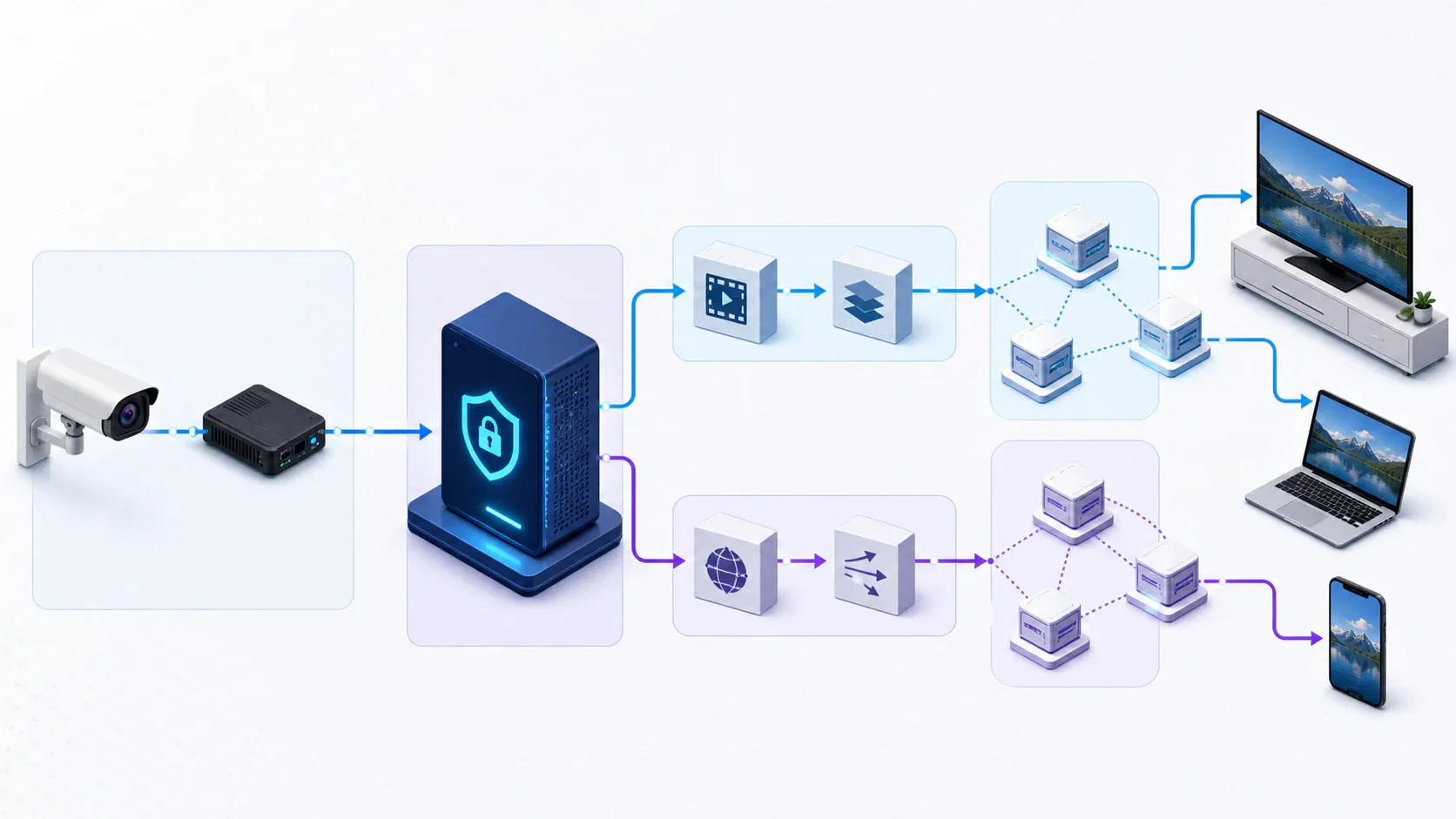
Use an RTSP gateway as the protocol boundary
A production path can be modeled as:
Camera or encoder
    -> RTSP control + RTP media
    -> Media gateway
    -> Validate, record, transmux, or transcode
    -> Package for HLS/LL-HLS or route through WebRTC
    -> CDN, application player, or interactive client
The gateway is more than a converter. It is the place to authenticate the source, normalize timestamps, enforce timeouts, collect packet-loss and jitter metrics, reconnect cleanly, and isolate untrusted devices from viewer-facing services.
For a broad OTT audience, HLS is usually the distribution side of this boundary. Apple's HLS documentation describes delivery over ordinary web servers and CDNs, adaptive switching across variants, and a low-latency mode that retains HLS scalability. For interactive browser sessions, the W3C WebRTC Recommendation defines the browser-facing real-time communication model.
If a platform must ingest RTSP cameras and serve mobile, web, and connected-TV apps, the architecture needs source health checks, codec normalization, packaging, playback telemetry, and device-specific player behavior—not just an RTSP server. Apexnova builds that end-to-end OTT layer, including live infrastructure, adaptive delivery, multi-CDN routing, player engineering, and observability across viewing devices. The product decision is therefore where to terminate RTSP and how to expose a stable playback contract downstream.
Keep protocol, codec, bitrate, and container decisions separate
RTSP is codec-agnostic: the presentation description tells the client what the tracks contain. A stream can complete RTSP setup and still fail because the receiving decoder does not support the advertised profile, level, pixel format, or audio format.
The same separation applies to adjacent SEO terms that are often mixed together:
- Transcoding decodes and re-encodes media, usually to change codec, resolution, frame rate, or bitrate. It costs compute and can add latency, but it may be required for device compatibility or an adaptive bitrate ladder.
- Transmuxing or repackaging changes the container or streaming package without re-encoding compatible media. It is generally lighter than transcoding.
- Variable bit rate (VBR) changes encoded bitrate with scene complexity. It affects bandwidth planning and buffer behavior, not the RTSP session methods.
- Matroska versus MP4 is a container choice. It does not determine whether RTSP, HLS, WebRTC, or another delivery protocol is appropriate.
First ask whether the downstream player can decode the source tracks. If it can, preserve the encoded media and repackage where practical. If it cannot, transcode deliberately and budget for processing delay, quality loss, and failure recovery.
RTSP versus HLS, WebRTC, RTMP, and SRT
Protocol choice becomes clearer when it is tied to a specific leg of the workflow rather than a vague requirement for “low latency.”
| Protocol | Best-fit role | Browser or OTT playback | Network and scale profile | Choose it when |
|---|---|---|---|---|
| RTSP | Device control, camera ingest, monitoring | Usually needs a gateway | Stateful sessions; UDP or interleaved TCP; limited CDN fit | You need precise session control near an IP source |
| HLS / LL-HLS | Viewer delivery at scale | Strong player and platform support | HTTP delivery works well with web infrastructure and CDNs | Reach, resilience, adaptive bitrate, and scale matter most |
| WebRTC | Interactive real-time media | Designed for browser real-time communication | Requires signaling plus NAT traversal and often media servers for scale | Two-way interaction or very tight feedback matters |
| RTMP / RTMPS | Encoder-to-platform ingest | Not a modern browser playback target | Persistent TCP ingest with mature encoder support | A publishing platform or production tool expects it |
| SRT | Contribution over imperfect networks | Generally terminates at a gateway | UDP-based recovery, configurable latency, encryption support | Reliable first-mile or contribution transport crosses the public internet |
Google's current live-ingestion comparison is a useful example of RTMPS, HLS, and DASH serving ingest roles rather than defining one universal viewer protocol. The open-source SRT project documents loss recovery, network adaptation, and AES encryption for contribution and distribution links.
Choose RTSP when
- The source is an IP camera, hardware encoder, NVR, or device that already exposes a stable RTSP interface.
- A controller needs play, pause, seek, or track-level session behavior.
- The network is managed, or you can terminate the stream at a nearby gateway.
- The number of direct consumers is limited and each stateful session is operationally acceptable.
- You need low-delay monitoring before a separate viewer-delivery stage.
Do not use direct RTSP delivery when
- The target is a normal browser with no specialized bridge or player component.
- A public stream must fan out through a conventional CDN to a large audience.
- Adaptive bitrate playback across unpredictable consumer connections is a core requirement.
- Device credentials or camera networks would be exposed to viewer-facing clients.
- The workflow needs simple HTTP caching, segment-based ad workflows, or OTT content-protection integration.
In those cases, RTSP may still be correct for ingest. It is simply the wrong last-mile interface.
Secure and operate real time streaming protocol in production
Low latency is not a production readiness metric by itself. A reliable RTSP service also needs explicit security boundaries, capacity limits, failure policies, and media-level observability.
Protect both signaling and media
Plain rtsp:// should not be treated as confidential transport. RTSP 2.0 defines rtsps:// for RTSP over TLS and specifies port 322 when no port is provided; the same RFC also covers Secure RTP support for RTP-based media. The important architectural point is that protecting the control channel and protecting the media are related but distinct tasks.
For production deployments:
- Prefer TLS for RTSP signaling where the device and client implementations interoperate.
- Protect RTP media with an appropriate secure profile when streams cross untrusted networks.
- Use unique device credentials, rotation, least privilege, and short exposure windows.
- Segment camera or encoder networks from public application networks.
- Allowlist destinations and ports instead of broadly exposing every source.
- Redact URLs, authorization headers, and session identifiers from logs and dashboards.
- Test the exact device-server-client combination; standards support on a datasheet does not prove compatible security behavior.
Design for state, reconnects, and backpressure
Every live source will eventually restart, lose connectivity, send malformed timestamps, or change a track description. A gateway should have bounded connection and read timeouts, exponential retry with jitter, session cleanup, and circuit breakers that prevent a failing device from creating a reconnect storm.
Track operational signals at three layers:
- RTSP control: connection success, method latency, response codes, session age, and teardown reason.
- RTP/RTCP transport: packet loss, sequence gaps, jitter, round-trip feedback where available, and last-packet time.
- Decoded media: keyframe cadence, timestamp monotonicity, audio/video drift, decode errors, bitrate, frame rate, and black or frozen video detection.
An RTSP 200 OK only covers the control exchange that produced it. Viewer health depends on the whole chain.
Plan capacity around sessions and bitrate
Directly connecting many clients to each camera creates state and duplicates source egress. Instead, pull one authorized feed into a gateway where possible, then fan out through a distribution layer built for the expected audience.
Estimate source bandwidth from observed peaks, not only a configured average. VBR feeds can exceed their average substantially during complex motion. Add headroom for audio, protocol overhead, retransmission or recovery behavior, recording, failover, and simultaneous main/substream use.
Troubleshoot an RTSP stream systematically
Start at the control plane, then follow the media. Changing codecs, ports, and transport modes at the same time hides the actual fault.
1. Confirm address and authentication
A 401 Unauthorized points to credentials, authentication negotiation, clock or token behavior, or permission. A 404 Not Found usually means the server does not recognize the requested resource path. Verify the vendor's exact stream path and test with a dedicated, least-privileged account.
2. Inspect the presentation description
If DESCRIBE succeeds but playback does not, capture the SDP and check:
- audio and video media lines;
- payload types and codec mappings;
- track-level
a=controlvalues; - codec parameters and profiles;
- advertised addresses and ports;
- whether the client supports every required track.
Do not assume “no picture” is a network problem. It can be a valid RTP stream containing a codec the client cannot decode.
3. Test UDP and TCP separately
FFmpeg can force the lower transport for a controlled comparison:
ffprobe -v error -rtsp_transport tcp -show_streams \
  rtsp://camera.example:554/path/to/stream
If TCP works and UDP does not, inspect firewall rules, NAT mapping, negotiated RTP/RTCP ports, asymmetric routing, and MTU behavior. If UDP works but TCP becomes unstable under loss, inspect head-of-line blocking, server buffer limits, and read timeouts.
A 461 Unsupported Transport means the server rejected the proposed transport. Use a transport the endpoint advertises and implements; do not keep retrying the same SETUP parameters.
4. Separate transport health from decode health
Record a short sample or send the stream to a null output to determine whether packets and timestamps remain healthy without involving a UI player. Then inspect keyframes, codec support, audio/video synchronization, and packaging separately.
Watch the last good packet and last decoded frame as different metrics. The first tells you about delivery; the second tells you whether usable media is emerging from the decoder.
5. Reproduce on the same network path
A laptop test on the camera VLAN does not reproduce cloud routing, enterprise firewalls, carrier NAT, or cross-region delay. Run the probe from the gateway environment that will own the production session, using the same DNS, port policy, and authentication path.
Frequently asked questions
Does RTSP carry the video and audio?
Usually no. RTSP establishes and controls the media session, while RTP or another negotiated mechanism carries the encoded audio and video. Some deployments interleave RTP packets on the RTSP TCP connection, but RTSP and RTP still perform different logical jobs.
Is RTSP TCP or UDP?
RTSP control uses a reliable connection, normally TCP. The media commonly travels as RTP over UDP or as interleaved RTP over the RTSP TCP connection, depending on what the client and server negotiate during SETUP.
What port does RTSP use?
The default RTSP port is 554 when the URI does not specify one. Port 8554 is a registered alternate, and servers can use custom ports. Secure RTSP as defined for RTSP 2.0 uses the rtsps:// scheme and defaults to port 322.
Can a web browser play an RTSP URL directly?
Normal web playback stacks generally do not accept an rtsp:// URL as a native media source. Terminate RTSP at a media gateway and deliver HLS or WebRTC to the browser, based on the required latency, interactivity, and scale.
What is the difference between RTSP and RTP?
RTSP controls the session: it describes, sets up, starts, pauses, and ends delivery. RTP transports the time-sensitive media packets and supplies sequencing and timing information; RTCP accompanies RTP with delivery and participant reports.
Is RTSP still a good choice for live streaming?
It is a good choice for device control, camera ingest, monitoring, and other source-side workflows. It is rarely the best direct delivery protocol for a large public browser or OTT audience, where a gateway can convert the source to HLS, Low-Latency HLS, WebRTC, or another viewer-appropriate format.
Conclusion: choose RTSP for the right leg of the journey
Use RTSP when you need stateful control of a real-time source and can manage the session, transport, and security boundary. Do not make it carry the responsibilities of a codec, adaptive bitrate system, browser API, or global CDN.
For most media products, the durable architecture is RTSP at the edge, a monitored gateway at the trust boundary, and a viewer protocol selected for reach, latency, interaction, and scale. If you are planning that boundary for a live or OTT platform, map the source types, target devices, audience concurrency, security requirements, and latency budget before choosing the delivery stack.