

Video Streaming Application Development: Architecture, Process, and Best Practices
A video app can look ready in a sprint and still fail the moment real viewers arrive. Playback stalls on weak networks, entitlements drift between stores, TV navigation breaks, and infrastructure costs grow faster than subscriptions. Effective video streaming application development prevents those failures by treating playback, delivery, security, monetization, and operations as one product system—not a set of disconnected screens.
This guide is for product leaders and technical buyers planning a live, on-demand, or hybrid service. It explains the decisions to make before development, the architecture behind reliable playback, what belongs in an MVP, how to test the experience, and how to evaluate an OTT app development partner.
What Is Video Streaming Application Development?
Video streaming application development is the process of designing, engineering, testing, and operating software that delivers live or on-demand video over the internet. It includes viewer apps, video ingest and processing, adaptive delivery, content protection, identity and entitlements, monetization, analytics, and the operational systems that keep playback reliable.
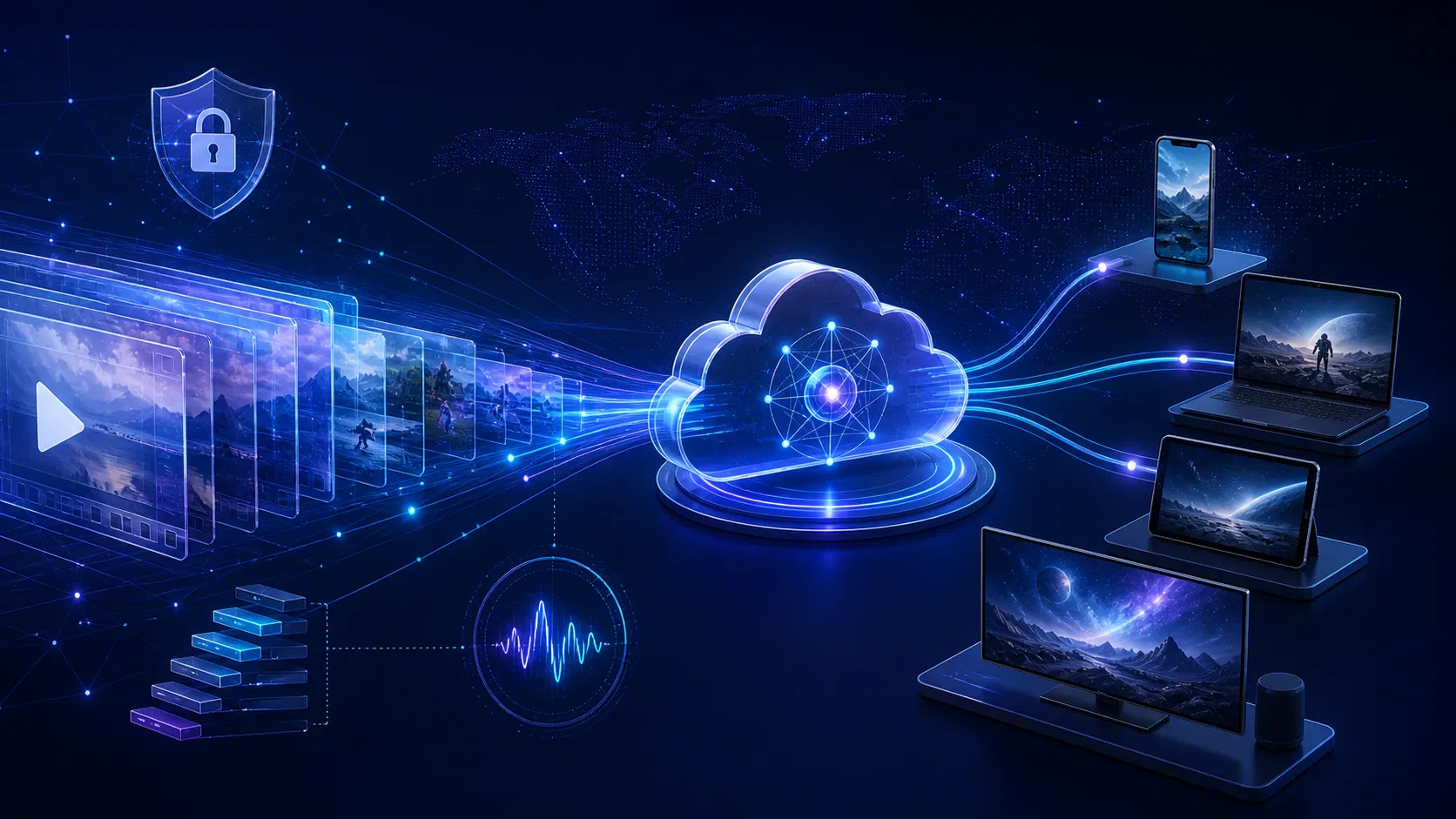
The word “application” can make the scope sound client-heavy. In practice, the player is only the visible edge of a longer workflow:
- A live feed or source file enters the platform.
- The media is validated, transcoded into several renditions, and packaged.
- An origin stores the packaged assets.
- A CDN caches and distributes segments near viewers.
- The app authenticates the viewer and checks content entitlement.
- The player selects a rendition, requests any required DRM license, and starts playback.
- Client and service telemetry report quality, engagement, and failures.
AWS describes the same core VOD path as storage, transcoding into device-ready adaptive-bitrate assets, and CDN delivery in its CloudFront video-on-demand guidance. The product layer then adds the catalog, search, profiles, subscriptions, recommendations, editorial tools, and customer support workflows around that media path.
Live, VOD, and hybrid apps are different products
A VOD service can process content ahead of time and cache it aggressively. A live service has to ingest, encode, package, and distribute media continuously while preserving a latency target. It may also need event scheduling, concurrency controls, live captions, DVR, chat, or pay-per-view access.
A hybrid service needs both paths to feel consistent. A live event should become a replay without losing metadata, access rules, captions, or watch history. Decide which mode is primary before choosing protocols, vendors, features, and service-level objectives.
Video Streaming Application Development Architecture
The most useful architecture boundary separates the media plane from the product plane. That makes performance and ownership decisions easier to reason about.
The media plane
The media plane moves video from source to screen:
- Ingest: file upload, accelerated upload, RTMP, SRT, or another contribution protocol
- Quality control: source validation, audio/video inspection, and workflow failure handling
- Transcoding: an adaptive bitrate ladder with renditions appropriate to the source and audience
- Packaging: commonly HLS, MPEG-DASH, or both, often using fragmented MP4/CMAF media
- Protection: encryption, multi-DRM, license delivery, tokenized URLs, and geo rules
- Origin and CDN: durable media storage, cache policy, shielding, failover, and delivery
- Player: manifest parsing, rendition selection, decoding, captions, error recovery, and telemetry
Apple explains that HLS supports live and prerecorded content, alternate streams at different bitrates, encryption, and authentication; its design lets clients adapt playback to changing network conditions. The official HLS documentation should therefore be a build-time reference, not something a team checks only after a device fails certification.
The product plane
The product plane determines who can watch what and how the service makes money:
- identity, profiles, sessions, and parental controls
- catalog metadata, collections, search, and editorial programming
- subscription, advertising, rental, purchase, or event-payment logic
- entitlements that unify app-store, web, promotional, and partner purchases
- watch history, continue-watching state, watchlists, and recommendations
- notifications, customer support tools, experimentation, and analytics
Keep the player’s authorization decision dependent on a server-side entitlement service. Do not let an app-store receipt, a local boolean, or an obscured playback URL become the final access check. This boundary also lets teams change billing providers or add a new device without rewriting the video workflow.
The control plane
A third layer, the control plane, makes the first two operable. It includes deployment pipelines, configuration, secrets, monitoring, audit logs, incident tools, content workflow dashboards, and cost reporting. If operators cannot trace a failed play from the device through entitlement, DRM, manifest, CDN, and origin, the architecture is incomplete.
Video Streaming Application Development Best Practices
The following practices turn a feature roadmap into a service that can survive production traffic.
1. Define the playback contract before designing screens
Write down the non-negotiable playback behavior for each launch device. Include supported live/VOD modes, maximum resolution, startup target, latency class, captions, alternate audio, offline playback, casting, picture-in-picture, background audio, and DRM scheme.
This becomes the contract between content operations, backend engineers, player teams, and QA. It also reveals hidden scope early. For example, “offline viewing” is not a download button; it affects license duration, local storage, renewal, expiry UX, account limits, and customer support.
2. Build an evidence-based device and codec matrix
Do not assume one encoded asset behaves the same everywhere. Device decoder support, operating-system versions, browser media stacks, DRM robustness, subtitle rendering, and audio capabilities vary.
Start with audience and rights requirements, then select a conservative launch matrix. Android’s Media3 supported-formats documentation notes that ExoPlayer relies on platform decoders by default, so sample-format support ultimately depends on the underlying device. That is why a codec decision belongs in a tested device matrix, not a generic technology list.
Keep a “golden” test catalog containing short and long assets, multiple frame rates, stereo and multichannel audio, captions, trick-play images, ad markers, encrypted content, and deliberately malformed inputs. Run it against every supported client release.
3. Use adaptive bitrate streaming as a system
Adaptive bitrate streaming is more than producing 240p, 480p, 720p, and 1080p files. The renditions must have aligned segments and keyframes, appropriate codecs and bitrate spacing, accurate manifests, and CDN-friendly cache behavior. The player’s adaptation strategy also needs real-world validation under bandwidth changes, packet loss, and device resource pressure.
Treat the ladder as content-aware. Animation, talking heads, grainy films, and fast sports do not need identical bitrates. Validate visual quality and playback outcomes rather than maximizing the number of renditions.
4. Design the CDN path to protect the origin
A CDN should serve repeat requests from cache and prevent viewer spikes from becoming origin spikes. Define cache keys, time-to-live rules, manifest behavior, signed access, invalidation, origin failover, and observability before launch.
Google’s Media CDN origin guidance explains how origin shielding and request collapsing consolidate cache-fill traffic and reduce origin load. The broader principle applies regardless of provider: avoid cache-key fragmentation, keep per-user authorization out of cacheable media objects, and load-test the miss path as well as the warm-cache path.
5. Make content security end to end
DRM protects decryption keys and enforces license policy; it does not replace authentication, authorization, TLS, secure storage, abuse controls, or operational key hygiene. Map every content tier and device family to its encryption and DRM requirements. Plan key rotation, license renewal, offline licenses, concurrency, output protection, and failure messages.
On Android, Media3 uses the platform MediaDrm API and documents the format/API constraints for Widevine and other schemes in its DRM playback guide. Current DASH-IF guidance also covers encrypted CMAF content and key rotation in its content-protection guidelines. Use those platform and interoperability references to define compatibility, then test against the actual license service and packaged assets.
The app itself needs a broader security baseline. The OWASP Mobile Application Security Verification Standard groups controls across storage, cryptography, authentication, network communication, platform interaction, code, resilience, and privacy. Turn the relevant controls into acceptance criteria and penetration-test scope rather than relying on a final checklist.
6. Build accessibility into the media workflow
Adding captions after launch creates content, player, QA, and editorial rework. Define caption and subtitle formats, languages, styling, audio description, transcripts, focus behavior, screen-reader labels, and remote/keyboard navigation during discovery.
The W3C’s media accessibility requirements call for synchronized text, accessible controls, caption selection, and transcript support. Accessibility also improves the product for people watching in noisy or quiet environments and gives editorial teams searchable text assets.
7. Treat entitlements as a ledger, not a UI state
Users may subscribe on the web, redeem a promotion, receive access through a bundle, buy a live event, or manage an app-store subscription. Normalize those events into one server-side entitlement model with explicit product, account, territory, device, start, expiry, and revocation rules.
Design idempotent purchase processing and reconciliation jobs. Account for delayed store notifications, refunds, grace periods, chargebacks, upgrades, and restored purchases. Review the current rules for every launch store; for example, Apple’s App Review Guidelines distinguish reader apps and spell out subscription and purchase-method requirements.
8. Instrument playback before beta
An analytics dashboard that shows only views and watch time cannot explain why viewers leave. Capture a playback session identifier and enough context to connect client symptoms with service events.
At minimum, measure:
- playback attempts and successful starts
- video startup time
- startup failure rate and error category
- rebuffer count, duration, and ratio
- average selected bitrate and rendition switches
- fatal exits and player crashes
- DRM-license latency and failures
- CDN, ISP, region, device model, app version, and content ID
- ad start, quartile, error, and abandonment events when advertising is used
Define release gates for the metrics you control, then segment them. A global average can hide one failing TV model, ISP, app version, or DRM path.
A Video Streaming Application Development Process That Reduces Rework
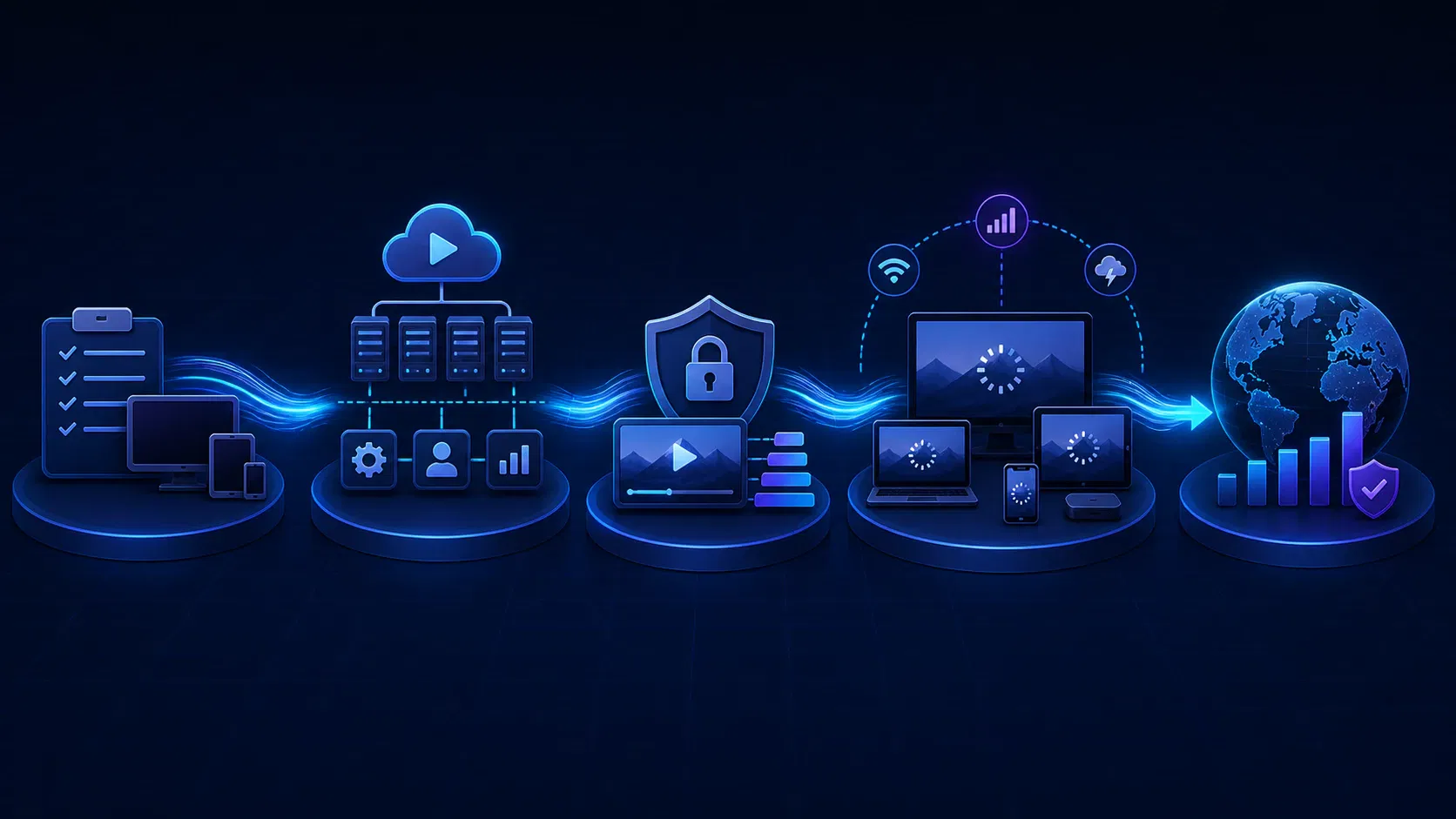
A dependable process validates the riskiest assumptions before multiplying platforms.
Phase 1: Product discovery and operating model
Clarify the primary audience, content rights, catalog shape, viewing modes, territories, languages, revenue model, target devices, and launch event. Estimate viewing hours and concurrency scenarios rather than relying only on registered-user forecasts.
End this phase with a prioritized user journey, device matrix, content workflow, entitlement model, analytics plan, and measurable non-functional requirements. The deliverable should make trade-offs visible: which devices launch first, which features wait, and what quality threshold blocks release.
Phase 2: Architecture and proof of playback
Draw the end-to-end path from ingest to telemetry. Select ownership boundaries for transcoding, packaging, storage, CDN, DRM, player, billing, identity, and analytics. Threat-model the path and document failure behavior.
Then build a thin proof of playback on the hardest representative device. Use real encoded assets, real authentication, real DRM, captions, and production-like delivery. A polished home screen playing an unprotected MP4 proves little; an authenticated stream working under bandwidth changes proves an architecture.
Phase 3: MVP engineering
Build vertical slices rather than completing every backend service before connecting a player. One vertical slice might cover sign-in, catalog selection, entitlement, protected playback, progress capture, and resume. Another might cover subscription purchase through access activation and cancellation.
Automate deployments and environment configuration from the start. Keep media-processing jobs idempotent, version configuration, and make third-party callbacks replayable. Add feature flags so risky features can be disabled without waiting for an app-store release.
Phase 4: Device, network, and load qualification
Test on real representative hardware, not only simulators. Exercise cold starts, background/foreground transitions, orientation, casting, remote navigation, low storage, clock drift, token expiry, license renewal, audio switching, caption changes, and account concurrency.
Use network shaping for throughput drops, jitter, packet loss, and disconnect/reconnect behavior. Load-test authentication, entitlement, license, manifest, origin, and telemetry paths separately because each scales differently. Rehearse CDN or origin failure and confirm that alerts reach a person who can act.
Phase 5: Controlled launch and operations
Launch through internal, partner, or geographic cohorts before broad release. Watch startup failures, crash-free sessions, rebuffering, purchase activation, customer support contacts, and infrastructure cost per viewing hour.
Run an incident drill before the first high-profile event. Document ownership for content, app, backend, DRM, CDN, and payments; define rollback and communication paths; and retain a verified playback asset that operators can use to isolate problems quickly.
What Should a Video Streaming MVP Include?
An MVP must validate the complete business and playback loop. It does not need every retention feature.
| Capability | Launch MVP | Add when evidence supports it |
|---|---|---|
| Playback | Reliable live or VOD playback, ABR, captions, errors | Offline, casting, picture-in-picture, advanced audio |
| Identity | Sign-in, account recovery, basic profile | Social login, household profiles, advanced parental controls |
| Discovery | Catalog, details, search or curated rails | Personalized ranking, semantic search, social discovery |
| Monetization | One primary model and entitlement path | Hybrid tiers, PPV, bundles, promotions, advanced ad logic |
| Continuity | Watch progress and continue watching | Cross-service history and richer recommendations |
| Operations | CMS workflow, telemetry, alerts, support lookup | Experimentation, automated programming, predictive operations |
The exact scope depends on the promise. A sports launch may prioritize live latency, concurrency, replay, and event purchase. An education service may prioritize chapters, transcripts, progress, downloads, and access by organization. A film catalog may prioritize artwork, search, recommendations, DRM, and connected-TV reach.
Avoid putting “AI recommendations” in the critical path before you have clean catalog metadata and meaningful viewing data. A rules-based rail can validate discovery while the team builds the data foundation a model will need.
Choosing a Technology Stack for OTT Apps Development
Choose technologies by device support, operational maturity, team capability, and product constraints—not by popularity alone.
Client applications
- Web: a browser application with a proven HLS/DASH player, Media Source Extensions support where applicable, and accessible controls
- iOS and tvOS: Swift with AVPlayer/AVKit when deep platform integration and predictable playback matter
- Android and Android TV: Kotlin with Media3/ExoPlayer for platform-native playback and DRM integration
- Roku: BrightScript and SceneGraph
- Samsung Tizen and LG webOS: web-based TV stacks with platform-specific APIs and certification behavior
Cross-platform frameworks can share catalog, identity, and navigation logic across mobile targets, but validate their player, DRM, casting, background, and TV capabilities before committing. “One codebase” is not a benefit if native modules carry the riskiest behavior.
Backend and data
Use a language and framework your team can operate well. Catalog, identity, entitlement, payment, and playback APIs need clear boundaries more than a fashionable runtime. Relational storage is a sensible default for transactional product data; caches, search indexes, event streams, and analytical stores should be added for specific workload reasons.
Do not start with dozens of microservices merely because the service may grow. Separate the components with different scaling, security, or failure characteristics, and keep simpler product domains together until team ownership or load justifies a split.
Video infrastructure
The build decision here is rarely all-or-nothing. Teams commonly buy commodity capabilities such as encoding capacity, DRM license delivery, CDN reach, or player foundations while owning catalog experience, entitlement policy, analytics, and differentiated workflows.
Build, Buy, or Use a Hybrid OTT Architecture?
| Approach | Best fit | Main advantage | Main risk |
|---|---|---|---|
| Build most layers | Streaming technology is strategic and the team has media expertise | Maximum control and differentiation | Long delivery path and permanent operational burden |
| Buy/white-label | Speed and standard workflows matter more than uniqueness | Fastest path to a basic service | Product limits, migration friction, and vendor-shaped economics |
| Hybrid | The product needs a custom experience on proven media components | Focuses engineering on differentiators | Requires disciplined contracts and integration ownership |
The right question is not “Can we build it?” It is “Which capabilities create strategic advantage when we own them?” Model data portability, source-code ownership, vendor exit, usage pricing, service limits, observability access, and failure responsibility before choosing.
For teams that want a custom product without assembling every media component from scratch, Apexnova’s OTT app development service combines web, mobile, and connected-TV engineering with DRM, adaptive delivery, monetization, and cloud operations. Its stated 30-day production-ready model is most relevant when scope is controlled and the architecture can reuse proven platform components; buyers should still validate the delivery plan against their device, rights, integration, and certification requirements.
How to Test a Video Streaming Application
Streaming QA needs a matrix, not a final test pass. Organize it across content, devices, networks, accounts, and backend conditions.
Functional and experience testing
Validate discovery, sign-in, purchase, entitlement, playback, resume, captions, audio, search, parental controls, downloads, casting, and account management. Confirm empty, expired, geo-blocked, concurrent-stream, and unavailable-content states. Error messages should tell viewers what they can do next.
Playback compatibility testing
Run the golden catalog across supported device/OS versions. Check startup, seeking, live-edge behavior, track changes, discontinuities, ad transitions, key rotation, subtitle sync, audio/video sync, and recovery after interruptions.
Resilience and performance testing
Test cold caches, origin latency, token expiry, license-service slowness, partial dependency failures, and telemetry backpressure. Verify that retry policies do not create request storms. Load tests should use realistic arrival curves and cache states, especially for scheduled live events.
Security and privacy testing
Cover API authorization, account takeover defenses, receipt validation, token storage, link sharing, certificate handling, deep links, logs, screenshots/background previews, rooted or jailbroken-device policy, and sensitive analytics data. Make privacy review part of event-schema design so unnecessary personal data never enters the pipeline.
Estimating Cost and Timeline Without Guesswork
There is no credible universal price for a video streaming app. Cost and schedule depend on the intersection of platforms, live/VOD scope, content protection, revenue model, integrations, accessibility, migration, and operational targets.
Estimate in five buckets:
- Product engineering: viewer apps, backend services, CMS work, design, and integrations
- Media infrastructure: ingest, transcoding, packaging, storage, CDN, and DRM
- Quality and certification: device lab, automation, load testing, security, accessibility, and store review
- Migration and launch: catalog transfer, account and entitlement migration, parallel running, and support readiness
- Operations: monitoring, incident response, updates, vendor fees, and ongoing cloud usage
Ask for assumptions beside every estimate: named devices, content hours, encoded outputs, peak concurrency, viewing geography, DRM calls, storage retention, and included test coverage. Compare proposals on total cost of ownership over an agreed usage scenario, not only the implementation fee.
A reliable timeline starts with the critical path. Device certification, payment approval, DRM agreements, third-party access, content readiness, and stakeholder sign-off can outlast coding. Put those dependencies on the delivery plan with owners and dates.
How to Choose a Video Streaming Application Development Company
A strong partner should be able to explain trade-offs without hiding behind a logo wall or generic stack. Ask for evidence that connects architecture choices to viewer and operating outcomes.
Use these questions during technical due diligence:
- Which production streaming systems has the proposed team personally delivered?
- Who owns the source code, cloud accounts, data, signing keys, and app-store listings?
- Which components are custom, licensed, open source, or managed services?
- How will you prove playback compatibility across our exact device matrix?
- What are the release gates for startup, rebuffering, errors, crashes, and load?
- How are DRM, entitlement, payment, and geo rules tested together?
- How will we trace a failed playback session across client and backend systems?
- What assumptions drive the infrastructure estimate, and how will cost be reported?
- What is the incident, rollback, disaster-recovery, and vendor-exit plan?
- Which work remains with our content, legal, finance, and customer-support teams?
Red flags include unnamed “smart TV support,” a demo that plays only clear MP4 files, cost estimates without viewing assumptions, security deferred until the end, analytics limited to marketing events, and no owner for production incidents.
Frequently Asked Questions
How much does it cost to develop a video streaming app?
There is no defensible fixed price without a defined scope. Estimate product engineering, media usage, device coverage, DRM and payments, testing and certification, migration, and ongoing operations against expected content hours, concurrency, geography, and viewing hours.
How long does video streaming application development take?
The timeline depends on device count, live versus VOD scope, reuse of proven components, integrations, content readiness, and certification. A team should provide a phase-by-phase critical path with explicit assumptions instead of a generic month range.
What is the best technology stack for a video streaming app?
The best stack is the one proven on your target devices and operable by your team. Native AVPlayer/AVKit and Media3/ExoPlayer are strong platform foundations, while backend and cloud choices should follow workload, security, ownership, and cost requirements.
What features belong in a streaming-app MVP?
A streaming MVP needs one complete loop: identity, catalog discovery, entitlement or purchase, reliable adaptive playback, progress, captions, content operations, telemetry, and support diagnostics. Add personalization, advanced social features, or multiple revenue models after the core loop meets release gates.
Do streaming apps need both HLS and MPEG-DASH?
Not always. Protocol coverage depends on target clients, player strategy, content protection, and packaging workflow; some portfolios can use HLS broadly, while others use HLS and DASH. Decide from a tested device/DRM matrix rather than assuming more formats are automatically better.
Should we build streaming infrastructure or buy it?
Own the layers that differentiate the product or create strategic control, and consider managed components for commodity media capabilities. Compare build, buy, and hybrid options on product limits, operational burden, data portability, source ownership, vendor exit, and total cost at realistic usage.
Conclusion: Start With the Playback Contract
The safest first step is not choosing a framework or drawing the home screen. Define the playback contract, device matrix, entitlement model, operational targets, and cost assumptions. Those decisions expose the riskiest unknowns while changes are still inexpensive.
Then prove the end-to-end path on a difficult target device before scaling features and platforms. If you are comparing implementation options, request an architecture review that returns a named component map, build-versus-buy boundaries, measurable release gates, and a delivery plan tied to your actual content and audience.