

Adaptive Bitrate Streaming: How ABR Works and How to Build It
A viewer starts a live match on stable Wi-Fi, walks to a lift, and continues on a congested mobile network. If the player keeps requesting the same high-quality stream, its buffer empties and playback stalls. Adaptive bitrate streaming prevents that failure by trading some picture detail for continuity, then restoring quality when conditions improve.
That simple outcome depends on an entire system working together: aligned encodes, accurate manifests, cacheable segments, a compatible player, and feedback from real playback sessions. This guide explains that system and the decisions that make ABR reliable in production.
What is adaptive bitrate streaming?
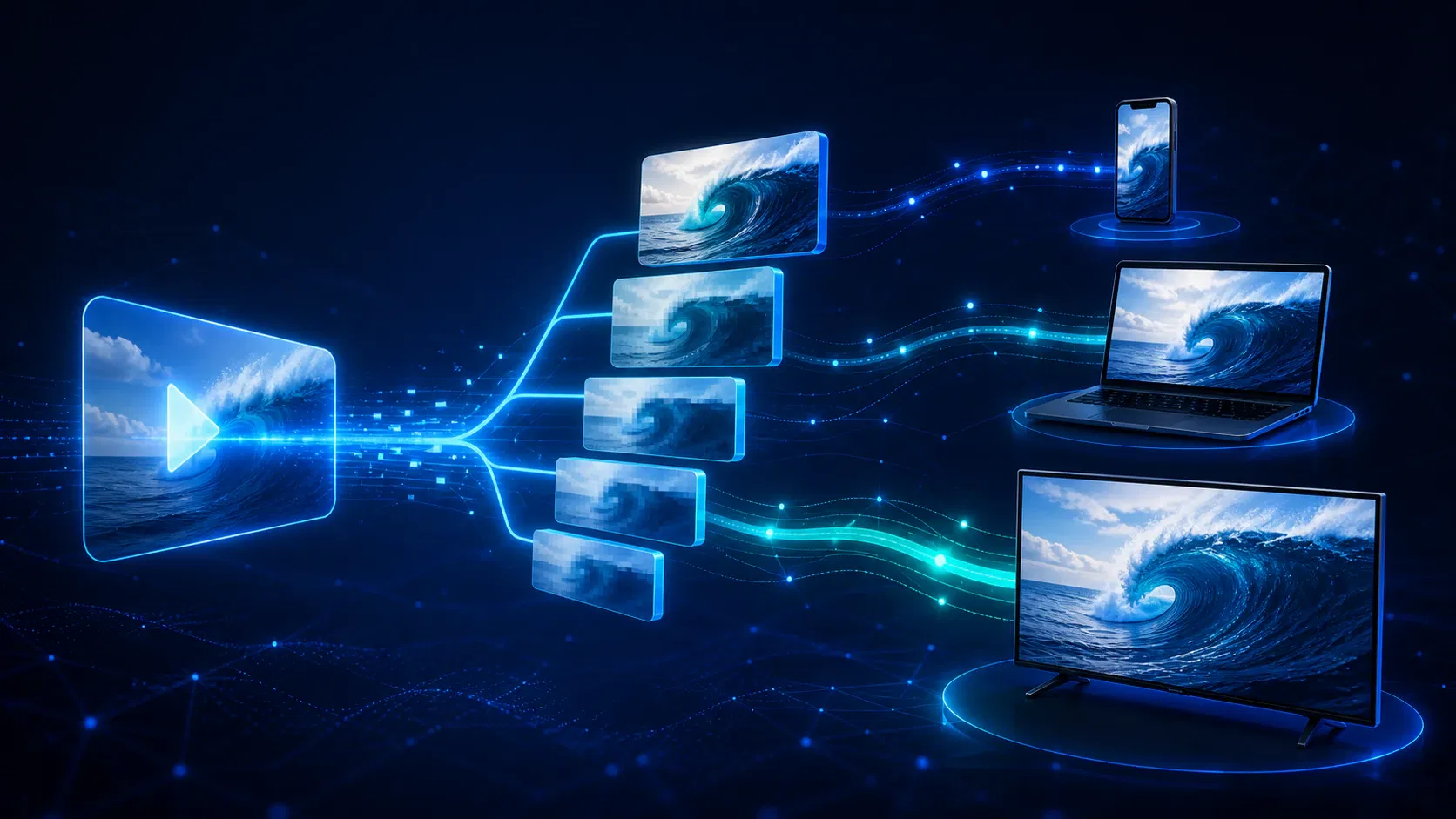
Adaptive bitrate streaming (ABR) is a video-delivery method in which one program is encoded at several quality levels and divided into short segments. The video player selects a suitable segment quality, then switches up or down at later segment boundaries as network, buffer, screen, and device conditions change.
The server does not continuously push a custom bitrate to each viewer. Instead, it makes a prepared set of renditions available over HTTP, and the player chooses among them. In HLS, a multivariant playlist describes those choices; RFC 8216 defines variant streams as different versions of the same content and directs clients to switch between them as network conditions change.
This distinction matters because three terms are often mixed together:
- Bitrate is the amount of encoded data used per second, commonly expressed in kbps or Mbps.
- A rendition is one encoded version, such as 1280×720 video at a particular target bitrate and codec.
- A bitrate ladder is the ordered set of renditions available to the player.
ABR is the selection process across that ladder. Merely creating several MP4 files is multi-bitrate encoding; it becomes adaptive streaming only when compatible packaging and a player can switch between aligned segments during playback.
How adaptive bitrate streaming works end to end
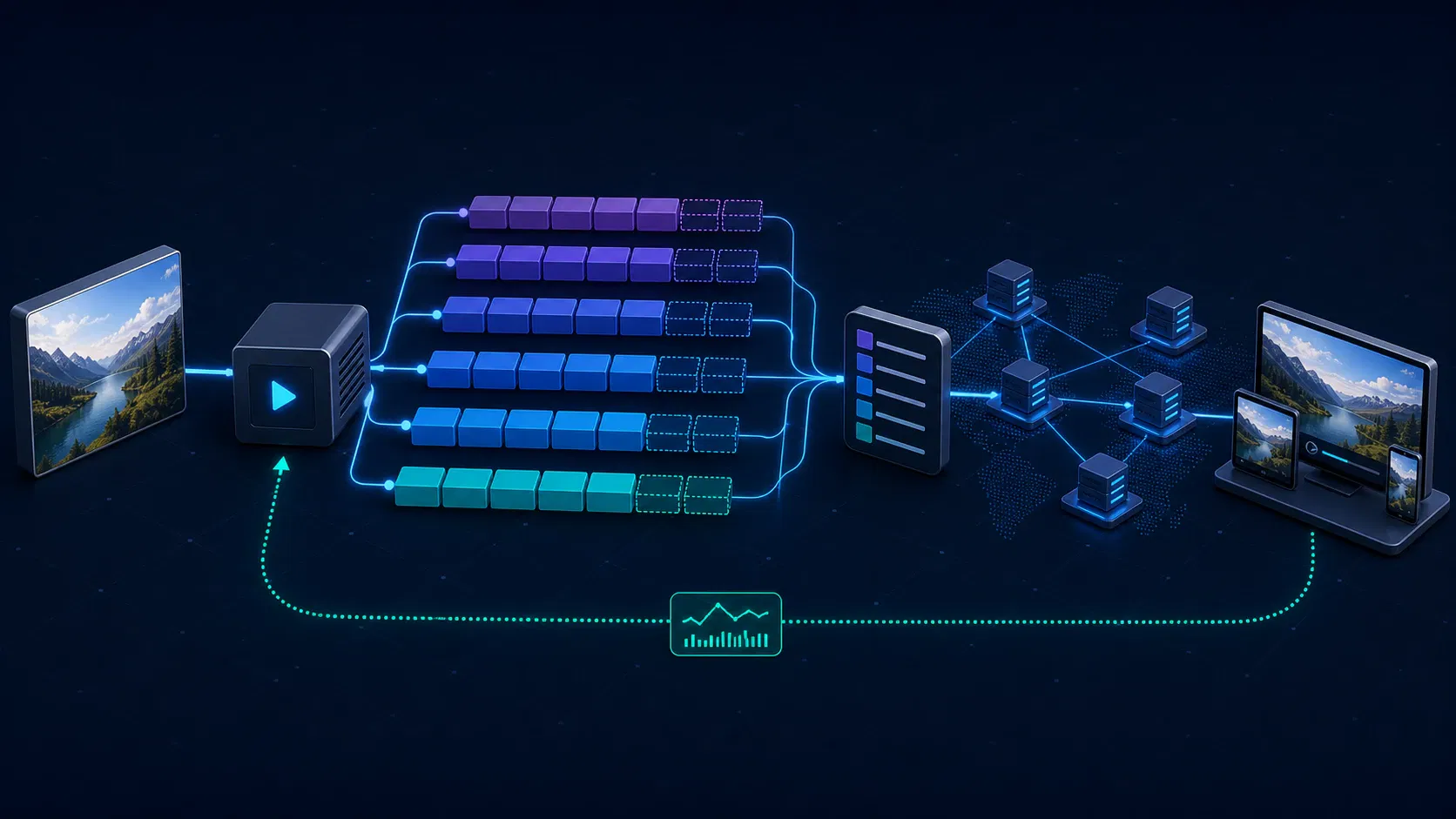
An ABR session is easier to understand as six connected stages.
1. Encode a ladder of renditions
The source video is transcoded into several combinations of resolution, bitrate, frame rate, and sometimes codec. A low rung protects playback on constrained connections. Middle rungs cover common mobile and broadband conditions, while upper rungs serve larger screens and high-throughput networks.
Every title should not automatically receive the same ladder. Animation, a static lecture, grainy film, and fast-action sport need different numbers of bits to reach comparable visual quality. Netflix's original per-title encode optimization demonstrated the underlying principle: analyze the content and choose a bitrate-resolution set that follows its own complexity instead of applying one fixed recipe to the whole catalog.
2. Align keyframes and segment boundaries
The encoder or packager divides every rendition along the same timeline. A segment boundary at 00:24 in the 1080p rendition needs a corresponding switch point at 00:24 in the 720p and 480p renditions. Closed groups of pictures and aligned keyframes allow the decoder to start the next segment without depending on frames from the rendition it just left.
Misalignment is one of the most damaging ABR defects because the playlist may still look valid. The visible symptoms emerge later as timestamp jumps, audio drift, decoder errors, or a stall during a quality change.
3. Package segments and write a manifest
Packaging creates the objects the player requests. HLS uses .m3u8 playlists; MPEG-DASH uses an XML Media Presentation Description, or .mpd. The top-level manifest tells the player which renditions, codecs, resolutions, audio tracks, subtitles, and segment locations exist.
Manifest metadata must describe the media truthfully. For HLS, RFC 8216 requires a BANDWIDTH value for each variant and warns that an inaccurate value can cause stalls or prevent playback. Apple's current HLS authoring specification adds device-focused encoding, variant, audio, subtitle, and playback guidance.
4. Deliver ordinary HTTP objects through a CDN
The origin exposes the manifest and media segments over HTTP, normally behind a content delivery network. The CDN caches popular segments close to viewers, while the player makes repeated requests using the same delivery infrastructure as other web objects.
Cache behavior differs by asset. Finished video-on-demand segments are immutable and can use long cache lifetimes. A live manifest changes frequently and must be refreshed, while completed live segments can still be cached. Incorrect cache keys, query-string handling, or expiry rules can make a healthy encode behave like a player problem.
5. Start with a safe rendition
After reading the manifest, the player filters out renditions that the device cannot decode or display sensibly. It then chooses a starting quality. A conservative start can reach the first frame quickly but may look soft; an aggressive start can look sharp but risks exhausting the initial buffer before playback stabilizes.
The right policy depends on the product. A short preview might favor immediate start, while premium long-form viewing may tolerate slightly more startup time for a better opening picture. The choice should be tested with session data rather than copied from a generic player preset.
6. Re-evaluate before subsequent requests
As segments download, the player observes throughput, buffered duration, dropped frames, recent switches, and playback state. It chooses the highest rendition it believes can arrive before the buffer is consumed. When risk increases, it switches down; when conditions remain healthy, it can climb.
The reference dash.js ABR documentation describes the same signal set: current throughput, buffer level, and end-device resolution. Its default configuration combines a throughput rule with a buffer-based BOLA rule, switching behavior as buffer conditions change rather than trusting one noisy input at all times.
How the player chooses a bitrate for streaming
ABR is a control problem, not a speed test. A network estimate can change between two requests, and a fast connection does not guarantee that a device can decode the highest rendition without dropping frames.
Three decision families are common:
| Decision approach | Primary signal | Strength | Typical risk |
|---|---|---|---|
| Throughput-based | Recent segment download rate | Reacts directly to delivery conditions | Can oscillate when estimates are noisy |
| Buffer-based | Seconds of playable media buffered | Protects continuity without predicting the network | May climb slowly or react late with a small buffer |
| Hybrid | Throughput, buffer, and safety rules | Balances quality, stability, and stall risk | More variables to tune and diagnose |
A production player also applies guardrails. It can cap quality to the viewport, avoid a codec the device handles poorly, abandon a slow segment request, or delay an upward switch until bandwidth has stayed above a safety margin. The dash.js throughput documentation shows why implementation details matter: recent samples may be combined with EWMA, harmonic means, or other methods, each weighting a volatile history differently.
The buffer remains the player's insurance account. If a four-second segment downloads in one second, playback gains roughly three seconds of runway. If the next segment takes six seconds, the buffer pays the difference. ABR tries to maximize useful picture quality without letting that account reach zero.
Designing an adaptive bitrate ladder
A ladder is not a list of familiar resolutions with arbitrary round bitrates. Each neighboring rung needs to offer a meaningful quality gain without leaving a bandwidth gap that forces the player to choose between waste and a stall.
Use this sequence to design one:
- Profile the audience. Measure real connection types, geographies, devices, viewport sizes, HDR support, and codec capability. Before adding a newer codec such as AV2 to the ladder, check AV2 device support and readiness.
- Classify the content. Separate high-motion sport, film, animation, screen recordings, and talking-head video where their complexity calls for different analysis.
- Set the floor first. The lowest rendition should remain decodable and understandable on the weakest network you intend to support.
- Choose quality targets. Use objective measures such as VMAF or another validated quality metric, then confirm with visual review. Metrics support judgment; they do not replace it.
- Remove redundant rungs. If two adjacent renditions look equivalent on their target displays, the extra rendition adds encoding, storage, manifest, and decision overhead without useful choice.
- Validate peak as well as average bitrate. A rendition with a moderate average can contain segments that are much larger. Manifest declarations and player safety margins must account for those peaks.
Resolution is only one constraint. Frame rate, codec profile, level, bit depth, HDR format, audio bitrate, and DRM compatibility can determine whether a rendition plays at all. Keep a broadly compatible codec path even when newer codecs reduce delivery bytes, unless device evidence shows the newer path covers the whole intended audience.
Segment duration creates another trade-off. Shorter segments give the player more frequent decision points and can help low-latency workflows, but they increase request, manifest, packaging, and cache overhead. Longer segments reduce that overhead but make each wrong selection last longer. There is no universal duration: live latency target, CDN behavior, encoding GOP, and player buffer strategy must be tuned as one system.
HLS vs. MPEG-DASH for adaptive bitrate streaming
HLS and MPEG-DASH solve the same delivery problem with different manifest models and ecosystems.
| Area | HLS | MPEG-DASH |
|---|---|---|
| Manifest | Multivariant and media .m3u8 playlists | .mpd XML document |
| Governance | Originated by Apple; documented in RFC 8216 and Apple guidance | ISO/IEC standard with DASH-IF implementation guidance |
| Apple playback | Native path across Apple platforms | Usually not the native Safari delivery path |
| Codec model | Depends on client and Apple ecosystem requirements | Specification is codec-agnostic; clients still have codec limits |
| Low-latency mode | Low-Latency HLS | Low-Latency DASH |
For broad device coverage, many OTT systems provide HLS and DASH rather than treating the choice as ideological. Common Media Application Format (CMAF) can let compatible HLS and DASH presentations reference a shared family of fragmented MP4 media objects, reducing duplicated packaging and storage. DASH-IF's current IOP v5 overview explicitly constrains its delivery guidance to CMAF-formatted media and separates recommendations for on-demand, live, low-latency, ads, protection, audio, video, and conformance.
Protocol choice does not fix a poor ladder or player. A perfectly valid HLS playlist can still expose wasteful rungs; a standards-compliant DASH presentation can still perform badly with unsafe switch logic. Select formats from the device matrix, DRM requirements, latency goal, ad workflow, and operational tooling.
How to implement adaptive bitrate streaming in production
Treat implementation as a measured loop rather than an encoding task that ends when a manifest loads.
Define a playback contract
Write down the supported devices, operating-system versions, browsers, codecs, resolutions, audio formats, DRM systems, accessibility tracks, latency targets, and failure behavior. This contract prevents the encoder, packager, CDN, and app teams from optimizing different definitions of “works.”
Map the contract onto the wider OTT architecture before choosing tools. ABR touches ingest, transcoding, packaging, origin, CDN, DRM, player, and analytics; ownership gaps between those layers are where intermittent failures survive.
Build one reproducible media path
Start with a small representative test set. Generate all renditions with aligned timestamps and keyframes, package HLS and/or DASH, and make outputs deterministic enough to compare across pipeline changes. Store the source settings, encoder version, manifest, and validation result with each test run.
At Apexnova, this is the point where our OTT engineering work connects per-title encoding, multi-CDN delivery, and device-player behavior as one playback system instead of separate vendor checkboxes. That approach is most useful for teams whose audience spans web, mobile, and connected TV and who need to own the operational trade-offs.
Validate media before device testing
Run format-specific conformance tools on every pipeline change. Apple recommends mediastreamvalidator and hlsreport for HLS checks, while noting that automated validation cannot judge visual quality; its HLS validation guidance explicitly calls for visual inspection under varied network conditions too.
Validation should cover at least:
- manifest syntax and declared codecs;
- segment and timestamp alignment across renditions;
- keyframe placement and independently decodable switch points;
- actual peak and average bitrate versus manifest values;
- audio, subtitle, and caption continuity after a switch;
- encryption and license acquisition across every protected rendition.
Test the network and the device together
Throttle bandwidth, add latency, jitter, packet loss, and abrupt network changes, then repeat on actual low-end and high-end devices. Test Wi-Fi-to-cellular handoffs, background and foreground transitions, seeking, audio-track changes, ad boundaries, live-window movement, and CDN failover.
A desktop browser on a fast office connection cannot reveal decoder pressure on a five-year-old television. Likewise, a laboratory bandwidth profile cannot reproduce every CDN route. Use synthetic tests for repeatability and production telemetry for coverage.
Close the loop with quality-of-experience data
Collect player events with enough context to identify the responsible layer. Core measures include:
- time to first frame;
- rebuffer count, rebuffer duration, and rebuffer ratio;
- rendition selected at start and average played bitrate;
- quality switches, including direction and frequency;
- dropped frames and decoder errors;
- manifest, segment, DRM, and playback failures;
- CDN, geography, ISP, device, player version, and content ID.
Do not optimize one metric in isolation. For example, forcing a very low starting rendition may improve startup time while degrading perceived quality. A safer release compares distributions by device and network cohort, then checks whether an improvement in one measure creates regressions elsewhere.
Common ABR failures and what they reveal
Playback stalls even on fast connections. Check declared bandwidth against segment peaks, CDN response time, cache misses, and player estimate safety margins. Advertised average bitrate is not enough if one complex segment arrives too late.
Quality moves up and down repeatedly. The player may be overreacting to short-term throughput. Add hysteresis, increase the upward-switch safety margin, incorporate buffer state, and inspect whether adjacent rungs are too close to create a stable choice.
A switch causes a flash, audio gap, or fatal decoder error. Inspect keyframe and timestamp alignment, codec parameters, discontinuity signaling, audio groups, and encryption configuration across renditions.
The highest rung is selected on a small screen. Apply viewport and device caps. Downloading pixels the display cannot use wastes delivery capacity and may increase decoder load.
Live playback falls behind the live edge. Segment production, manifest publication, CDN availability, buffer targets, and catch-up behavior may be working against one another. Low latency reduces the runway available to absorb variance, so each stage needs tighter timing.
The stream passes validation but users still complain. Conformance proves that media follows a format; it does not prove that the ladder matches real networks or that a particular device decodes it smoothly. Combine validation, controlled impairment tests, and session telemetry.
Frequently asked questions
Does adaptive bitrate streaming reduce buffering?
It reduces avoidable buffering by letting the player request a lower-bitrate segment when its buffer or network estimate becomes unsafe. It cannot eliminate stalls caused by an unavailable origin, broken media, DRM failure, or a connection too slow for the lowest rendition.
What is the difference between adaptive bitrate and variable bitrate?
Variable bitrate describes how one encoded rendition allocates more or fewer bits as content complexity changes. Adaptive bitrate streaming describes the player switching among multiple renditions. An ABR ladder can contain renditions encoded with variable bitrate.
Is HLS adaptive bitrate streaming?
HLS supports adaptive bitrate streaming when a multivariant playlist offers multiple aligned variant streams and the player switches between them. A single HLS media playlist with one quality level uses segmented HTTP delivery but provides no video-quality ladder to adapt across.
Is MPEG-DASH better than HLS?
Neither is universally better. HLS is central to Apple-platform delivery, while DASH provides an open, codec-agnostic framework used across many other environments. Device support, DRM, latency, advertising, packaging, and player requirements should decide the mix.
How does an ABR player know when to change quality?
It estimates whether the next segment can arrive safely using signals such as recent throughput, buffered seconds, dropped frames, viewport, and device capability. Production players usually add safety margins and switch-history rules so a single noisy sample does not trigger an unnecessary change.
What segment length should an ABR stream use?
There is no single best length. Short segments allow faster reactions and can support lower latency, while longer segments reduce request and manifest overhead. Test the segment duration with the encoder GOP, CDN, latency target, and player buffer configuration you will actually operate.
Build ABR around evidence, not a copied ladder
Adaptive bitrate streaming works when every layer agrees on the same media timeline and the player receives honest choices. Start with audience and device evidence, build a content-aware ladder, validate the packaged output, test failure conditions, and use playback telemetry to tune the next release.
If your review uncovers unclear ownership between encoding, delivery, and playback, request an architecture review before scaling traffic. A short contract and test matrix now are cheaper than diagnosing intermittent stalls across a live device fleet.