

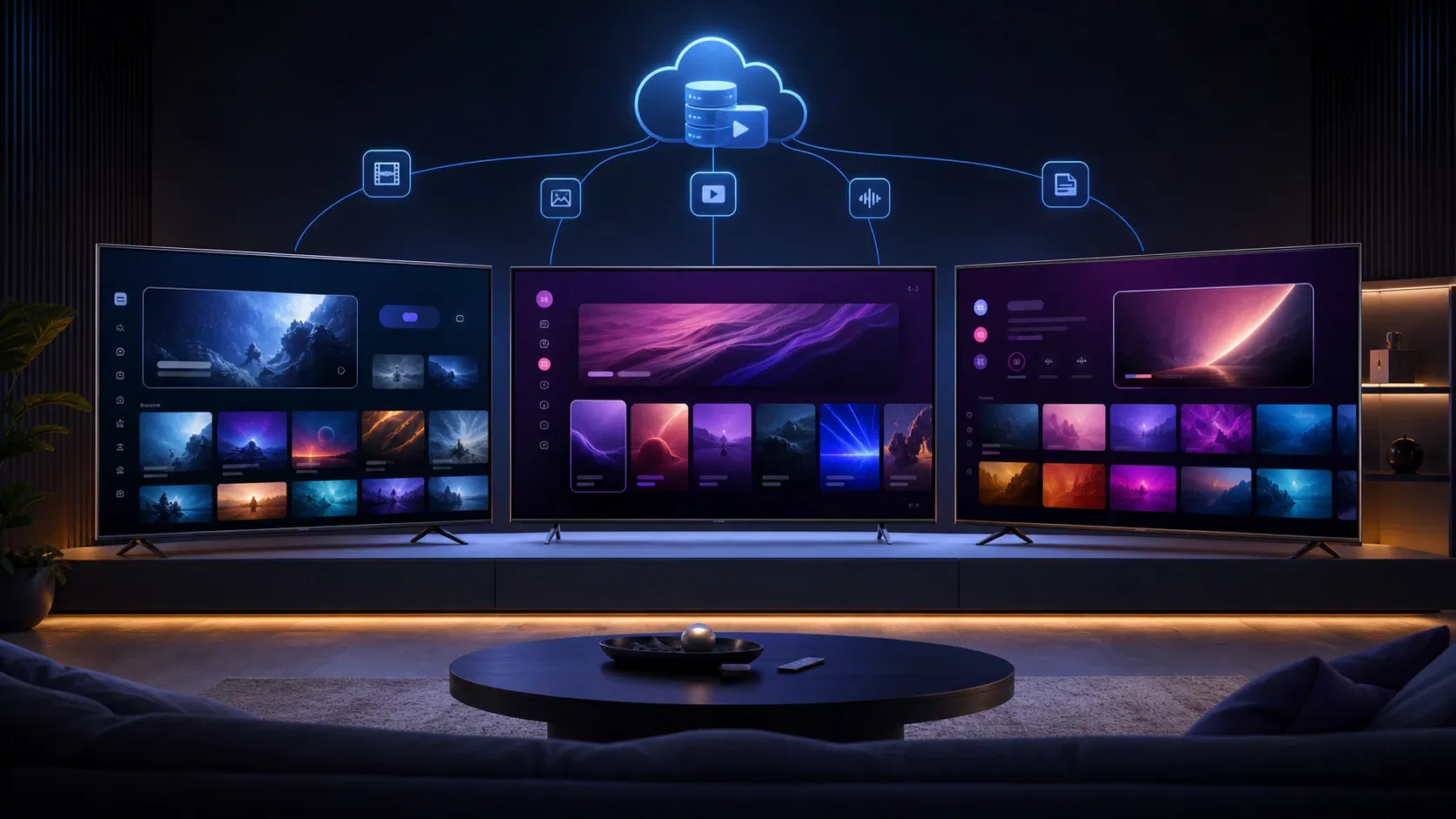
Smart TV App Development for Tizen, webOS, and VIDAA
A smart TV launch can look finished in a browser and still fail on the first production television. Remote focus disappears, protected video opens to a black screen, an older model runs out of memory, or a store reviewer finds a lifecycle bug days before launch. Good smart TV app development plans for those constraints before the team commits to a framework or date.
What is smart TV app development? It is the design, engineering, testing, and store-delivery work required to run a remote-controlled application on television operating systems and hardware generations. For a streaming service, that includes the TV interface, player, DRM, backend integrations, analytics, device testing, packaging, and certification—not merely adapting a web page to a larger display.
This guide is for founders, product leaders, and engineering teams deciding how to launch on Samsung Tizen, LG webOS, and VIDAA. It shows what can be shared, what must remain platform-specific, and what evidence to demand before approving a build.
What smart TV app development actually includes
The visible app is only one layer. A production scope has at least five connected systems:
- The TV experience: home, catalog, search, details, sign-in, settings, and a predictable focus path for the remote.
- The playback client: stream selection, adaptive playback, captions, audio tracks, errors, resume state, and live controls.
- The trust layer: authentication, entitlement checks, DRM license exchange, parental controls, and secure local storage.
- The service layer: content APIs, image delivery, recommendations, subscriptions, advertising, analytics, and feature flags.
- The release system: platform manifests, signing, store assets, supported countries, device coverage, certification evidence, and post-launch monitoring.
Treating these as one “front-end build” hides dependencies. For example, a device-code login depends on both a TV screen and a server-side activation flow. A Continue Watching rail depends on player events, identity, an API, and conflict rules. A live channel may need manifest failover, ad markers, entitlement refresh, and an error state that still works when the network is unstable.
TV is a 10-foot interaction model
People usually operate a television from across a room with Up, Down, Left, Right, Select, Back, and a small set of media keys. There is no reliable hover state, no assumption of touch, and often no convenient keyboard. Every interactive element therefore needs an intentional focus order, a visible focused state, and a defined destination for every directional press.
Samsung’s own guidance tells developers to prioritize remote-control behavior, a simple interface, and a scalable 16:9 layout. It also identifies 1920×1080 and 1280×720 as standard application resolutions for UHD and FHD model groups respectively, while recommending that the 16:9 ratio be preserved during scaling (Samsung Smart TV quick-start guide).
A practical design review should answer:
- Where does focus land when a screen opens?
- Can every card, tab, dialog, keyboard, and player control be reached and exited?
- Does Back close the current layer before leaving the page or app?
- What happens when a rail has one item, fifty items, or delayed images?
- Can viewers activate an account without typing a long password on the TV?
- Are captions, audio selection, and error recovery usable from the remote?
A television interface should also preserve context. When a viewer exits playback, the previously selected title should still be focused. When the app returns from the background, it should restore a valid screen without replaying stale entitlements or exposing an abandoned dialog.
Playback is the product, not a component at the end
For video services, playback requirements should be settled during discovery. Record whether the launch includes VOD, live, start-over, catch-up, cloud DVR, trailers, server-side or client-side ads, multiple audio tracks, captions, HDR, 4K, or concurrency limits. Each item changes the device matrix and test plan.
Samsung documents two VOD paths: the HTML5 video element and its AVPlay API, which adds platform capabilities including DRM support (Samsung playback guidance). That distinction matters because a successful unprotected sample in a desktop browser does not prove that production manifests, codecs, encryption, and license requests work on a TV.
The player acceptance criteria should include startup time, rebuffering, seek behavior, audio-video synchronization, bitrate switching, subtitle styling, audio-track changes, ad transitions, resume position, and intelligible error recovery. Run those checks against real content variants, not only a vendor demo stream.
Store approval is part of engineering
Certification is not a handoff after development. Samsung states that its Seller Office checks mandatory capabilities across accounts, connection, playback, multitasking, performance, and privileges, with detailed quality tests for UI and video behavior (Samsung development checklist). LG’s workflow similarly directs teams to a self-checklist before submission and sends approved packages through Seller Lounge to the LG app ecosystem (LG webOS developer workflow).
Build those checks into sprint acceptance. Maintain store copy, territory configuration, screenshots, privacy details, support contacts, test accounts, and content-access instructions alongside the binary. If a reviewer cannot reach protected content or reproduce a required journey, technically correct code can still miss the launch window.
Smart TV app development platform matrix: Tizen, webOS, and VIDAA
Tizen, webOS, and VIDAA can all host web-technology applications, which creates a real opportunity to share presentation and business logic. It does not make them one platform. Packaging, device APIs, playback behavior, developer access, and review are different release surfaces.
| Decision area | Samsung Tizen | LG webOS | VIDAA |
|---|---|---|---|
| Primary web-app stack | HTML, CSS, JavaScript plus Tizen/Samsung APIs | HTML, CSS, JavaScript plus webOS APIs | HTML5 web app model with platform media and input integration |
| Project/package contract | config.xml, signed Tizen web package | appinfo.json, packaged with webOS tooling | Partner-provided project, signing, and submission requirements |
| Player decision | HTML5 video or AVPlay, depending on feature and model needs | HTML5 media path plus platform capabilities | Platform media player integration validated by VIDAA/model generation |
| Remote input | Samsung key registration and application focus logic | webOS key events, focus system, and Magic Remote considerations | VIDAA remote key map and platform interaction rules |
| Development test path | Simulator/emulator plus signed builds on real TVs | Simulator plus Developer Mode on real TVs | DevKit/partner workflow plus real VIDAA devices |
| Distribution | Samsung TV Seller Office | LG Seller Lounge | VIDAA partner/developer process |
| Main schedule risk | Model-group behavior, signing, playback, certification | Version spread, performance, QA checklist, store review | Partner access, territory/device requirements, test coordination |
Samsung Tizen: plan around signed packages and model groups
A Tizen web application contains HTML, CSS, JavaScript, and a required config.xml. Samsung also requires valid certificates before an application can be installed or run, and warns teams to preserve the original author certificate because an update signed with a different author certificate may be treated as a different application (Samsung Smart TV quick-start guide). Certificate custody is therefore a release-management concern, not a developer-laptop detail.
Define supported Samsung model groups at the start. The web engine and media capabilities differ across television generations, so “supports Tizen” is not testable acceptance language. A better statement names the earliest supported model year or group, target countries, stream formats, DRM systems, and any deliberate exclusions such as 4K on older devices.
Samsung provides simulator and emulator paths, but real-TV testing remains necessary. Its testing FAQ explains how to connect a television in Developer Mode and notes that Samsung TVs accept web application .wgt packages (Samsung application testing FAQ). Use fast virtual feedback for layout and logic, then validate focus, playback, memory, suspension, and networking on physical hardware.
LG webOS: use the web workflow, then verify on silicon
LG’s documented workflow uses HTML, CSS, and JavaScript, with CLI, IDE or VS Code tooling and a simulator for early development. It also explicitly supports testing on a real television through the Developer Mode app and provides tools for monitoring resource use and inspecting application behavior (LG webOS developer workflow).
The product team should decide whether a framework improves delivery without raising the minimum runtime beyond the support matrix. Modern syntax, large dependency trees, high-resolution artwork, and desktop-style animation can all behave well on a current premium set while struggling on an older or entry-level device.
For each supported webOS generation, validate boot, focus, sign-in, playback, subtitles, suspend/resume, network loss, and memory pressure. Package and configuration differences belong in a webOS adapter and release pipeline rather than conditional checks scattered through shared screens.
VIDAA: qualify access before promising a date
VIDAA deserves an explicit launch decision, especially where the target audience owns Hisense or other VIDAA-powered televisions. Its public developer material is less open than Samsung’s and LG’s. VIDAA’s website terms acknowledge a dedicated portal for authorized partners, developers, and other approved parties (VIDAA website terms); current publishing guidance from Muvi describes a partnership-led process for documentation, integration, testing, territory compliance, and final review (Muvi’s VIDAA publishing guide).
That means partner onboarding is a discovery dependency. Before fixing a delivery date, confirm portal access, target countries, supported OS generations, package and signing rules, required test devices, media and DRM requirements, universal-search metadata, store assets, reviewer test accounts, and the named submission owner.
Architecturally, keep the same separation used for Tizen and webOS: a shared product shell above a VIDAA adapter for remote input, lifecycle, device information, playback, DRM, storage, and packaging. Do not assume that a web build proven on Samsung or LG has proven VIDAA support.
One codebase does not mean one unchanged app
A sensible cross-platform architecture shares what is truly common and isolates device contracts. The goal is not maximum line-count reuse. The goal is one product behavior with small, testable platform boundaries.
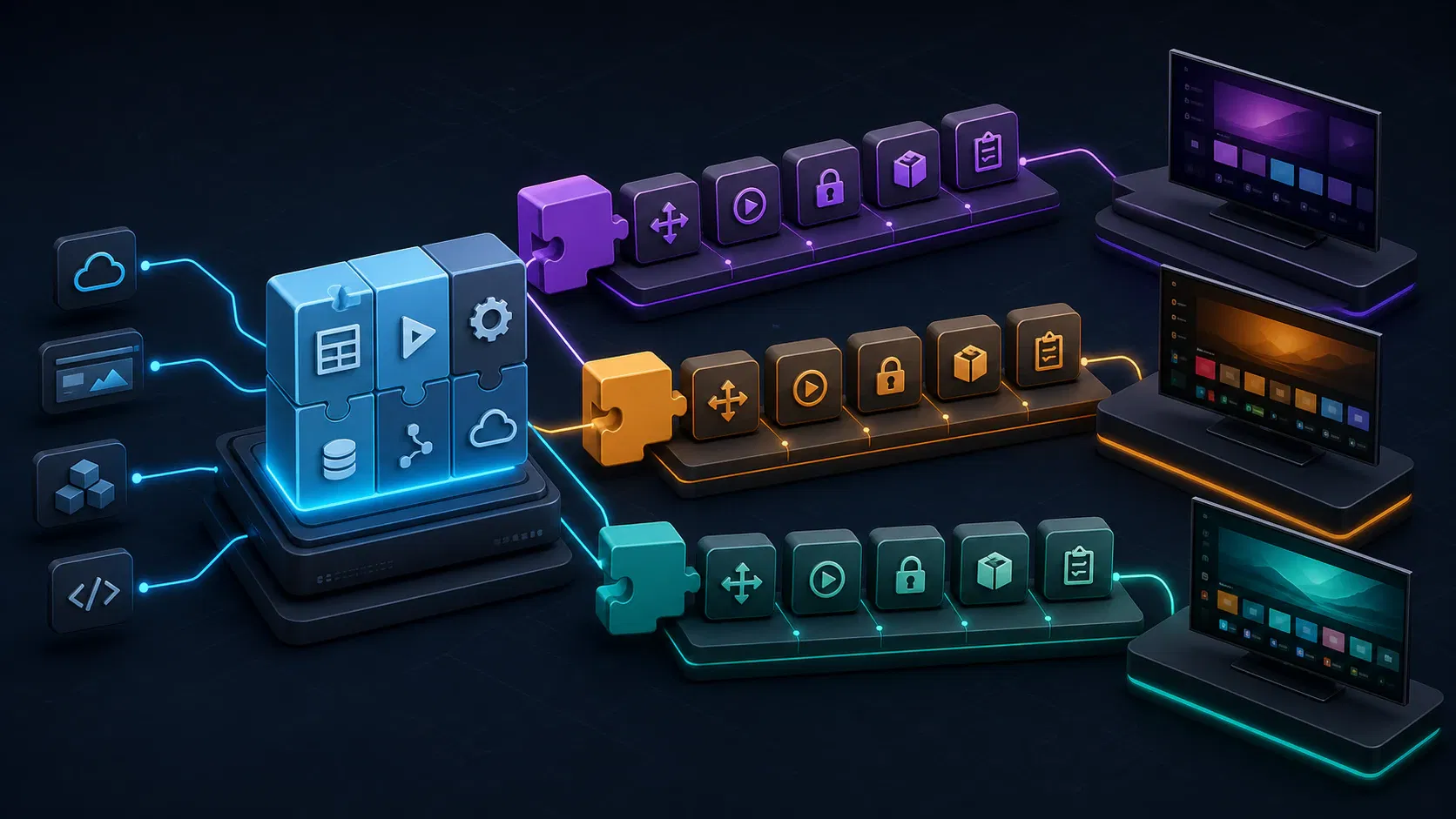
Share the product shell
The shared layer can usually own:
- routes, screen composition, and design tokens;
- catalog models, API clients, and caching rules;
- authentication state and device-code flow;
- entitlement and profile logic;
- analytics event names and business context;
- localization, feature flags, and error taxonomy;
- most reusable UI components and focus intent.
The UI should express intent such as “move to the next playable card” rather than directly depending on a vendor key code. The shared player controller should request “play this asset with this entitlement” rather than knowing how each platform opens a license session.
Isolate the platform adapters
Create narrow interfaces for input, lifecycle, media, DRM, storage, networking, device information, accessibility, telemetry transport, and application exit. Each platform implementation translates that stable contract into its own APIs.
This boundary makes failures diagnosable. If a Tizen-only pause/resume bug appears, the team can inspect the Tizen lifecycle and player adapters without branching the entire application. If VIDAA requires a different packaging or metadata step, release code changes without contaminating catalog logic.
Encrypted playback is a good example. The W3C’s Encrypted Media Extensions specification defines a browser-facing API for interacting with content-decryption systems, but it does not erase device-specific support or policy (W3C Encrypted Media Extensions). Your adapter still needs a tested mapping between manifests, codecs, encryption scheme, DRM system, license server, and each promised model generation.
Keep platform packages independent
Even with shared source, produce independent artifacts. Each platform needs its own manifest, permissions, identifiers, icons, signing material, versioning rules, build command, environment configuration, and store metadata.
Avoid a release process where one engineer packages builds manually from an undocumented laptop. A repeatable pipeline should pin dependencies, select the target environment, inject non-secret configuration, create the platform package, run static checks, record a checksum, and attach the tested build to the release ticket. Signing secrets should live in controlled storage with recovery and ownership documented.
Build the smallest credible device matrix
Buying every television model is neither realistic nor necessary. Testing only on the newest flagship is equally weak. Build a risk-based matrix that covers the meaningful differences in your supported audience.
Include at least:
- the oldest promised model generation for each operating system;
- a current mainstream or mid-tier model;
- a lower-memory or lower-performance device where practical;
- each distinct player or DRM path;
- common remote types, including pointer behavior if supported;
- major geographic variants when stores, firmware, payments, or content differ.
Emulators and simulators shorten the edit-test loop. They are useful for layout, navigation logic, API mocks, and basic lifecycle behavior. They cannot fully represent hardware decoding, DRM, memory pressure, remote timing, firmware differences, or a household network.
Test journeys, not isolated screens
Create end-to-end journeys with observable pass criteria:
- Install or upgrade the app and reach a usable home screen.
- Activate a new device, switch profiles, and recover from an expired code.
- Browse, search, open details, start playback, seek, change captions, and return to the same focused item.
- Play protected VOD and live content across the required codec and DRM matrix.
- Interrupt the network during manifest, segment, and license requests, then confirm recovery.
- Suspend the app during playback, resume it, and validate entitlement and playback state.
- Leave the app idle, trigger screensaver behavior where applicable, and return safely.
- Sign out, clear sensitive session data, and confirm a different viewer cannot recover it.
Measure time to usable home, time to first frame, rebuffering ratio, fatal playback errors, API failures, memory trend, crash-free sessions, and activation completion. Segment telemetry by OS, app version, device model, firmware, country, content ID, and stream type so a platform regression is visible rather than diluted into a global average.
How to plan smart TV app development from scope to launch
A buyer-ready plan connects every feature to an owner, dependency, device test, and release gate.
Phase 1: lock audience and platform order
Start with viewing data, not a generic platform ranking. Use existing web and mobile analytics, support tickets, subscriber geography, device reports, and partner distribution commitments. Decide which OS launches first and which enter later waves.
The related android tv app development opportunity may outrank VIDAA in one market and trail it in another. Likewise, understanding the Samsung TV OS audience is more useful than assuming every Samsung household has the same Tizen runtime. Record the evidence, decision date, and owner because platform priorities change as distribution expands.
Phase 2: define the release contract
Write a scope that distinguishes launch-critical features from later increments. For a streaming MVP, the launch contract often includes home and catalog, details, search, device activation, profiles, entitlement, VOD or live playback, captions, analytics, error states, privacy, and store submission.
For every item, specify accepted platforms, content types, backend dependency, analytics event, and device evidence. “Add search” is vague. “A viewer can enter a query with the platform keyboard, navigate results by remote, open a title, and recover from no results or API failure on every supported model group” is testable.
Phase 3: prove the riskiest path first
The first technical spike should not be a polished home screen. Prove protected playback on the oldest required device using a production-like manifest and license flow. Add remote focus across a representative rail and dialog, then test suspend/resume and network interruption.
This sequence reveals whether the selected framework, player path, and device policy are viable while change is still cheap. If the oldest TV cannot meet the launch experience, the product team can narrow support, simplify effects, adjust packaging, or create a platform exception before dozens of screens depend on the wrong assumptions.
Phase 4: build, observe, and pre-certify continuously
Run real-device smoke tests on every release candidate and deeper journeys at planned checkpoints. Track certification items in the same backlog as features. A submission-ready definition of done includes signed packages, store metadata, test accounts, reviewer instructions, privacy and support URLs, supported territories, and evidence from the final binary.
For teams that want the TV client designed as part of the full streaming system, Apexnova’s Tizen and webOS app development service connects the player, DRM, backend, device QA, and store work instead of treating the app as an isolated skin. Its broader OTT engineering approach is relevant when the launch also requires web, mobile, content operations, monetization, and infrastructure ownership.
What determines smart TV app development cost and timeline?
No responsible estimate comes from screen count alone. The largest cost multipliers are platform count, supported model years, playback modes, DRM and advertising, backend readiness, custom UX, device coverage, certification ownership, and post-launch support.
A useful estimate separates four budgets:
| Workstream | What it covers | Common source of rework |
|---|---|---|
| Product and UX | journeys, focus maps, states, design system, accessibility | Reusing mobile flows without remote behavior |
| Application engineering | shared shell, platform adapters, packages, integrations | Framework selected before device proof |
| Playback and security | formats, player APIs, DRM, ads, entitlements, errors | Testing only clear content or one new TV |
| QA and release | device lab, regression, store assets, submission, fixes | Treating certification as a final administrative step |
Ask vendors to estimate assumptions explicitly: target OS versions, number of physical devices, content and DRM combinations, included submission rounds, warranty period, analytics integration, and who owns signing credentials and source code. Quotes that omit these items are difficult to compare because the excluded risk reappears as a change request.
Timeline should be expressed in gates, not a single date. A credible plan has dates for platform access, architecture proof, design approval, backend readiness, feature complete, device regression, store submission, reviewer feedback, and rollout. Protect launch announcements with contingency for store findings and firmware-specific defects.
Vendor evaluation checklist
Use a demonstration and evidence review to distinguish TV experience from generic web development.
Ask each team to provide:
- a focus map or live remote-navigation demo on a real television;
- a supported-device policy naming oldest model years or groups;
- protected playback evidence for every required DRM and stream type;
- an explanation of shared code versus platform adapters;
- a device matrix and regression plan;
- a sample certification checklist and reviewer handoff;
- a telemetry schema for startup, buffering, playback errors, and app crashes;
- package-signing ownership, backup, and release documentation;
- source-code, infrastructure, data, and store-account ownership terms;
- assumptions, exclusions, acceptance criteria, and post-launch support in writing.
Be cautious when a proposal promises one web build on every TV without a platform adapter, estimates from UI screens alone, tests only in simulators, or defers DRM and certification until the end. Those shortcuts do not remove work; they move it to the most expensive point in the schedule.
Frequently asked questions
Can one codebase support Tizen, webOS, and VIDAA?
Yes, a shared web-technology core can support product screens, API access, state, and much of the interaction logic. Each operating system should still have adapters and independent packages for remote input, lifecycle, player, DRM, storage, device APIs, signing, and store delivery.
How long does it take to build a smart TV app?
The timeline depends on platform count, backend readiness, playback complexity, supported model years, and review cycles. Plan around evidence gates—protected playback proof, feature complete, real-device regression, submission, and approval—rather than treating coding time as the entire schedule.
How much does smart TV app development cost?
Cost grows with operating systems, device generations, custom UI, live or VOD features, DRM, advertising, backend integrations, physical-device QA, and certification support. Compare estimates only after vendors state the same support matrix, acceptance tests, ownership terms, and number of included submission rounds.
Which smart TV platform should launch first?
Choose from your audience’s device and geography data, commercial distribution needs, and the readiness of your playback stack. If evidence is incomplete, launch one high-priority platform first, measure activation and viewing, then use the same shared architecture to expand without promising unsupported parity.
Do smart TV apps need testing on real televisions?
Yes. Simulators accelerate UI and logic development, but physical devices are required to trust remote behavior, hardware playback, DRM, memory use, firmware differences, suspend/resume, and household-network recovery.
What should a smart TV app MVP include?
A streaming MVP usually needs catalog browsing, details, search, device activation, profiles or identity, entitlement, playback, captions, analytics, error recovery, privacy and support details, and store submission. Features such as recommendations, advanced ads, universal search, purchases, or live DVR can follow when they are not essential to the launch model.
Conclusion
The safest smart TV decision is not “web or native.” It is deciding which behavior can be shared, where platform contracts must be isolated, and what evidence proves the app works on the oldest device you promise to support.
Before approving a build, require a named model-year matrix, a protected-playback proof, remote-navigation acceptance tests, independent release packages, and a certification owner. If those artifacts are clear, Tizen, webOS, and VIDAA become manageable release tracks rather than three late surprises.
Ready to turn a platform list into an executable scope? Book an architecture review with your audience data, content formats, DRM requirements, and target launch markets, and leave with a prioritized device matrix and release plan.