

Augmented Reality Television: 7 Use Cases for OTT Platforms
A live match can carry dozens of data points, camera angles, replays, sponsor assets, and social moments. Yet the standard OTT player compresses all of that potential into one fixed rectangle. Augmented reality television gives streaming services a way to add useful, optional layers without replacing the program viewers came to watch.
The opportunity is broader than putting a 3D mascot on screen. For an OTT product team, AR can mean a data-rich alternate feed on a television, an interactive layer rendered by the app, a synchronized companion experience on a phone, or spatial content presented around a virtual screen. The right choice depends on the audience, rights package, latency budget, and business goal.
This guide explains where AR television creates real viewer value, how the delivery models differ, and how to run a pilot without rebuilding the entire streaming stack.
What Is Augmented Reality Television?
Augmented reality television combines a TV program with digital elements that are aligned to the video, viewing environment, or live event. Those elements may be composited into the broadcast for every viewer or rendered by a receiving device so people can turn them on, customize them, and interact with them.
That definition matters because AR television is often confused with virtual reality, virtual production, or ordinary on-screen graphics. The ITU's augmented reality smart television specification describes receiver-side blending of 2D or 3D objects with broadcast content in real time, with the viewer able to choose the augmented or original presentation.
| Experience | What the viewer sees | Typical device | Viewer control |
|---|---|---|---|
| Traditional TV graphics | A finished video feed with scoreboards, lower thirds, or tickers | Any screen | Usually none |
| Broadcast-composited AR | Graphics tracked to a field, object, camera, or studio | Any screen | Choice of feed, if offered |
| Receiver-rendered AR | Video plus synchronized data or 3D assets rendered by the app | Smart TV, mobile, or web app | Can toggle, filter, or interact |
| Spatial AR television | Program content and related objects placed in the viewer's room | Phone, tablet, or headset | Can move, scale, inspect, or dismiss |
| Virtual reality | A primarily virtual environment that replaces the surrounding view | Headset | Navigation within the virtual scene |
Researchers studying the combination of AR and television found that the design space extends across interaction, timing, display, context, editorial control, and the relationship between the program and augmentation. Their systematic review of AR television is a useful reminder: the display technology is only one decision. The editorial role of the extra layer is just as important.
Three delivery models an OTT team can actually ship
1. One finished augmented feed. Graphics are generated upstream and encoded into the video. It works on the widest range of devices and is operationally familiar, but every viewer receives the same presentation. A separate "enhanced" feed can preserve choice.
2. Video plus a synchronized application layer. The platform distributes a normal stream and sends time-aligned events, data, and assets to supported apps. The client renders the layer, allowing personalization and interaction while preserving a clean fallback feed.
3. A companion or spatial experience. A phone, tablet, or headset renders content beside or around the program. This offers the richest interaction, but adds device pairing, spatial design, permissions, and more demanding QA.
These models can coexist. A service might launch an enhanced sports feed on connected TVs, provide interactive player cards on mobile, and reserve a spatial tabletop view for compatible headsets.
Why Augmented Reality Television Matters for OTT
Broadcasters have used tracked graphics for years. OTT changes the equation because the service controls the player, identity layer, entitlement logic, experimentation system, and often the data relationship with the viewer. That makes an augmentation selectable, personalized, measurable, and connected to a transaction rather than permanently burned into the picture.
Recent production examples show the range. NBC Sports selected virtual and AR production capabilities for its 2026 Milan Cortina Winter Olympics coverage, which ran across NBC, Peacock, and other platforms. DAZN tested a dedicated "Promotion Final Plus" feed with real-time data overlays for the 2026 National League Promotion Final; the cloud workflow sent the video through a live data engine and back to DAZN.
Those examples point to a practical progression: begin with producer-controlled enhancement, learn which information improves the story, and add viewer control where it creates a clear advantage.
That gradual approach has evidence behind it. In an experiment comparing a traditional NBA presentation with two augmented versions, viewers were more likely to rewatch and recommend an analytical "coach mode" than a deliberately over-the-top "mascot mode." The researchers advised media providers to introduce broadcast AR gradually and systematically to avoid overloading conservative viewers.
7 Augmented Reality Television Use Cases
The strongest use cases make a program easier to understand, more useful, or more participatory. Novelty can earn a first click; sustained value earns repeat viewing.
1. Data-rich live sports analysis
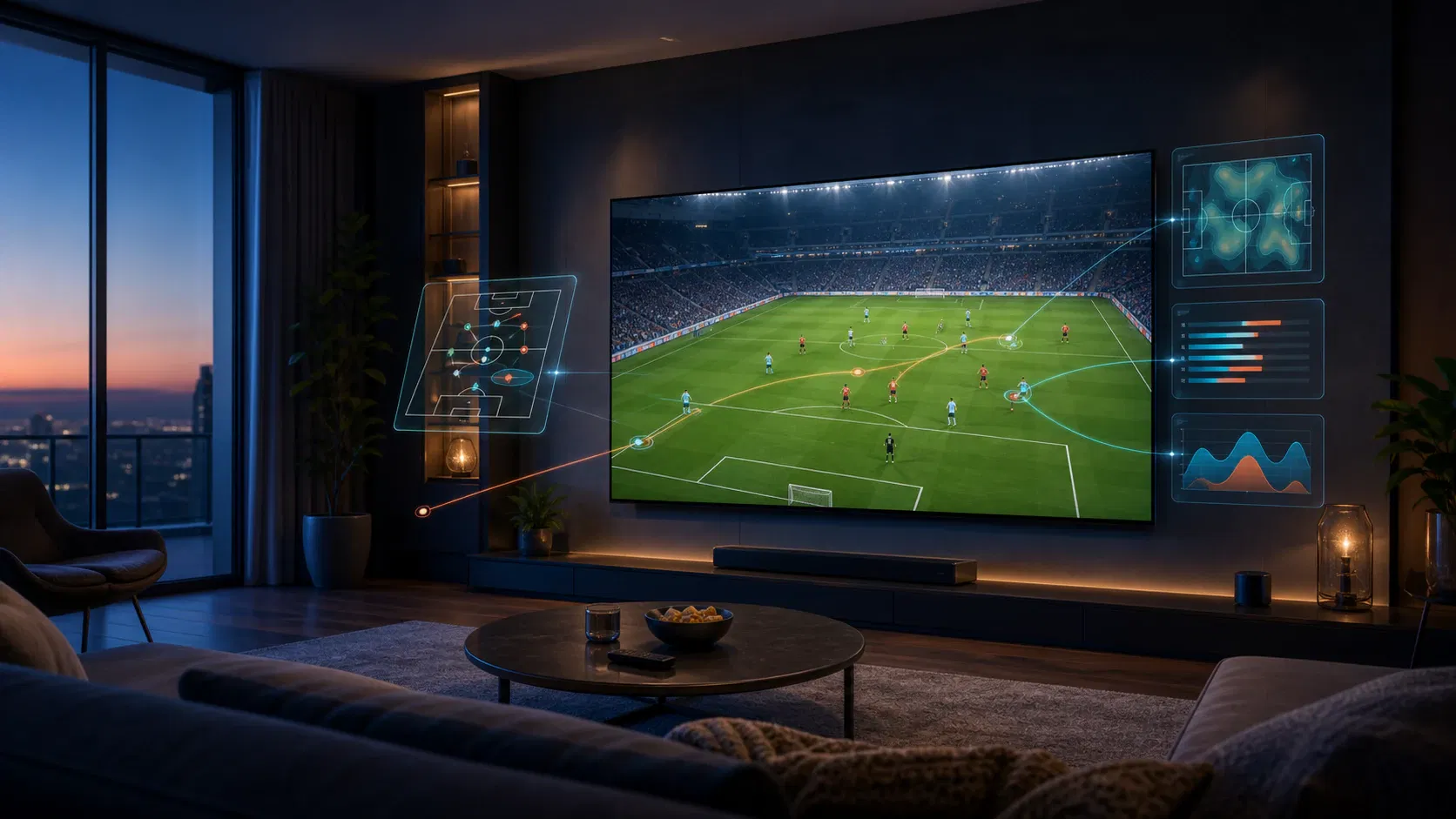
Sports is the clearest starting point because the event already produces structured, time-sensitive data. AR can attach speed, distance, player identity, shot probability, racing lines, tactical shape, or a replay path to the action that generated it.
The key is editorial selection. A football viewer may value an offside line and team shape during a replay, while constant floating labels would hide the match. Existing broadcast systems demonstrate useful patterns such as down-and-distance lines, heat maps, player lineups, and replay graphics anchored to live coverage.
For OTT services, the enhancement can become an alternate feed for advanced fans. That protects the familiar main feed while creating a differentiated destination for viewers who want deeper analysis.
2. Personalized alternate broadcasts
Instead of one AR treatment for everyone, the app can offer modes: beginner explanations, coach-level tactics, fantasy statistics, local-language context, or a child-friendly presentation. The underlying video remains the same while the augmentation rules, data fields, and art direction change.
Personalization should begin with explicit choices rather than invisible profiling. A mode selector is easy to understand, test, and revoke. It also gives the platform clean evidence about demand before it invests in individualized rendering.
Alternate experiences fit naturally inside a super-aggregation strategy: the service becomes more than a catalog by organizing feeds, context, and interactions around the viewer's intent.
3. Shoppable programming without interrupting playback
Live commerce, food, fashion, home improvement, and travel programs can surface contextual product details when an item appears. A viewer might save an object, inspect a 3D version on a phone, or open a purchase panel without leaving the stream.
The AR layer should not turn every scene into an advertisement. Use clear commerce cues, require a viewer action before expanding details, and distinguish editorial information from paid placement. Entitlement, regional availability, stock, pricing, and attribution also need to resolve at interaction time—not when the video was edited.
This model creates inventory tied to a moment and object, but its success should be judged on assisted conversion and viewer satisfaction, not only click-through rate.
4. News, weather, elections, and explainers
AR television can turn abstract information into spatial relationships: a storm path relative to a city, an election result mapped to regions, the scale of a spacecraft, or the sequence inside a complex machine. The augmentation earns its place when it reduces explanation time or makes magnitude easier to grasp.
For a receiver-rendered experience, viewers could request more detail, change the level of complexity, or reposition a model. The clean video must still communicate the essential story. This protects viewers on unsupported devices and ensures the augmentation supplements journalism instead of carrying facts available nowhere else.
5. Selectable accessibility layers
An optional layer can provide a sign-language interpreter, enlarged captions, speaker identification, directional sound cues, simplified controls, or an object description on demand. Unlike a permanently composited treatment, a personalized presentation can let a viewer change scale, placement, contrast, or density.
Accessibility cannot be added as a decorative mode after launch. The W3C's XR accessibility user requirements call for multiple input methods, alternatives to physical actions, customizable interaction, and the ability to mute non-critical animation or content. For television, those principles translate into keyboard and remote support, voice alternatives, safe focus order, readable text, captions, and a non-AR path to the same essential information.
6. Participation and shared viewing
Quizzes, predictions, voting, watch-party reactions, and synchronized challenges can make a live stream participatory. AR adds spatial placement or event context: a prediction appears beside the relevant player, a trivia card opens during a natural pause, or aggregated audience sentiment appears after voting closes.
The experience needs moderation, rate limits, and a latency model. A trivia answer that appears before a delayed video feed reaches the question ruins the interaction. Shared objects also need deterministic state so viewers joining late or switching devices see the correct event phase.
7. Spatial extensions beyond the TV frame
A headset or mobile device can place a race map on a table, show a life-size product beside the screen, or arrange multiple games around a primary broadcast. Apple's current immersive media tooling supports spatial and immersive playback through familiar video frameworks, while custom apps can use RealityKit for portal, spatial, and stereoscopic presentation.
Spatial extensions should be treated as a premium client, not the baseline service. Device support, viewing comfort, rendering performance, and production cost vary widely. Open standards can reduce some fragmentation: OpenXR 1.1 brings common access to AR, VR, and mixed-reality capabilities across many runtimes, and Android XR supports OpenXR 1.1 for compatible experiences.
How to Build Augmented Reality Television Into an OTT Platform
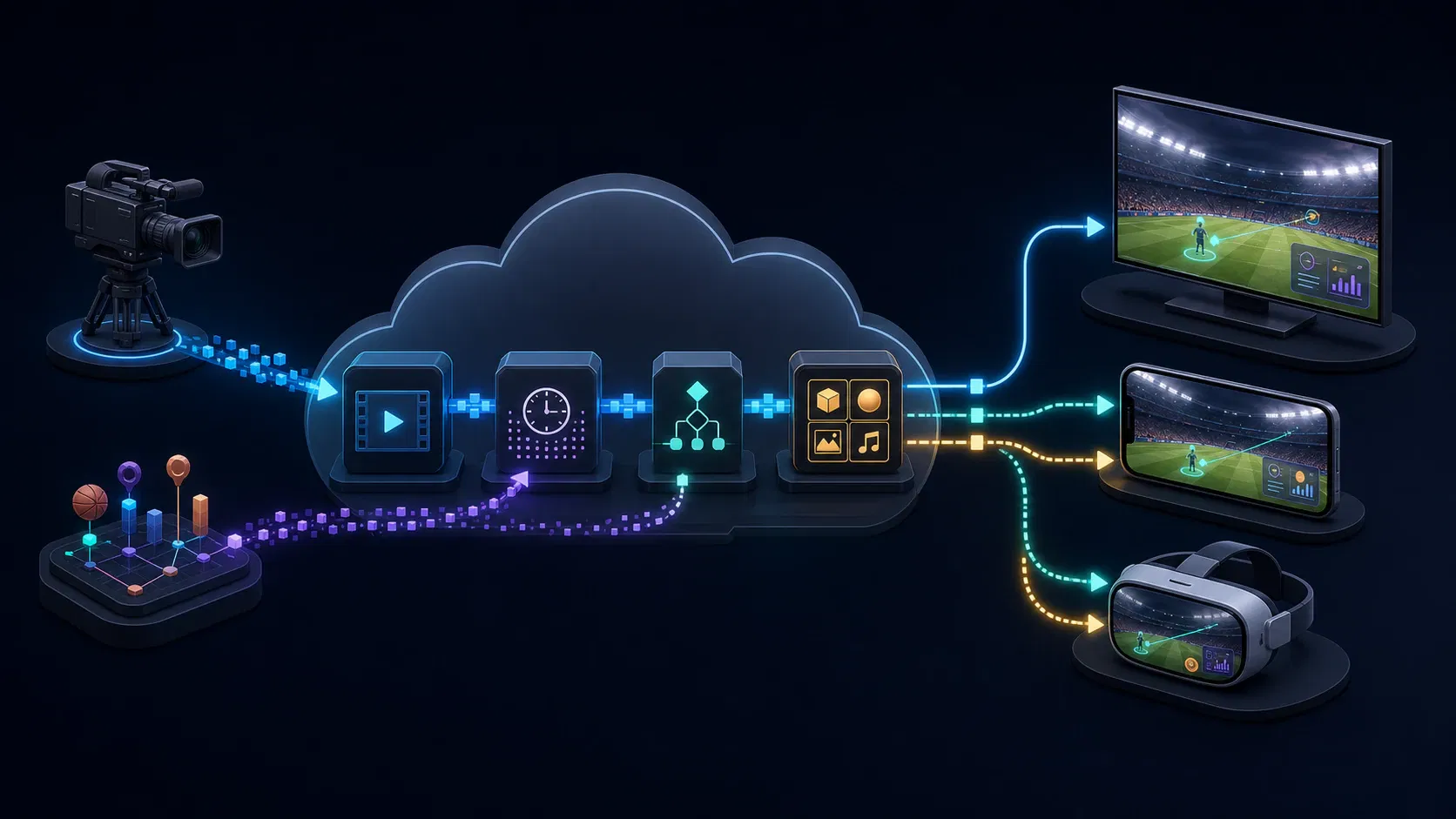
An AR feature is not a second video player. It is a synchronized experience system layered around an existing media pipeline. Keeping the program stream independent from optional graphics makes the system easier to degrade, reuse, and test.
A reference architecture
| Layer | Responsibility | Failure-safe behavior |
|---|---|---|
| Capture and tracking | Camera pose, object or player tracking, production cues | Continue with the clean camera feed |
| Event and data pipeline | Normalize scores, telemetry, products, polls, and editorial triggers | Drop stale or invalid events |
| Time synchronization | Bind each event to media time or a stable live timeline | Suppress overlays when drift exceeds tolerance |
| Experience service | Apply rights, region, entitlement, mode, and campaign rules | Return no augmentation |
| Asset delivery | Version and distribute 2D/3D assets through edge delivery | Use a lightweight local placeholder or none |
| Client renderer | Draw the selected layer on TV, mobile, web, or XR device | Fall back to ordinary playback controls |
| Observability | Record render health, interaction, drift, errors, and opt-outs | Never block playback telemetry |
Timed metadata is the connective tissue for many first releases. It can carry a cue identifier and compact payload, while the app fetches larger data and assets separately. For example, Amazon IVS timed metadata uses timestamps and ID3 tags to synchronize actions such as sports-stat updates, product details, and quiz questions with the stream.
Keep live event time distinct from wall-clock time. Packaging, ad insertion, CDN paths, and player buffering can put viewers at different positions even when their clocks agree. The renderer should follow the player's presentation timeline and discard an overlay when the associated moment is no longer relevant.
Choose where compositing happens
| Approach | Reach | Interactivity | Operational complexity | Best first use |
|---|---|---|---|---|
| Upstream compositing | Highest | Low | Moderate production workflow | A universal enhanced feed |
| Cloud-rendered alternate feed | High | Low to medium | Additional live encoding and distribution | Sports or event mode |
| Client-rendered 2D layer | Medium to high | High | Cross-device app and sync work | Stats, polls, commerce |
| Device-rendered 3D or spatial layer | Narrower | Highest | 3D pipeline, permissions, performance | Premium companion or headset experience |
Do not start with the most immersive option by default. Start where the content advantage is strongest and the unsupported-device experience remains excellent.
Build, buy, or combine
Tracking and broadcast graphics are specialist capabilities that may be faster to buy. Identity, entitlements, playback state, data contracts, experimentation, and analytics usually need to integrate with the OTT product itself. A hybrid architecture lets the platform swap a production vendor without surrendering the experience rules or viewer relationship.
For teams that need the playback, metadata, cloud, and multi-device pieces engineered as one release, Apexnova builds production-ready OTT platforms across web, mobile, and connected TV. A useful engagement starts with one measurable AR workflow and a clean fallback, then expands only after the pilot proves audience value.
Design Guardrails: Make AR Optional, Legible, and Safe
Protect the program
The video is still the primary product. Preserve sightlines, captions, scoreboards, and important action. Give viewers a clear off switch, remember their preference appropriately, and avoid relaunching a dismissed layer during the same session.
Set editorial rules for frequency, duration, placement, and priority. When two overlays compete, the system needs a deterministic winner. Emergency messages, captions, and critical playback controls should outrank promotional or decorative content.
Design for privacy before personalization
Spatial clients may request camera, scene, hand, or eye information. Collect the minimum needed and explain the benefit at the moment of permission. Android classifies capabilities including fine eye tracking, hand tracking, and scene understanding as permissions that may require runtime consent in its XR permissions guidance. Apple similarly recommends alternatives when people decline or revoke sensitive ARKit access and restricts certain data to immersive spaces in its visionOS authorization guidance.
Do not make gaze, body, or room data a silent prerequisite for ordinary video playback. Separate experience telemetry from sensitive sensor data, define retention, and prevent raw spatial inputs from flowing into general analytics by default.
Treat synchronization as a product metric
Monitor the difference between the intended cue time and actual render time by device, stream variant, geography, and delivery path. Include ad breaks, seek, pause, replay, casting, and background-to-foreground transitions in tests. An overlay that is beautiful but late damages trust.
Also budget CPU, GPU, memory, battery, and thermal load. AR must not cause dropped video frames, destabilize DRM playback, or make a connected-TV app unresponsive. On constrained devices, a simple 2D card delivered on time is better than a 3D asset that stutters.
A Practical Pilot Plan and Success Metrics
Step 1: Choose one high-value moment
Pick a repeated event with reliable data: a goal replay, a product reveal, a quiz break, or a weather explanation. Write the viewer job in one sentence. If the team cannot state what becomes easier or more enjoyable, the concept is not ready.
Step 2: Define the clean fallback first
Specify what viewers see when tracking fails, metadata is late, an asset cannot load, a permission is denied, or the device is unsupported. Ordinary playback should continue without an error modal.
Step 3: Ship the narrowest viable delivery model
An alternate stream can validate editorial demand before client rendering. A client-rendered 2D layer can validate interaction before 3D. A phone companion can validate spatial interest before a dedicated headset application.
Step 4: Test the complete live path
Use production-like cameras, encoders, packaging, ad insertion, CDNs, player versions, and telemetry. Test a long session, not only a two-minute demo. Rehearse failover and operator recovery while the stream continues.
Step 5: Compare cohorts and viewing modes
Offer a control group or clean feed. Compare behavior without assuming more interaction is always better.
| Question | Useful metric |
|---|---|
| Do viewers want it? | Mode starts, eligible-viewer opt-in, repeat use, opt-outs |
| Does it help? | Task completion, replay use, content comprehension, satisfaction |
| Does it retain attention? | Watch time and completion versus a comparable clean-feed cohort |
| Does it work reliably? | Render success, cue drift, asset latency, crash-free sessions |
| Does it create value? | Assisted conversion, sponsor completion, premium-mode retention |
| Does it harm playback? | Video startup, rebuffering, dropped frames, device temperature complaints |
Set a decision rule before launch. Expand when the feature improves the intended outcome without degrading playback or satisfaction; revise or stop when novelty produces clicks but no repeat use.
Frequently Asked Questions
What is an example of augmented reality in television?
A tracked first-down line in football is a familiar broadcast-composited example. A more interactive OTT example is a viewer-selectable mode that synchronizes player statistics and tactical graphics with a live match.
How is augmented reality used in TV broadcasting?
Production systems combine camera tracking, object or field recognition, live data, and a real-time graphics engine. The result can be composited into the feed before distribution or sent as synchronized data and assets for a supported viewer app to render.
Do viewers need a headset for augmented reality television?
No. Augmented television can appear in a normal video feed, in a smart-TV or mobile app, or on a companion phone or tablet. A headset is needed only for experiences that place program elements spatially in the viewer's surroundings.
What is the difference between AR television and VR television?
AR television adds digital elements to a program or the viewer's environment while keeping the underlying video or real surroundings visible. VR television places the viewer primarily inside a virtual environment and usually requires a headset.
Which OTT content benefits most from AR?
Content with reliable live data, explainable objects, or natural interaction breaks is the best fit. Sports, news, education, live commerce, competitions, and event programming usually offer clearer use cases than passive drama.
How can an OTT platform monetize AR television?
Options include premium alternate feeds, sponsored but clearly labeled graphics, contextual commerce, and enhanced event packages. Monetization should remain optional, respect rights and regional rules, and be measured against viewer satisfaction and repeat use.
Conclusion
Augmented reality television is most valuable when it clarifies a moment or gives the viewer meaningful control. For most OTT platforms, the sensible first move is not a full spatial production. It is one optional enhancement, synchronized to a stable media timeline, supported by a clean fallback, and measured against a specific audience outcome.
Choose a program with reliable event data, define the viewer job, and pilot the least complex delivery model that can prove the idea. If viewers return to the mode and playback quality remains intact, the platform has evidence to invest in richer personalization, more devices, or spatial presentation.