

Smart Cloud TV: Architecture, Platforms, and Launch Plan
A smart TV launch can look deceptively simple in a roadmap: put the catalog on the living-room screen, connect a player, and submit the app. The difficulty appears later, when one release must behave consistently across incompatible operating systems, old chipsets, different DRM stacks, and separate app-store reviews. A smart cloud TV strategy solves that problem by keeping the shared product logic in the cloud while giving each TV platform the client behavior it needs.
This guide is for founders, CTOs, and product leaders planning a streaming service—not consumers comparing television sets. It explains what belongs in the cloud, what must stay inside each TV app, which platforms to launch first, and how to move from a browser prototype to a production service without creating six disconnected products.
What Is Smart Cloud TV?
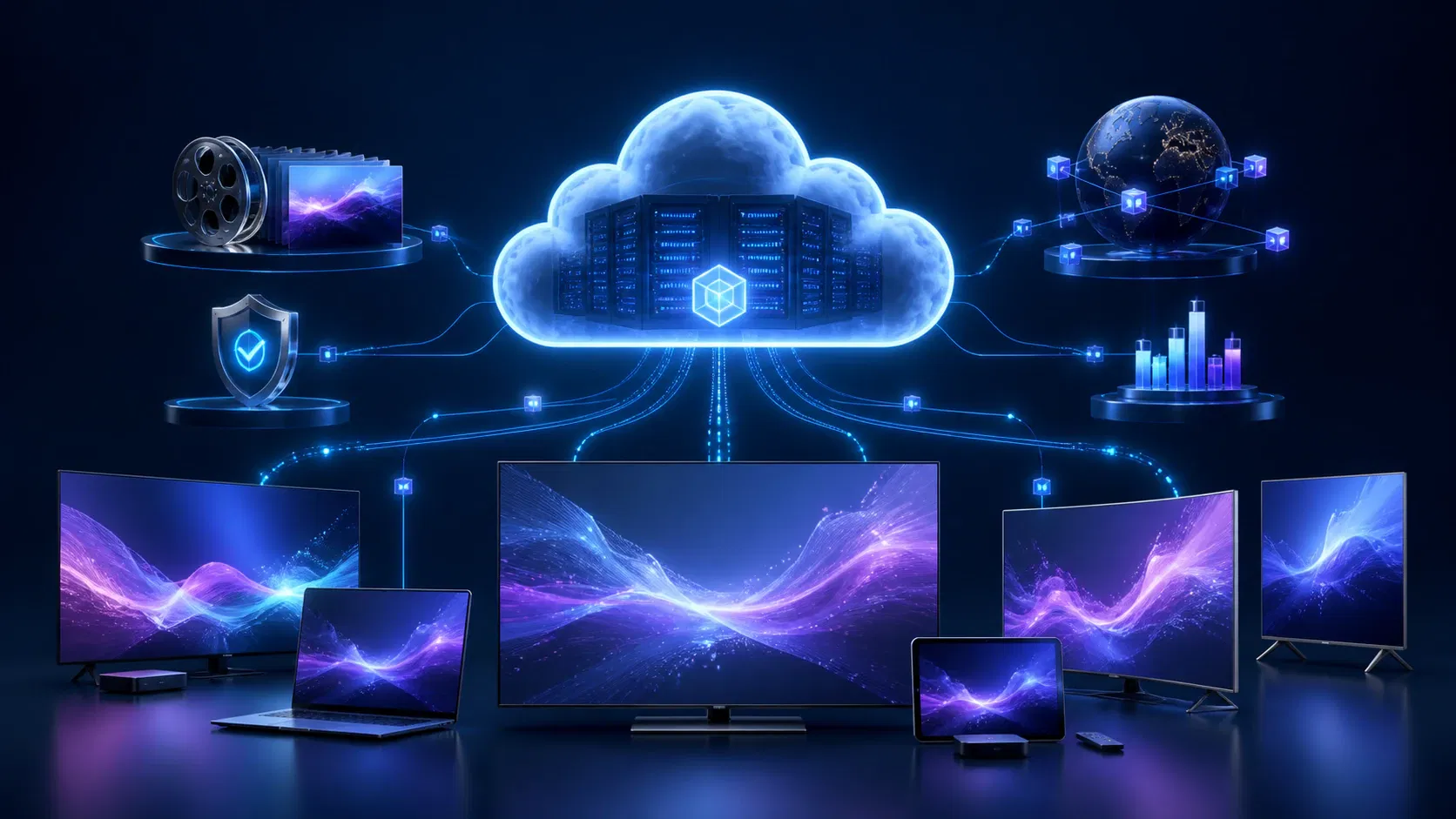
Smart cloud TV is an architecture in which smart-TV apps use shared cloud services for video processing, catalog data, identity, entitlements, personalization, analytics, and delivery. The television still runs a platform-specific app and video player; the cloud supplies the common control plane and media pipeline that let the service operate consistently across Tizen, webOS, Android TV, Fire TV, tvOS, Roku, web, and mobile.
The phrase is not a standardized television operating system. For an OTT product team, the useful definition is one cloud-backed streaming service exposed through multiple connected-TV clients.
That distinction matters. A web page displayed on a television is not automatically a resilient smart cloud TV product. A production service also needs:
- An ingest, transcoding, packaging, storage, and CDN path for live or on-demand video.
- Identity, profiles, device registration, subscription status, and content entitlements.
- Platform-appropriate playback, DRM, remote navigation, deep links, and lifecycle handling.
- Cross-device watch history, favorites, recommendations, search, and “continue watching.”
- Monitoring that connects client failures to a device model, stream rendition, CDN, and backend request.
- A release process for every store, OS generation, and physical-device test group.
The cloud centralizes product rules and content operations while isolating platform-specific rendering, playback, input, and store integrations.
Smart Cloud TV Architecture: What Runs Where
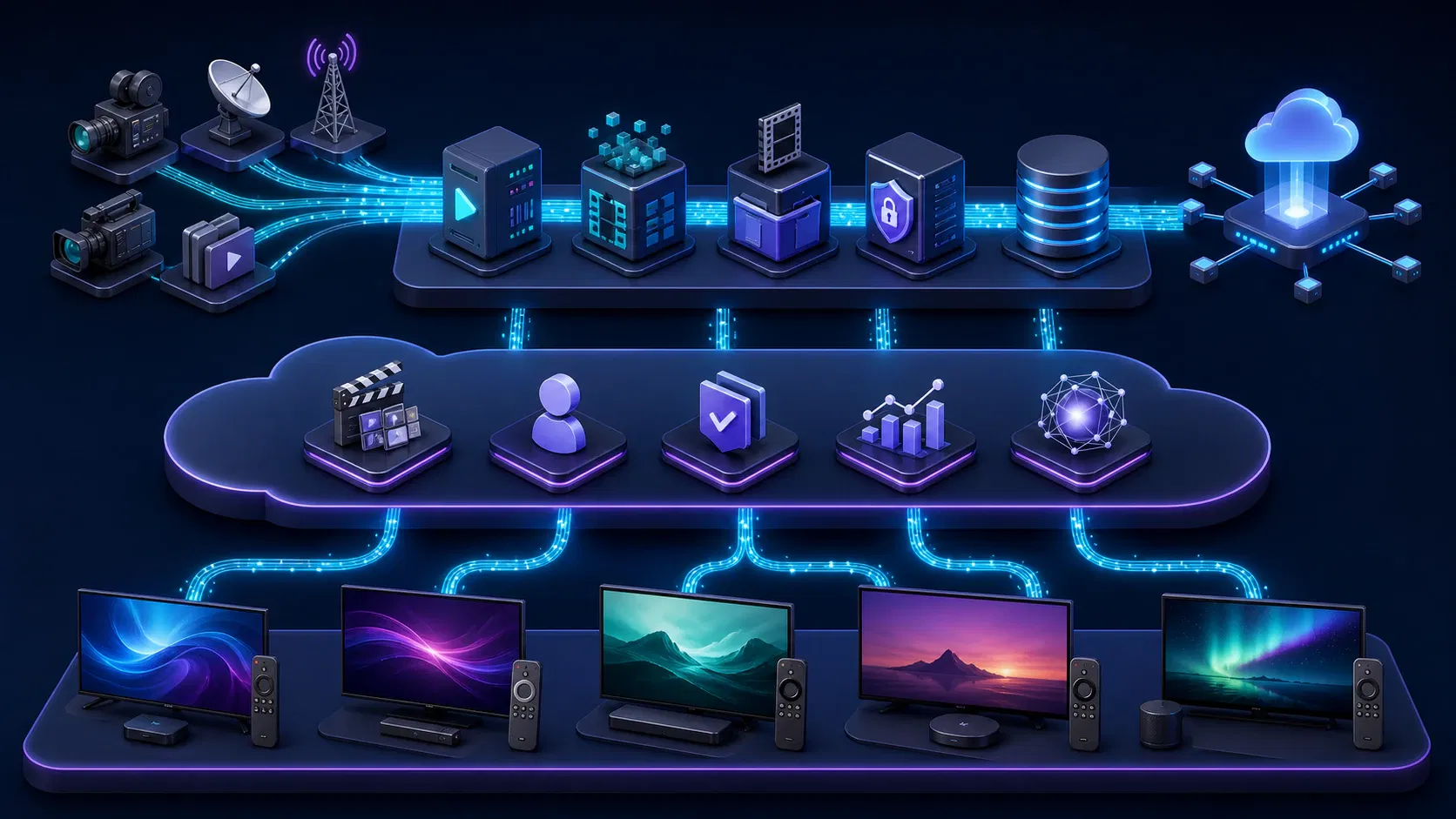
A reliable architecture has three planes: the media plane, the cloud control plane, and the device-client plane. Treating them separately makes scaling, fault isolation, and platform expansion much easier.
1. The media plane prepares and delivers video
The media plane starts when a source file or live feed enters the system. It validates the input, creates an adaptive-bitrate ladder, packages renditions, encrypts protected content, stores outputs, and delivers segments through a CDN.
AWS’s current Video on Demand guidance illustrates the pattern with storage, orchestration, transcoding, packaging, metadata, monitoring, and CDN delivery. The vendor services are replaceable; the workflow should be observable, retryable, and independent from TV applications.
For multi-device playback, package formats deliberately. Apple describes HTTP Live Streaming as an HTTP-based format for live and on-demand media that supports multiple bitrates, adaptive switching, encryption, and delivery through ordinary web servers and CDNs. Other clients may also use MPEG-DASH. A practical service often produces a common mezzanine and then packages HLS and DASH outputs rather than forcing every device through one untested combination.
Encoding settings should be based on content and device evidence, not a copied ladder. Start conservatively, collect startup time, rebuffering, rendition, and error data by device cohort, then tune. Per-title encoding can reduce waste after the baseline path is measurable.
2. The cloud control plane runs the shared product
The control plane is where “one service” becomes real. It normally includes:
- A video CMS and catalog API.
- Authentication, profile, household, and device services.
- Entitlement checks for SVOD, AVOD, TVOD, EST, PPV, FAST, or hybrid access.
- Playback-session authorization and signed URL or token issuance.
- Watch history, bookmarks, favorites, and cross-device resume state.
- Search, recommendations, editorial rails, and localization.
- Subscription, payment, and receipt-validation integrations.
- Ad decisioning and server-side or client-side ad signaling where applicable.
- Analytics collection, quality-of-experience telemetry, and operational alerts.
- Remote configuration, feature flags, and minimum-supported-version rules.
Keep these services API-driven and versioned. A 2019 television may remain active long after the JavaScript engine or native SDK it shipped with becomes old. If an API response changes without compatibility rules, a small backend release can break installed apps that viewers have not updated.
The API layer should return TV-ready responses. Pre-compose rails, limit image sizes, paginate aggressively, and avoid making a low-powered television join many responses before it can paint the first screen.
3. The client plane owns platform behavior
Each client should be thin, but the TV app still owns:
- Focus and D-pad navigation.
- Screen rendering and local state.
- Platform lifecycle events and memory management.
- Native player integration and audio focus.
- DRM license exchange as required by the OS.
- Secure local token storage.
- Deep links, search surfaces, and home-screen recommendations.
- Store billing or account-linking flows.
- Telemetry enriched with platform, OS, model, app version, and playback context.
Cloud APIs do not make television platforms interchangeable. They make the differences manageable by containing them in client adapters.
A request from remote click to first frame
When a viewer selects a title, a healthy flow looks like this:
- The app sends the profile, title, device, and app context to a playback-session endpoint.
- The control plane verifies location, subscription, rights window, concurrency, and device policy.
- The endpoint returns a short-lived manifest URL, DRM configuration, subtitle and audio options, ad information, and a session identifier.
- The native or platform player requests the manifest and license, then loads segments from the CDN.
- Client telemetry records authorization latency, manifest time, license time, startup time, rendition changes, rebuffering, and terminal errors.
- The watch-state service receives progress checkpoints so the viewer can resume on another screen.
Design this transaction before choosing UI frameworks. It is the contract every client will share, and it exposes whether entitlements, DRM, analytics, and resilience have actually been planned.
Choose the Right Smart Cloud TV Platforms
“Every smart TV” is not a useful first-release requirement. Choose platforms from audience evidence, geography, device analytics, content rights, monetization needs, and the team’s existing code—not from a generic global market-share chart.
| Platform | Typical app approach | Important launch consideration |
|---|---|---|
| Samsung Tizen | Web app using HTML, CSS, JavaScript, Tizen APIs, and Samsung playback APIs | Test across model years; media and DRM support varies by Tizen generation |
| LG webOS | Packaged or hosted web app with webOS APIs | Real-device DRM and media testing are mandatory because simulators have limits |
| Android TV / Google TV | Kotlin with Compose for TV and Media3, or a carefully selected shared framework | D-pad, performance, store-quality tiers, recommendations, and low-memory devices |
| Amazon Fire TV | Android-derived app, HTML5, or React Native, with Amazon service adapters | Android code can be shared, but billing, search, services, OS versions, and store rules differ |
| Apple tvOS | Swift or SwiftUI with AVKit/AVPlayer, or supported cross-platform tooling | Respect the focus model, Apple account flows, HLS, and FairPlay requirements |
| Roku | BrightScript and SceneGraph, or a supported product framework | Plan a separate engineering and certification stream if Roku reach is material |
Samsung Tizen
Samsung’s TV quick-start documentation defines a Tizen web application as HTML, CSS, JavaScript, and config.xml, with certificates required for installation and distribution. Web skills are reusable, but input, memory, API support, playback, and model-year compatibility still need explicit handling.
Media support must be treated as a matrix. Samsung’s current general specifications list streaming and DRM capabilities by Tizen version, including Tizen 10.0 for 2026 models, and warn that several older DRM technologies are deprecated or unsupported. Use the official matrix to define the oldest supported model year, then test each stream and DRM combination on representative physical televisions.
LG webOS
LG’s first-app guide confirms that webOS TV applications use HTML, CSS, and JavaScript with access to platform features. Packaged and hosted patterns differ in release control, offline behavior, caching, and store review.
Playback assumptions still need device evidence. LG’s streaming protocol and DRM specification lists HLS, PlayReady, and Widevine support by webOS generation and notes constraints such as matching audio and video segment durations. LG also states that DRM is not supported in its simulator. An emulator-only QA plan can therefore approve a build that has never completed the actual protected playback path.
Android TV and Google TV
Android TV gives Android teams the most familiar native path, but television UX is its own form factor. Google’s TV app quality criteria emphasize remote navigation, 10-foot readability, playback behavior, banners, performance, secure login, and platform integration. The page introduced tiered TV Ready, TV Optimized, and TV Differentiated criteria in 2026, showing why compliance needs to be monitored rather than frozen at project kickoff.
Use Kotlin, Compose for TV, and Media3 when native depth matters. A shared Android codebase can reduce effort, but screens, navigation, memory budgets, and playback lifecycle should remain TV-specific.
Fire TV
Amazon’s Fire TV development overview supports Android, HTML5, and React Native approaches. Fire OS is derived from the Android Open Source Project, so an Android TV product can share a meaningful amount of application and player code.
Amazon documents differences from Android TV in billing, search, recommendations, services, remote buttons, OS levels, and testing. Put those integrations behind interfaces so core browsing and playback modules remain shared.
Apple tvOS
Apple TV is a strong platform when the audience overlaps with the Apple ecosystem or premium subscription viewing. Apple’s tvOS design guidance prioritizes remote interactions, the focus system, legibility across the room, and low-friction multiuser sign-in. Those are product behaviors, not a final design-polish pass.
The native stack is Swift or SwiftUI with AVKit/AVPlayer, HLS, and FairPlay for protected content. With a shared framework, verify tvOS support for focus, playback, purchases, sign-in, and analytics before counting mobile code as reusable.
Smart Cloud TV Deployment Roadmap
The safest roadmap does not build every client in parallel from an unsettled backend. It stabilizes shared contracts first, proves one end-to-end path, and then expands with a repeatable platform kit.
Phase 1: Define the product and rights envelope
Define content type, territories, languages, concurrency, resolutions, accessibility, and monetization. Decide whether launch includes VOD, live, FAST, catch-up, cloud DVR, PPV, or downloads; each changes the media, entitlement, analytics, and test surface.
A useful first version usually needs browse, search, detail, authentication, profiles, playback, subtitles, audio selection, favorites, resume, and account support. Keep recommendations simple until event data is trustworthy.
Phase 2: Build the shared cloud contracts
Define APIs for catalog, layout, identity, entitlements, playback sessions, watch state, search, and configuration. Version them. Create stable error codes that tell a client whether to retry, refresh a token, show a rights message, downgrade playback, or ask the viewer to contact support.
Test the media path early with long-form VOD, subtitles, alternate audio, live streams, ads, and DRM—not only an unencrypted sample. Browser playback proves little about a protected stream on an older television.
Define safe editorial preview, scheduling, rights windows, artwork validation, localization, and rollback. A rail change should not require an app-store release.
Phase 3: Ship a reference TV client
Choose the first platform from owned audience data. The goal is not maximum reach; it is to prove the complete product on one representative television ecosystem.
The reference client establishes navigation, player events, entitlements, analytics, error presentation, and diagnostics against production-like APIs and media. Stable contracts turn the next client into an adaptation.
If your team needs help defining this boundary, Apexnova’s OTT app development service brings connected-TV clients, cloud infrastructure, DRM, CDN delivery, monetization, and analytics into one implementation plan. The engagement is most useful after audience, content, and revenue assumptions are known, because platform sequencing can then be tied to a measurable launch scope.
Phase 4: Create a platform expansion kit
Document what every client must implement:
- API schemas and authentication flows.
- Playback-session and DRM contracts.
- Analytics event names and required context fields.
- UX tokens, artwork ratios, typography, focus states, and navigation rules.
- Error codes, copy, retry behavior, and support identifiers.
- Localization, subtitle, caption, and audio requirements.
- Feature-flag, kill-switch, and minimum-version behavior.
- Store metadata, privacy declarations, and release ownership.
- A shared conformance test suite.
Separate reusable logic from reusable rendering. Data models, API clients, event schemas, entitlement rules, and some state machines often share well. Player adapters, focus engines, store billing, home-screen integrations, and lifecycle code often do not. Honest boundaries save more time than an impressive code-sharing percentage.
Phase 5: Add platforms by cohort
Expand in coherent groups. Android TV and Fire TV may form one cohort because much of the Android base can be shared behind service adapters. Tizen and webOS may form another because both are web-oriented, although their media APIs and supported browser features still differ. tvOS and Roku usually need clearer platform-specific workstreams.
Start the next cohort when API contracts, instrumentation, error behavior, and regression tests are stable—not merely when the previous app compiles.
Phase 6: Certify, release, and operate
Reserve time for store feedback, metadata changes, privacy questions, and rejected builds. Treat signing certificates, store accounts, test credentials, demo content, and reviewer instructions as production assets.
Roll out gradually when possible. Watch crashes, playback failures, authentication errors, first-frame time, and support contacts by version and device family. Use server-side flags to disable a faulty feature without waiting for store review.
Design the Living-Room Experience, Not a Large Phone App
Smart TV users sit farther away, navigate with a directional remote, and often share the screen with a household. That changes the interaction model.
Focus must remain visible and predictable. Test D-pad grid boundaries, overlays, long titles, empty rails, loading states, Back behavior, and focus restoration after playback. A polished mockup fails if focus disappears after an API refresh.
Keep sign-in short. QR or device-code activation is usually better than remote typing. Make profile switching obvious and treat shared-device privacy as a requirement.
Optimize the first screen with a small composed payload, display-sized artwork, cached configuration, and deferred rails. Keep the television responsive while data arrives.
Make playback controls platform-familiar. Preserve progress across suspension and termination. For live streams, define “go live,” timeline limits, restart, and program transitions instead of inheriting VOD controls.
Accessibility belongs in the component system: contrast, scalable and readable text, screen-reader labels where supported, captions, audio descriptions, focus order, and motion settings. Retrofitting it separately in each client is slow and inconsistent.
For a deeper UX and implementation treatment, use the smart TV app development guide alongside this cloud architecture plan.
Build Playback, DRM, and Entitlements as One System
Teams often plan the player, DRM vendor, and subscription logic as separate integrations. The viewer experiences them as one transaction, so they must be designed and observed together.
The entitlement service should answer whether this profile can watch this asset on this device, in this territory, at this time, under the concurrency policy. Only then should the platform receive the correct manifest and DRM configuration. Keep license credentials and signing secrets out of apps, issue short-lived authorization, and avoid placing durable media URLs in catalog responses.
Use a multi-DRM strategy based on actual platform coverage. Apple platforms commonly use FairPlay; Android-derived clients use Widevine; television environments may support Widevine or PlayReady depending on the OS generation. The exact matrix changes, which is why Samsung and LG publish version-specific specifications. Treat the DRM integration plan as a living compatibility document, not a one-time vendor checkbox.
Adaptive-bitrate streaming protects the experience when bandwidth varies, but it is not self-optimizing. Monitor selected rendition, bitrate switches, rebuffer ratio, video-start failures, and exit-before-start. Segment alignment, keyframe placement, audio configuration, CDN caching, and player heuristics all influence the outcome. The adaptive bitrate streaming guide covers the encoding and playback mechanics in more detail.
For ads, test client-side or server-side insertion with DRM, seeking, live windows, tracking, and failover. Define which failures skip, retry, or stop playback.
Test the Device Matrix and the Failure Matrix
Test devices across OS versions, memory classes, chipsets, resolution, network conditions, and remote types. Prioritize real usage cohorts over one premium television per brand.
Create a conformance suite that every client must pass:
- Fresh install, update, logout, token expiry, and account recovery.
- Browse, search, profile switching, deep link, and resume playback.
- VOD, live, ad-supported, protected, captioned, and alternate-audio streams.
- Slow startup, bandwidth changes, CDN error, manifest error, license denial, and API timeout.
- App backgrounding, television sleep, network loss, and power interruption.
- D-pad traversal, Back behavior, screen reader, text length, and right-to-left layouts where required.
- Long playback sessions, memory pressure, repeated starts, and rapid channel changes.
Test emulators for fast development feedback, then use physical devices for release confidence. LG explicitly documents that its simulator does not support DRM, and Samsung’s specifications distinguish emulator and device capabilities. Protected playback, decoder behavior, HDMI output modes, remote input, suspend/resume, and memory pressure can only be trusted after real-device runs.
The failure matrix should define viewer behavior. If a license server is slow, how long does the app wait? Can CDN traffic move? Can the home screen fall back to editorial rails? Can watch-state synchronize later? Resilience becomes testable only when these answers are explicit.
Observe the Whole Session
Backend uptime can be green while viewers cannot start a video. Smart cloud TV operations need session-level observability.
Carry a playback correlation identifier through entitlement, manifest signing, DRM, CDN telemetry, and client events. Support teams must distinguish authentication delay, license failure, unsupported codec, CDN timeout, and player crash.
At minimum, segment metrics by:
- Platform, OS version, device model, app version, and geography.
- Content ID, live versus VOD, DRM, codec, resolution, and audio format.
- CDN, network type when available, and selected rendition.
- Subscription or entitlement outcome without exposing sensitive personal data.
Track product and quality together: successful starts, first-frame time, rebuffering, playback errors, completion, search, sign-in, and resume accuracy.
Use remote configuration conservatively. It is valuable for disabling a rail, reducing artwork density, switching an API version, or turning off a faulty integration. It should not become an unversioned second application that changes behavior without audit or tests.
Build, Buy, or Use a Hybrid Smart Cloud TV Stack?
The right answer depends on which layer differentiates the business.
Buy most of the stack when speed matters more than control, workflows are standard, audience scale is uncertain, and recurring fees fit. Validate exportability, data access, platform coverage, store ownership, DRM, analytics, UI limits, and exit terms.
Build the differentiating layers for unique discovery, complex entitlements, specialized live workflows, strict data control, unusual monetization, or cost optimization. Avoid rebuilding commodity components without a concrete constraint or economic case.
Use a hybrid architecture when managed media services and DRM can accelerate launch while clients, CMS workflows, data, and business rules remain owned. This preserves product control without rebuilding every media component.
Evaluate options with a 24- to 36-month total-cost model:
- Initial implementation and migration.
- Per-platform client work and annual maintenance.
- Usage, subscriber, channel, storage, encoding, DRM, and CDN fees.
- Store commissions and payment costs.
- Analytics, observability, support, and device-lab costs.
- Exit costs, data export, and replacement of proprietary components.
- Engineering time lost to manual content or release operations.
Own layers that create product advantage or cost leverage; use proven services where differentiation is low.
Smart Cloud TV Launch Checklist
Before committing to a release date, confirm the following.
Product and audience
- Target platforms are ranked using real audience and geography evidence.
- Launch features, content types, languages, accessibility, and monetization are explicit.
- Rights windows, concurrency, geo-restrictions, and household rules are approved.
Cloud and media
- Catalog, identity, entitlement, playback, watch-state, search, and configuration APIs are versioned.
- Real content has passed ingest, encoding, packaging, subtitles, audio, DRM, and CDN tests.
- APIs and media workflows have timeouts, retries, idempotency, alerts, and rollback procedures.
- Secrets remain server-side and playback authorization is short-lived.
TV clients
- Focus, Back, remote input, sign-in, lifecycle, and error behavior follow each platform.
- The oldest supported model and OS version are defined from evidence.
- Every required stream and DRM combination has passed on physical devices.
- Analytics include app, platform, device, content, and session context.
Release and operations
- Store accounts, certificates, listings, privacy disclosures, reviewer access, and owners are ready.
- Dashboards measure both backend health and viewer playback quality.
- Feature flags, kill switches, phased rollout, support diagnostics, and rollback are tested.
- The team owns an update policy for aging devices and deprecated platform capabilities.
If several boxes are still unclear, the roadmap is not yet a delivery plan. Resolve the shared cloud contracts and one reference device before multiplying uncertainty across more platforms.
Frequently Asked Questions
Is smart cloud TV the same as a smart TV operating system?
No. Smart cloud TV is a useful architecture term for a streaming service whose television apps share cloud media and product services. Tizen, webOS, Android TV, Fire OS, tvOS, and Roku OS are device operating systems on which those client apps run.
What is the difference between cloud TV and smart TV?
A smart TV is an internet-connected television with an application platform. Cloud TV usually describes television functionality or streaming services delivered from cloud infrastructure. A smart cloud TV product combines the two: a TV client uses cloud APIs, video processing, storage, DRM, personalization, analytics, and CDN delivery.
Which smart TV platform should a streaming service launch first?
Launch first on the platform with the strongest overlap with your paying or reachable audience. Use existing web and mobile analytics, geography, device surveys, distribution partnerships, and content rights. Android TV is not automatically first, and global device-share estimates should not replace your own cohort evidence.
Can one codebase support every smart TV?
Not completely. Teams can share API clients, models, analytics schemas, business rules, and sometimes UI code across platform groups. Player APIs, focus behavior, billing, search integration, store packaging, lifecycle, and certification still require platform-specific work.
Does a cloud backend remove the need for physical TV testing?
No. Cloud centralization reduces duplicated business logic, but device-specific decoders, DRM, memory, remotes, OS versions, and lifecycle behavior remain. Emulators speed up development; representative physical televisions are required for release confidence.
What should be built first: the cloud platform or the TV app?
Define the shared playback, entitlement, catalog, identity, watch-state, and analytics contracts first, then prove them with one reference TV client. Develop the two tracks iteratively, but avoid building several clients against unstable APIs.
How long does a smart cloud TV launch take?
The timeline depends on platform count, backend readiness, live versus VOD scope, DRM, monetization, content operations, and certification. A focused launch on one or two platforms can move much faster than an all-platform release, especially when the media pipeline and APIs already exist. Estimate from a validated scope and device matrix, not a generic industry average.
Conclusion: Choose the Boundary Before the Framework
A successful smart cloud TV product is not one universal application. It is one shared service with deliberate platform adapters: the cloud owns media operations and common product rules, while each client owns the playback, input, lifecycle, and store behavior of its television OS.
Start by ranking platforms from audience evidence, defining the playback-session contract, and proving protected content on one reference device. Then expand with a conformance kit, physical-device matrix, and operational telemetry. If you are deciding what to build, buy, or sequence first, discuss your smart TV and cloud scope with Apexnova and turn the platform list into a release plan with measurable gates.