

Native iOS Video Player: A Production Implementation Guide
A video can play perfectly in an Xcode demo and still fail in production when a viewer changes networks, locks the screen, starts Picture in Picture, or opens protected content. Building a native iOS video player therefore means more than placing a play button over an AVPlayer.
This guide takes the shortest path from a working SwiftUI implementation to an OTT-ready playback architecture. It covers the native Apple components, lifecycle management, HLS, FairPlay, observability, accessibility, and the release checks that separate a demo from a reliable streaming product.
What is a native iOS video player?
A native iOS video player is an in-app playback experience built on Apple's AVFoundation and AVKit frameworks. AVPlayer controls media and timing, while VideoPlayer, AVPlayerViewController, or AVPlayerLayer presents the video and, depending on the component, the controls.
Apple's AVPlayer documentation confirms that it can play local and remote file-based media as well as HTTP Live Streaming (HLS). The player itself is nonvisual, so choosing the presentation layer is the first architecture decision—not a cosmetic detail.
Choose the right native iOS video player surface
All three native surfaces can use AVPlayer, but they trade speed for control.
| Surface | Best fit | What you receive | What you own |
|---|---|---|---|
SwiftUI VideoPlayer | A simple SwiftUI screen or prototype | Native playback UI inside a SwiftUI view | View lifecycle, state, errors, analytics |
AVPlayerViewController | Most production playback experiences using system controls | Full native controller, standard controls, AirPlay, and a direct PiP path | Playback state, business logic, content protection, measurement |
AVPlayerLayer | A deeply branded or interaction-heavy player | Video rendering only | Every control, focus and accessibility behavior, PiP wiring, full-screen transitions |
For most media apps, start with AVPlayerViewController. Apple describes it as the standard system player and notes that it automatically adopts new styling and capabilities in later OS releases. It also supports AirPlay and Picture in Picture when the app is configured correctly, according to the AVPlayerViewController reference.
Use VideoPlayer when the standard SwiftUI experience meets the product requirement. Move to AVPlayerLayer only when the interaction model truly cannot be delivered with the system controller. A custom skin creates permanent ownership of scrubbing, captions, VoiceOver, remote commands, full-screen behavior, interruptions, and future iOS changes.
Implement a native iOS video player in SwiftUI
For a first implementation, import SwiftUI, AVKit, and AVFoundation; create the player once for the current URL; and pause it when its view leaves the screen. Apple's current VideoPlayer example recommends deferring player creation so SwiftUI does not repeatedly create playback objects as it evaluates the view.
import SwiftUI
import AVKit
import AVFoundation

struct NativePlayerView: View {
    let streamURL: URL
    @State private var player: AVPlayer?

    var body: some View {
        Group {
            if let player {
                VideoPlayer(player: player)
                    .aspectRatio(16 / 9, contentMode: .fit)
            } else {
                ProgressView("Preparing video…")
                    .frame(maxWidth: .infinity, minHeight: 220)
            }
        }
        .task(id: streamURL) {
            player?.pause()
            player = AVPlayer(url: streamURL)
        }
        .onDisappear {
            player?.pause()
        }
    }
}
This is intentionally small. Passing an .m3u8 URL gives AVPlayer an HLS stream; passing a compatible HTTPS file URL gives it progressive media. Apple calls HLS its adaptive streaming technology and says the player adjusts quality to network conditions, reducing buffering and interruptions in its media streaming overview.
Do not create an AVPlayer inline in body. SwiftUI can reevaluate the view frequently, and repeated construction can restart playback, leak observers, or leave multiple audio sessions active. Treat one playback session as an owned object with a clear start, replacement, and teardown path.
Model the playback lifecycle explicitly
A production UI needs more state than “playing” or “paused.” Model at least:
- preparing while an item loads;
- ready when the item can play;
- playing and user-paused as separate states;
- waiting when playback is delayed to minimize stalling;
- stalled when media does not arrive in time;
- ended when the item reaches its duration;
- failed with a viewer-safe message and an internal diagnostic.
Observe AVPlayerItem.status for readiness and failure, AVPlayer.timeControlStatus for active playback or waiting, and the relevant player-item notifications for stalls and completion. For progress bars, use the periodic time observer rather than polling on a timer. Apple specifically separates general state observation from its periodic and boundary time-observer APIs in the AVPlayer guidance.
Every observer must have the same lifecycle as the playback session. Keep the token returned by addPeriodicTimeObserver, remove it during teardown, cancel notification subscriptions, pause the player, and replace the current item with nil when the session is finished.
Starting with iOS 26, AVFoundation playback types can participate in Swift Observation after a global opt-in that occurs before playback objects are created. Apple's playback observation guide still recommends the dedicated time-observer methods for continuously changing playback progress. If the deployment target includes older releases, isolate KVO and notification handling inside a playback model instead of scattering version checks through SwiftUI views.
Build the native iOS video player for production streaming
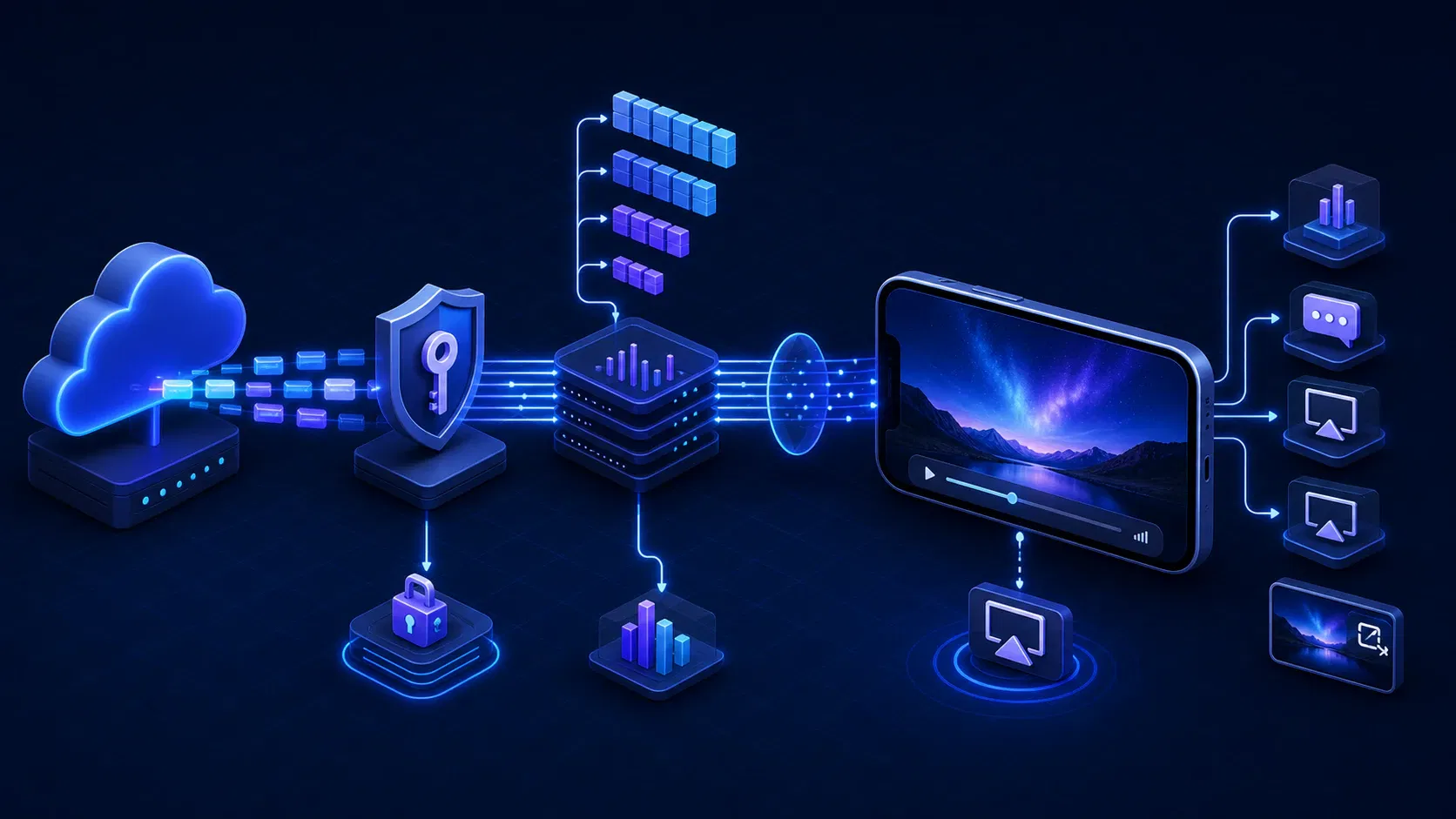
The UI is only the endpoint of a delivery system. Before adding branded controls, make the following playback path reliable from manifest to screen.
Use HLS as an end-to-end contract
For adaptive bitrate streaming, supply an HLS multivariant playlist with aligned renditions, accurate bandwidth declarations, supported codecs, audio groups, and subtitle tracks. AVPlayer selects among those renditions, but it cannot compensate for broken timestamps, inaccessible segments, misleading manifest values, or cache rules that serve stale live playlists.
Test the real manifest behind the production CDN, not only a sample MP4. Include weak bandwidth, high latency, packet loss, route changes between Wi-Fi and cellular, app backgrounding, and a long session. If your product includes downloads, Apple's HLS playback and persistence sample demonstrates that offline HLS is a separate workflow built around asset-download tasks—not a side effect of normal streaming.
Add FairPlay as a playback workflow
Premium catalogs commonly need a secure streaming architecture. Apple says FairPlay Streaming secures media delivered through HLS by encrypting content and exchanging playback keys on Apple platforms.
Treat FairPlay as a state machine with observable stages: request the application certificate, create the server playback context, call the license service, process the content key, and renew or persist it when the rights model requires that behavior. Keep entitlement decisions on the server. The client should receive only the authorization and keys needed for the current playback policy.
Also test failure deliberately: expired authorization, revoked access, an offline device, a delayed key server, malformed responses, and clock differences. “DRM error” is useful to an engineer but not to a subscriber; map internal failures to actions such as retry, reconnect, sign in again, or choose a different title.
Configure audio, PiP, AirPlay, and remote control
Set an appropriate AVAudioSession category and activate it when playback requires it. Handle interruptions from calls, Siri, route changes, and other audio apps without assuming playback should always resume.
With the standard player, PiP is largely supplied by AVKit after the audio session and background modes are configured. Apple's standard PiP guide says the app must still restore the player interface through the controller delegate when viewers return from the PiP window. A layer-backed custom player needs an AVPictureInPictureController, a strong reference to it, lifecycle handling, and a user-initiated start control.
Publish accurate Now Playing metadata, support external playback where the content rights permit it, and test AirPlay route changes on hardware. These features share playback state; implementing each as an isolated button often produces contradictory UI.
Preserve captions and accessibility
Prefer captions and alternate audio as media-selection options in the HLS presentation. The system player can expose eligible tracks through familiar controls, while a custom player must provide equivalent discoverability and state.
Label every custom control, support Dynamic Type where text is present, maintain sufficient contrast, and make the scrubber usable with VoiceOver. Do not make the video image the only source of important information. Test switch control, captions, audio descriptions, rotation, and reduced-motion settings on physical devices.
At this transition from a working player to a full OTT experience, Apexnova's OTT app development team can engineer the native Swift/AVPlayer client together with HLS delivery, FairPlay, analytics, and the surrounding multi-device platform. That joined-up scope is useful when player failures cross app, encoding, CDN, and entitlement boundaries rather than staying inside one codebase.
Instrument playback quality before release
A crash-free player can still deliver a poor experience. Record events around viewer intent and playback outcome, and connect them to the broader video analytics system, using a stable session ID and content ID without putting personal data or signed media URLs into logs.
At minimum, measure:
- play request and successful first frame, so startup time can be calculated;
- rebuffer start, end, and accumulated stall duration;
- fatal and recoverable errors by playback stage;
- rendition switches, indicated bitrate, and resolution;
- watch duration, completion, and viewer-initiated exits;
- content-key and entitlement latency for protected streams;
- route, app lifecycle, and PiP transitions.
AVPlayerItemAccessLog accumulates network playback metrics as chronological events, according to Apple's access-log reference. Pair those records with error logs and your application events. A manifest request failure, license timeout, decoder failure, and user pause may all look like “video stopped” unless telemetry preserves their separate stages.
Use privacy-safe dimensions that help teams act: app version, OS version, device class, connection type, CDN, content type, and whether DRM was involved. Then define service thresholds from your own audience and catalog rather than copying a generic benchmark.
Native iOS video player release checklist
Run this checklist against representative iPhones and iPads, not only the simulator:
- Lifecycle: open, dismiss, reopen, replace the item, rotate, background, foreground, lock, and unlock without duplicate audio or lost state.
- Network: test fast and weak Wi-Fi, cellular, no connection, route changes, timeouts, partial responses, and CDN errors.
- Media: cover VOD, live, long-form, short-form, each codec profile, every audio layout, captions, HDR where supported, and malformed assets.
- Protection: validate successful FairPlay playback plus entitlement, certificate, license, renewal, and offline failures.
- Controls: verify seek boundaries, live-edge behavior, replay, mute, playback rate if offered, PiP, AirPlay, and external controls.
- Accessibility: run VoiceOver, Dynamic Type, captions, audio descriptions, focus order, contrast, and orientation checks.
- Observability: confirm first-frame, stall, error, bitrate, watch, and completion events once per intended action.
- Resources: check memory, CPU, energy use, thermal behavior, observer cleanup, and repeated presentation over a long session.
The acceptance criterion should describe the viewer outcome—such as returning from a call to the correct position—not merely confirm that a method was invoked.
Frequently asked questions
What is the difference between AVPlayer and AVPlayerViewController?
AVPlayer controls a media item's playback and timing but does not draw video or controls. AVPlayerViewController presents an AVPlayer with Apple's standard playback interface and integrations such as AirPlay and Picture in Picture.
Does AVPlayer support HLS?
Yes. AVPlayer can play HLS streams from a multivariant or media playlist URL. The stream still needs compatible codecs, valid playlists, reachable segments, and correct server and CDN behavior.
Should I use VideoPlayer or AVPlayerViewController in SwiftUI?
Use VideoPlayer for a straightforward SwiftUI-native experience. Wrap AVPlayerViewController with UIViewControllerRepresentable when you need the fuller controller lifecycle, delegation, and production system-player integrations.
How do I add custom controls to a native iOS video player?
Render video with AVPlayerLayer and bind your controls to one playback-state model. Custom controls also make your team responsible for accessibility, focus, scrubbing, PiP, full-screen transitions, remote commands, and OS-version testing.
Does a native iOS player support DRM-protected video?
Yes. Apple's native protected-streaming path is FairPlay Streaming over HLS. Production integration requires FairPlay credentials, a key service, client key-request handling, entitlement rules, and failure testing.
Build for the session, not the screenshot
Choose the most native presentation surface that satisfies the product, keep one owner for player state, and prove the delivery path under real network and lifecycle conditions. Add custom UI only after HLS, protection, accessibility, telemetry, and cleanup work reliably.
If your team is deciding whether to extend an existing player or build the whole playback stack, turn the checklist above into an acceptance matrix for your catalog and target devices. Then estimate the work against that matrix—not against the five lines required to play a sample URL.