

Deferred Deep Linking for OTT Apps: How It Cuts CAC
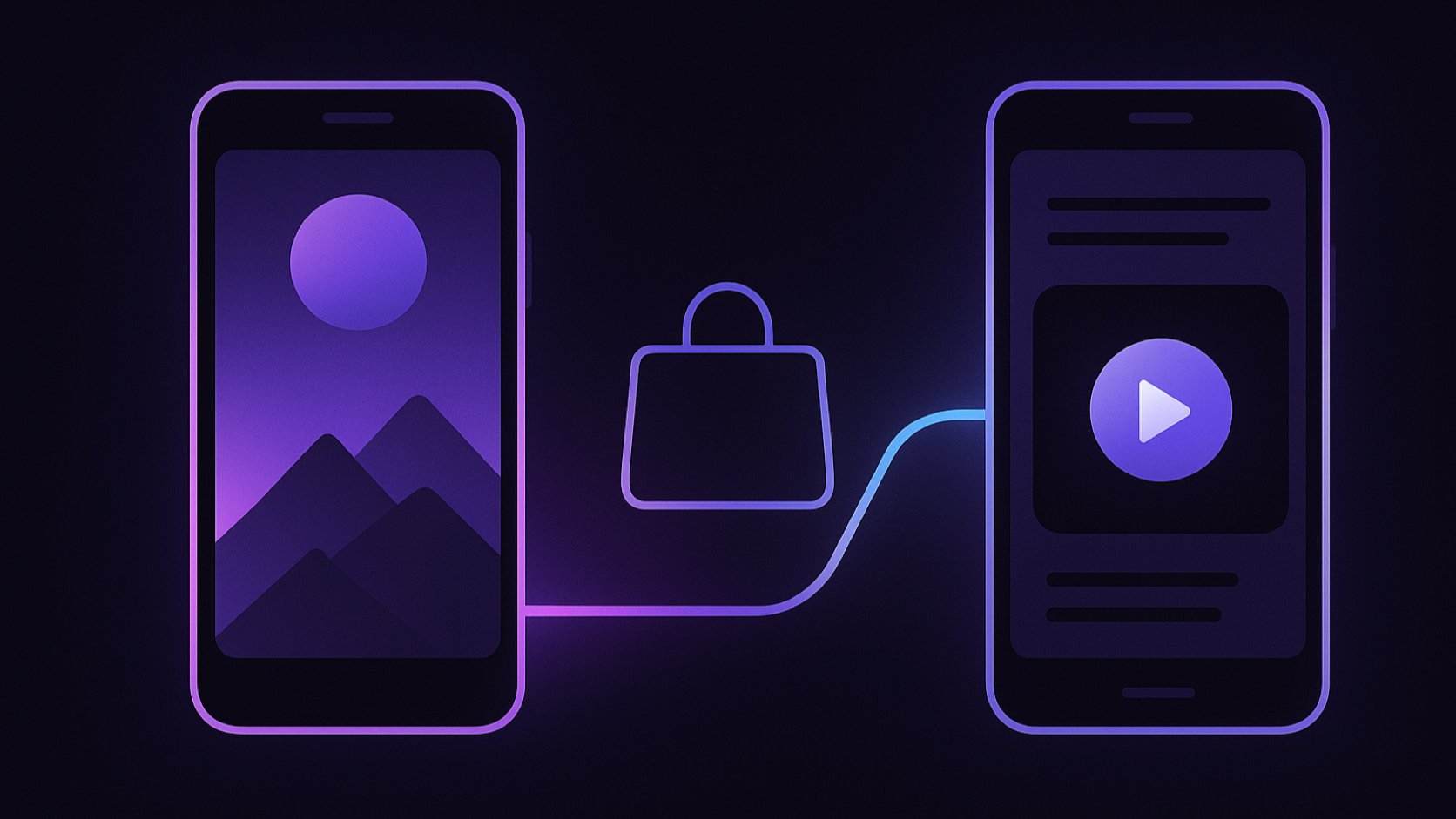
A viewer scrolls past a 15-second trailer for your new thriller, taps it, installs your app, opens it, and sees a home screen with forty rows of posters. The thriller is not on the first screen. They search the wrong name, give up, and close the app. You paid for the impression, the click, and the install, and you got nothing.
That is the most expensive failure in OTT growth, and it is not a creative problem. It is a routing problem. Deep linking and deferred deep linking fix it by carrying the show from the ad, through the Play Store or App Store, into the exact title page on first open. This guide explains how that works, why it lowers customer acquisition cost (CAC) for OTT apps, and how to measure the difference instead of taking it on faith.
Deep linking vs deferred deep linking in an OTT app
Deep linking opens an installed app directly on a specific screen, such as a show page or episode. Deferred deep linking does the same for users who do not have the app yet: it remembers the link through the app-store install and opens the intended show on the very first launch.
The distinction matters because paid acquisition is mostly about new users. A standard deep link only helps people who already have your app, which describes your retargeting audience, not your user-acquisition audience. For a campaign whose job is to win new subscribers, deferred deep linking is the part doing the work.
| Link type | Who it serves | What the user sees after tapping a show ad |
|---|---|---|
| Plain store link | Nobody in particular | Store page, then the app's generic home screen |
| Deep link (Universal Links, Android App Links) | Users with the app installed | The show page, immediately |
| Deferred deep link | Users without the app | Store page, install, then the show page on first open |
Deeplinkly handles both cases with one link: installed users jump straight in, and new users are routed through the correct store and back to the same title. Its deferred deep linking guide covers the mechanics in more depth.
The traditional OTT ad funnel loses the show at install
Every OTT performance campaign sells a specific title. Nobody installs a streaming app because of "a library of 10,000 hours"; they install because of one show they just saw a clip of. The traditional funnel throws that information away at exactly the wrong moment.
| Moment | With a plain store link | With a deferred deep link |
|---|---|---|
| Sees the trailer | Wants that one show | Wants that one show |
| Taps the ad | Store page; the show is forgotten | Store page; the link remembers the show |
| First open | Onboarding, then a generic home screen | Onboarding, then the show's title page |
| Looks for the show | Searches a half-remembered name, often finds nothing | Nothing to search; the show is already on screen |
| Outcome | Paid install, no subscriber | Trailer intent turns into a trial or subscription |
The cruel part is that the first row is identical in both columns. The creative did its job, the targeting found an interested viewer, and the viewer was motivated enough to install an app. Intent was never the problem. The app simply did not know which show the person came for.
Many viewers also do not remember the exact title. They remember a face, a scene, or a line of dialogue from a vertical clip. A search box cannot recover that. Only the link can.
Why the lost show inflates customer acquisition cost
CAC for a subscription app is your acquisition spend divided by the subscribers it produced, not by the installs. Every install that dies on the home screen still sits in the numerator and adds nothing to the denominator.
Here is an illustrative campaign. The numbers are deliberately round so the mechanism is easy to follow; your own baseline will differ.
| Metric | Plain store link | Deferred deep link |
|---|---|---|
| Ad spend | $10,000 | $10,000 |
| Cost per install | $2.00 | $2.00 |
| Installs | 5,000 | 5,000 |
| New users who reach the advertised show | 1,500 (30%) | 4,500 (90%) |
| Show page → subscription | 10% | 10% |
| New subscribers | 150 | 450 |
| CAC (spend ÷ subscribers) | $66.67 | $22.22 |
Notice what did not change: the media cost, the install volume, and the show-page conversion rate. The only variable is how many paying installs actually reached the content that persuaded them. That is why deep linking is one of the few growth levers that lowers CAC without asking your creative team, your bidding strategy, or your pricing to do anything differently.
It also compounds. Ad platforms optimise toward the events you send back. When more installs turn into trials and subscriptions, the platform's algorithm receives more conversion signals and can find similar high-intent viewers more efficiently on the next budget cycle.
How deferred deep linking keeps the show attached through install
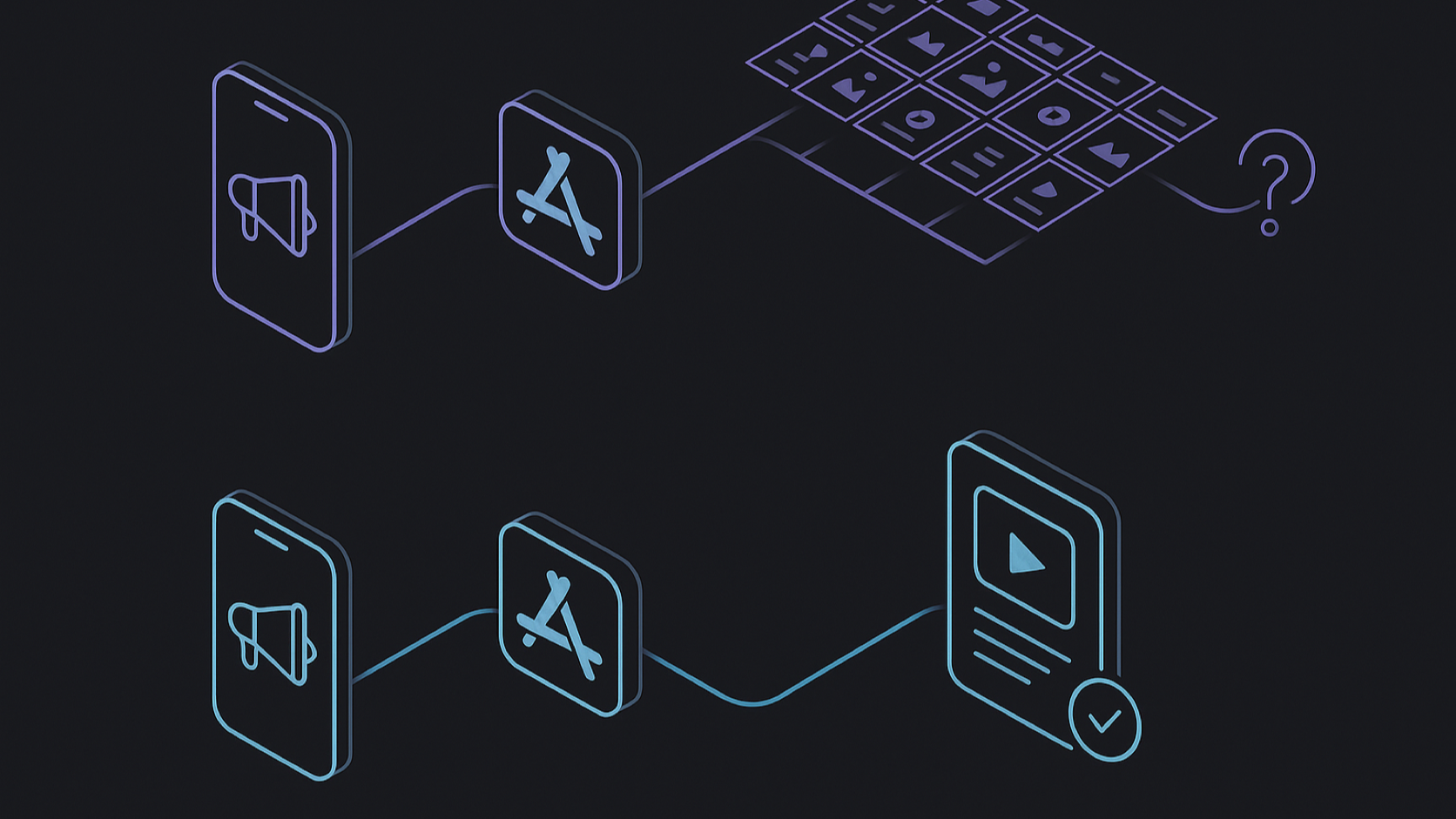
A deferred deep link has to survive a gap the app does not control: the trip through the store. The general flow looks like this.
- The ad links to a smart link, not the store. The link carries the destination, for example
show/the-night-shift/episode-1, plus campaign and creative parameters. - The link service records the click and redirects. Users with the app open it directly through Universal Links or Android App Links. Users without it go to the right store for their device.
- The user installs and opens the app. On first launch, the SDK asks the link service whether this install came from a recent click.
- The service returns the original payload. The app now knows the user came for The Night Shift.
- The app routes to the title. Onboarding still runs, but the user lands on the show page, trailer, or first episode instead of the generic home screen.
On Android, the Play Install Referrer API can pass the click reference through the Play Store install, which gives a deterministic match. iOS has no equivalent referrer, so SDKs rely on other matching methods, each with its own privacy and consent considerations. A mature provider handles both paths behind one SDK call, so your app code only deals with "here is the destination".
Deeplinkly ships lightweight SDKs for iOS, Android, Flutter, React Native, and the web, supports custom domains, and its OTT-specific setup is documented on its deep linking for OTT apps page. If your app still depended on Firebase Dynamic Links, this is no longer optional: Google shut Firebase Dynamic Links down on August 25, 2025, and every link served by it stopped working. Our Firebase Dynamic Links migration guide for OTT apps covers the move step by step.
Where an OTT deep link should actually land
Getting the user into the app is only half of the job. The first screen decides whether the intent turns into a subscription. When we build OTT apps at Apexnova, routing is treated as a product surface, not an afterthought, because a correct link into the wrong screen still wastes the click.
Land on the title, not behind a wall
If your app requires sign-up before browsing, the deep-link payload must survive authentication. Store the destination before showing the login or registration flow, then resume it once the account exists. A surprising number of apps capture the link correctly and then drop it during sign-up.
Put the paywall in the context of the show
A paywall that shows the advertised series artwork, the episode count, and a "Start watching The Night Shift" button converts the intent the ad created. A generic "Choose your plan" screen asks the viewer to make a pricing decision about a catalog they have not seen. We cover pricing-model trade-offs in our video monetization platform guide.
Match the creative to the destination
A trailer ad can land on the show page with the trailer autoplaying. A clip from episode 3 can land on episode 1 with a "This scene is in episode 3" hint. A live-sports ad should open the live event or the match page, not the sports category. The more precisely the destination matches what the viewer just saw, the less work the viewer has to do.
Plan the fallback
Titles leave catalogs, rights vary by territory, and some links will be opened by users the show is not licensed for. Decide in advance what happens then: a similar title, the series' collection page, or a clear message. A broken or empty screen is worse than the home page.
How to measure the CAC impact of deep linking
Do not trust a blanket uplift figure from a vendor slide, including this article's example. Measure your own funnel and your own CAC. The useful metrics are:
- Install → advertised title viewed: the core signal. Without deep linking this is often low; with it, it should be close to every install that completes onboarding.
- Title viewed → trial or subscription: tells you whether the destination screen and paywall are doing their job.
- CAC per campaign and per creative: spend divided by subscribers, attributed to the link that produced them.
- First-session playback starts: a leading indicator that usually moves before subscription data matures.
- Day-7 and day-30 retention by acquisition title: shows which shows bring in viewers who stay.
The cleanest test is a holdout. Run the same creative with half the traffic on a plain store link and half on a deferred deep link, keep the budget split even, and compare subscribers per dollar after the trial window closes. Because every link carries campaign context, an attribution tool such as Deeplinkly can tie installs and conversions back to the specific title, trailer, or placement that drove them. Pair it with your in-app event pipeline, which we cover in our video analytics software guide, and see our OTT campaign attribution guide for title-level reporting.
Measurement cost matters too. Deeplinkly's published pricing includes 25,000 attributed installs free, then pay-as-you-go from $0.006 per attributed install with no monthly fee. At that rate, attributing the 5,000 installs in the example above costs less than a single new subscriber.
Deep linking mistakes that keep OTT CAC high
- Deep linking to the home screen. If every campaign link opens the same screen, you have a store redirect with extra steps.
- Losing the payload during onboarding. Sign-up, profile selection, and permission prompts all need to resume the stored destination.
- One link for every creative. Separate links per title and creative are what make per-show CAC measurable.
- Ignoring connected TV. Mobile SDKs cover phones, tablets, and the web. Roku, Fire TV, Apple TV, Android TV, and smart-TV platforms each use their own deep-link mechanisms, so the TV app needs its own handling. See our smart TV app development guide.
- Not testing a fresh install. Developers almost always have the app installed, which means they only ever test the easy path. Test on a clean device, through the real store listing, on both platforms.
- Leaving dead links in old campaigns. Expired promos and removed titles should fall back gracefully, not crash or show an empty page.
Frequently asked questions
Does deferred deep linking reduce CAC for streaming apps?
Yes, when your campaigns promote specific titles. Deferred deep linking sends new installs straight to the advertised show, so more of the installs you paid for reach the content that persuaded them and convert to subscriptions. Spend stays the same while subscribers rise, which lowers CAC.
What is the difference between a deep link and a deferred deep link?
A deep link opens a specific screen in an app that is already installed. A deferred deep link also works for people who do not have the app: it carries the destination through the app-store install and opens that screen on first launch.
Can a deep link open a specific episode after the app is installed from an ad?
Yes. The episode or show identifier travels in the deferred deep link payload and is delivered to the app on first open. The app then routes to that episode, after any required sign-up or onboarding, instead of the home screen.
What replaced Firebase Dynamic Links for OTT apps?
Firebase Dynamic Links stopped working on August 25, 2025, so apps need a dedicated deep linking provider. Deeplinkly is one option, with SDKs for iOS, Android, Flutter, React Native, and web, custom domains, deferred deep linking, and install attribution.
Do deep links work on smart TVs and streaming devices?
Not through mobile deep-link SDKs alone. Roku, Fire TV, Apple TV, Android TV, Tizen, and webOS each have platform-specific launch and deep-link mechanisms, so a TV app needs its own routing that accepts a content ID and opens the matching title.
How long does it take to add deferred deep linking to an OTT app?
The SDK setup can be quick; Deeplinkly states that setup takes under 30 minutes. The real work is in the app: mapping link payloads to content IDs, preserving the destination through sign-up, building content-aware paywalls, and testing fresh installs on both stores.
When deferred deep linking pays for itself
If you run paid campaigns that promote specific shows, movies, or live events, deferred deep linking is one of the cheapest CAC reductions available to you, because it recovers subscribers from installs you have already paid for. If your acquisition is mostly brand campaigns that sell the whole service, the gain is smaller, and your effort is better spent on the home screen and paywall first.
Most OTT apps sit firmly in the first group. Start with your best-performing title campaign, put a deferred deep link behind it, run a holdout against your current store link, and compare subscribers per dollar after one trial cycle.
Create your first deferred deep link free on Deeplinkly, or talk to Apexnova if you need the OTT app itself built so every link lands on the right show, paywall, and playback screen.